There are no translation strings in the Brizy pro plugin

Hello
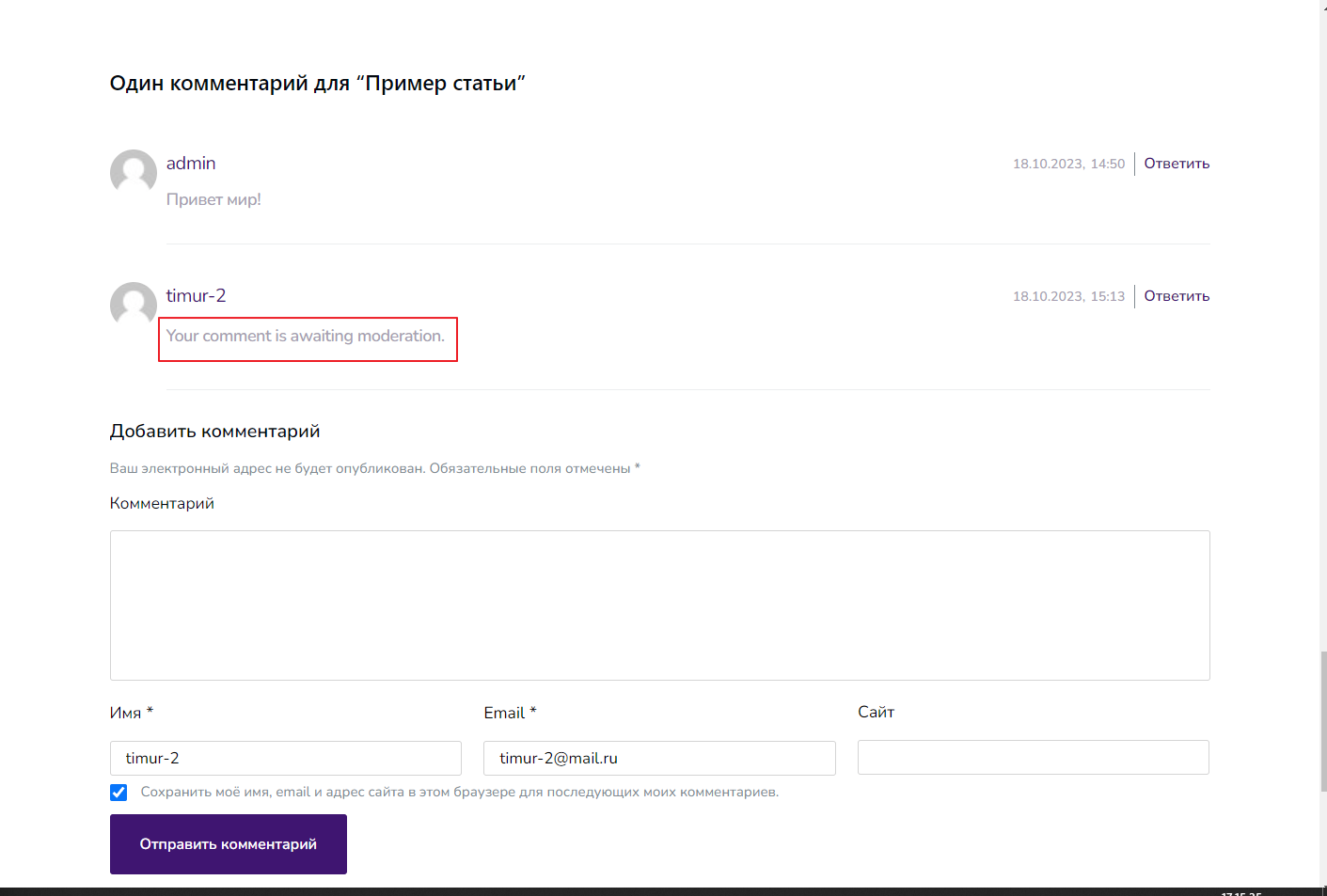
After you leave a comment, the message "Your comment is awaiting moderation." appears. This string cannot be translated through Loсo Translate, because the strings need to be translated into another language.
0
-

Hi Timur,
Thank you for reaching out to us.
To assist you with this matter, please follow these steps:
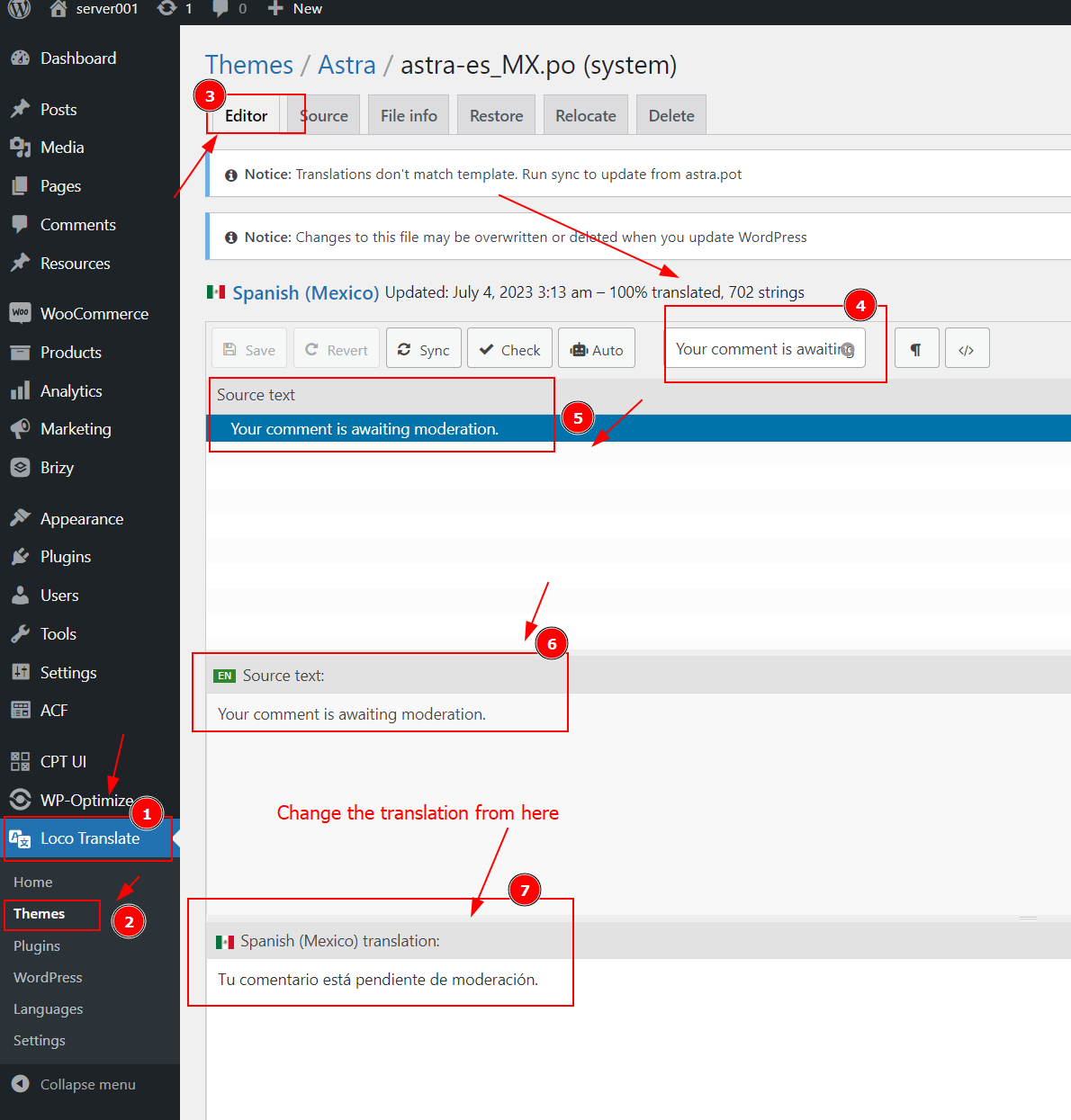
- Go to Loco Translate in the WP Dashboard
- Locate the Themes section and select your active theme from the provided list.
- Choose the Editor option.
- In the search box, enter "Your comment is awaiting moderation" to find the corresponding text.
- The Source text will be displayed if available, showing the original language it was translated from.
- Below that, you will find the translated text. You can modify it or manually translate it into your desired language.
Please try this and let me know how it goes.
Best regards,
Aria0 -
Thank you!
0
Please sign in to leave a comment.
Comments
2 comments