Can't open Wordpress login url after using multiple language function

Hello!
My wordpress url used to be something like "www.example.com/wp-admin"
But after I use Brizy multiple language function, I can't go to the dashboard anymore. Because the url will automatically change to "www.example.com/en/wp-admin" when I type my original url. I
I can't log in my wordpress dashboard now. Please help!!
Thank you!
-

Hi Yingwen,
Thank you for reaching out to us.
Could you please try www.example.com/wp-login.php? (with the question mark at the end)
If this doesn't work, please also contact your Multilanguage Plugin support and see if they can offer a solution.
Otherwise, you may need to temporarily disable the plugin by renaming it via FTP/cPanel File Manager, so you can log in to your site and make the necessary changes to fix it.
Please try this and let me know how it goes.
Best regards,
Ariel H.0 -
Hello,
Thanks for the reply. I tried your advice, it's not working. May I know how to contact Brizy "Multilanguage Plugin support" ?
Thank you
0 -
I'm not technical person. Can you please show me how to do this "you may need to temporarily disable the plugin by renaming it via FTP/cPanel File Manager". Thank you.
0 -
Hi Yingwen,
Thank you for keeping in touch.
Brizy WP has no multi-language feature, but perhaps I misunderstand the issue.
Could you please tell me how you enabled multi-language function?
Please also provide your domain name, so I can inspect it, if you prefer to keep it private, we won't show it on this support page.
I am looking forward to your response.
Best regards,
Ariel H.
0 -
Hello Ariel,
Yes. Kindly keep my url private from the public.
My website url used to be *********** and since I used the language function, it becomes *********** whenever I open the homepage.
My wordpress login link was ************* ; however, I can't open this landing page anymore as it changes to ************ now(with /en/ always)
Thank you.
The function used was the same as the screenshot below that I took from youtube: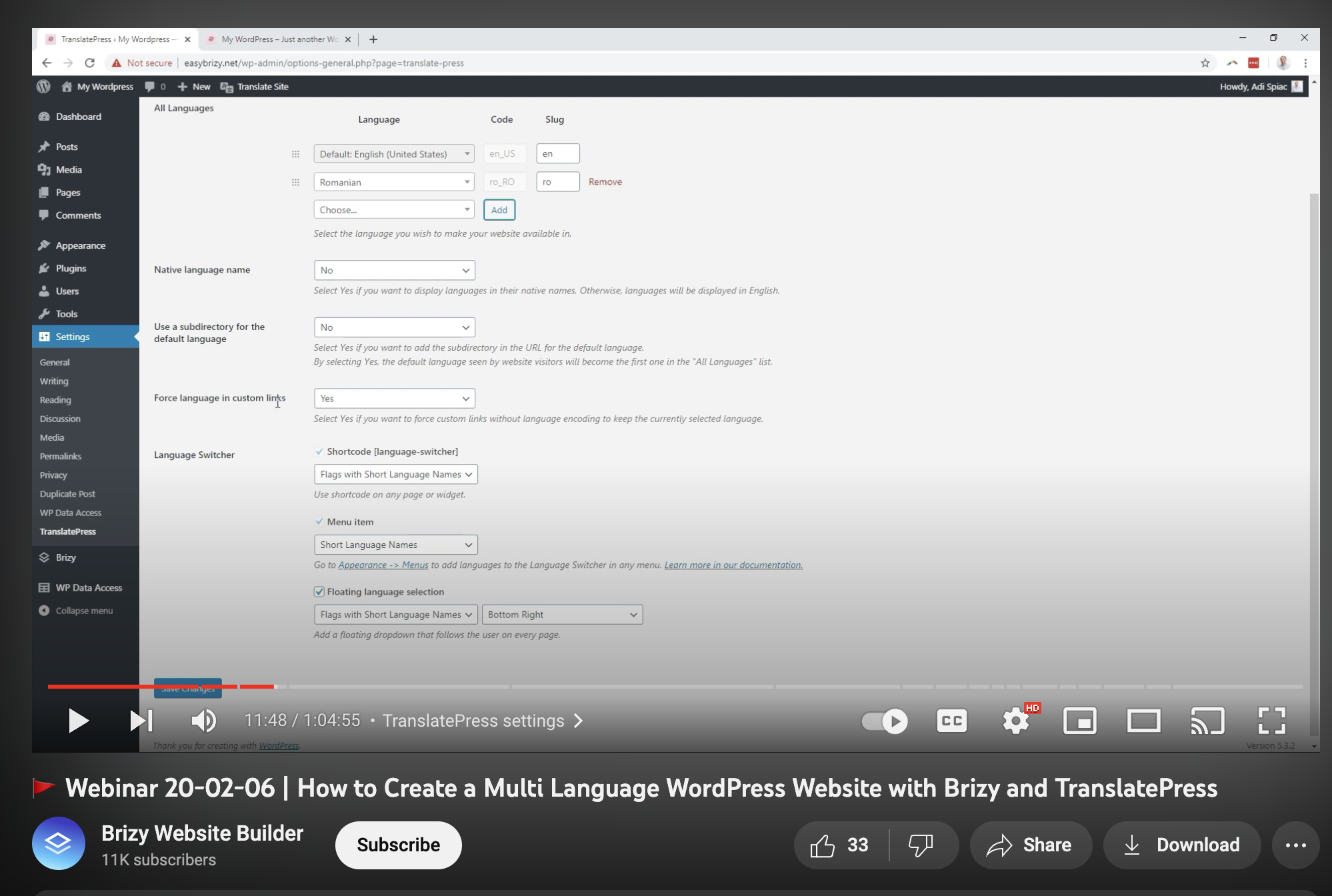 0
0 -
Hi Yingwen,
Thank you for the update.
Upon checking, your website is currently using Translate Press.
It also shows on your screenshot - https://prnt.sc/ypKbaK1yc9Wu
Please also report this issue to Translate Press support, so they can help you resolve this issue.
As much as we wanted to help, we don't provide support for third-party plugins.
The solution I suggested above should also serve as a guide if you know someone with experience with WordPress troubleshooting.
Best regards,
Ariel H.
0
Please sign in to leave a comment.
Comments
6 comments