Log in page

I understand from the video tutorials that I need to create 2 headers, one for not-logged and for subscribers. Correct? How do. I do this? Brizy won't allow me to add a duplicate of the same header. How do I get subscriber's name to appear once logged in? I did not see this addressed in the videos.
Thanks
-

Hi Armand,
You cannot add a global header two times on a page. However, you can save the global header by clicking on the heart icon.
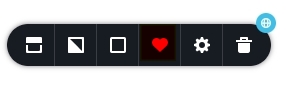
Then add the header to your page again from the 'Saved' tab of the Blocks and Layouts library
 0
0 -
Thank you. How do I get the name to appear on the logged in header?
Thanks
0 -
Hi Armand,
To display the username in the logged in header, please drag the 'Login' element to the page and select the 'Authorized' option.
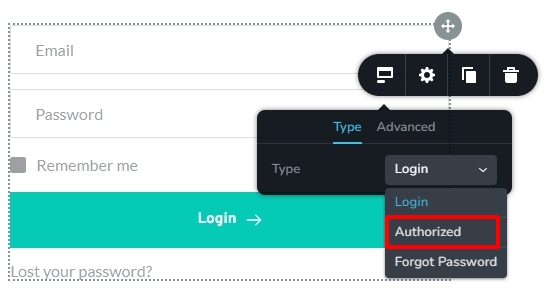 0
0
Please sign in to leave a comment.
Comments
3 comments