Elements don't show (Brizy Mode)

Hello,
some of my elements can't be seen in Brizy mode.
I won't delete them because it was a lot of work and they have a lot of text.
Can you help me please
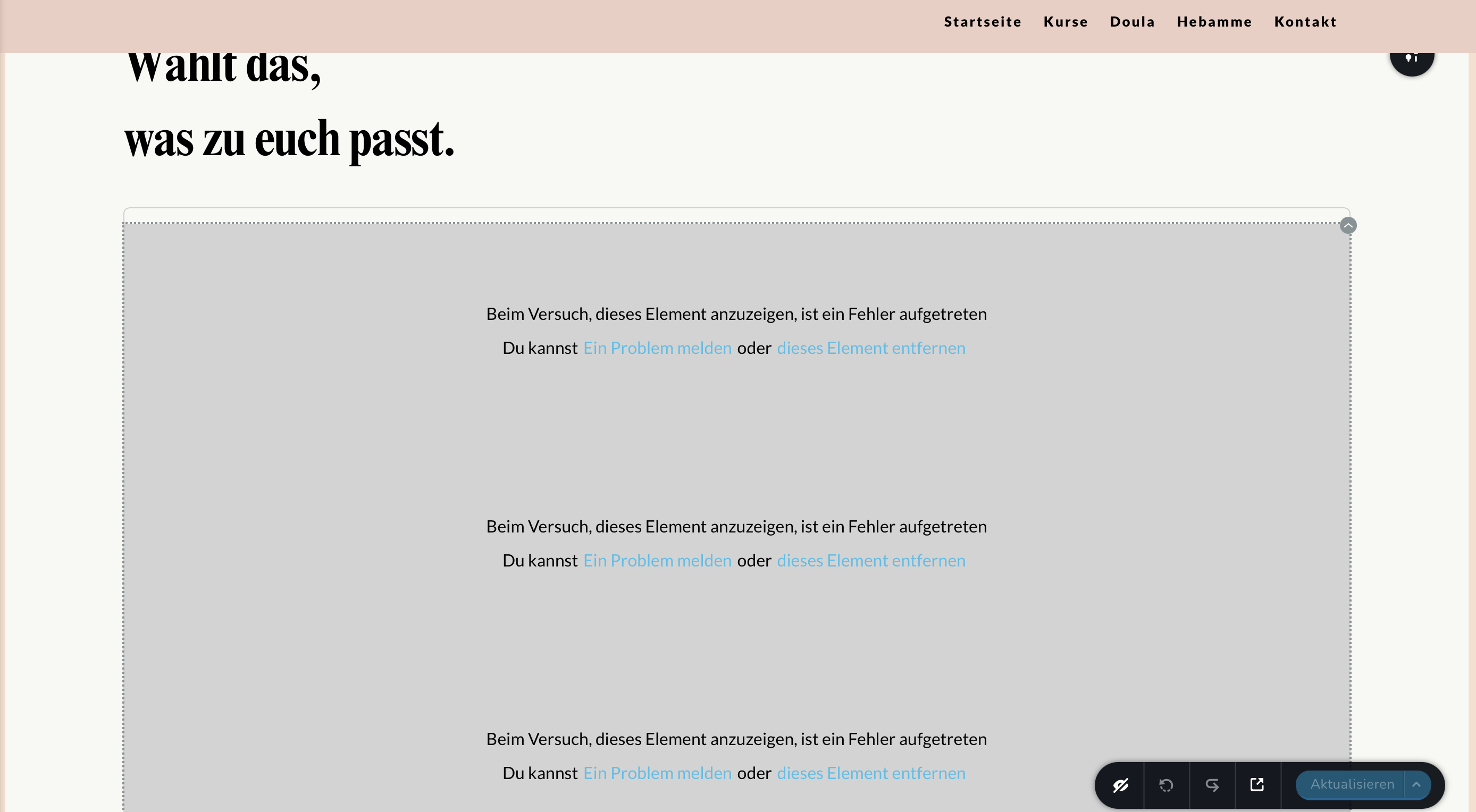
-

Hi Philipp,
Thank you for reaching out to us.
This is something we would like to investigate from your dashboard. Could you please provide us with the WordPress credentials, so we can look into this issue further?
Please add us as a user to your WordPress Dashboard and send the following details to: communitysupport@brizy.io
Community Post link: https://support.brizy.io/hc/en-us/community/posts/14281733061009
WordPress Admin URL:
Username
PasswordAlso, include the URL of the affected page.
Please make a full backup of your website as a precaution.
Meanwhile, this could be due to an incompatibility between Brizy, a plugin/theme or an embed code you are using on your website.
You can identify the conflicting software by:
1. Deactivating one plugin at a time and checking if the problem resolves
2. Temporarily switch to another theme and check if the issue goes away.
3. If, by any chance, you used embedded code on this page, please try to temporarily remove it and see if this makes any difference.In addition, please ensure that you are already using the most recent versions of Brizy and Brizy Pro.
(Brizy Version 2.4.18 and Brizy Pro Version 2.4.17)Please try this and let me know how it goes.
Best regards,
Ariel H.0 -
If sent you the Email with all of the details. I did a backup and checked the plugins. I would kindly ask you to check my website. I don’t know what to do next. Thank you so much
0 -
Okay, done
0 -
Hi,
Thank you for the swift reply.
I have inspected your site; however, everything appears to be in place.
This is demonstrated on this screencast - https://youtu.be/303Vf3nPqmUThe issue may be originating from your browser. Please try clearing your browser cache or try using another browser.
Please also consider optimizing the images on your website, or you can install a plugin to automatically optimize the images. This helps for better speed when loading images in the editor and in the front end.
On this link, you can find some plugins to help you accomplish this.
https://www.wpbeginner.com/plugins/best-wordpress-image-compression-plugins-compared/I hope this helps.
Kind regards,
Ariel H.0 -
Thanks for checking. The dringend is perfectly fine, but the backend is not. But I will try with another browser. Although it worked perfectly fine with Safari for many weeks … idk 😅
0 -
I still have the problem that the elements are displayed in the frontend, but an error message appears in the backend. Since this is course information that I have to adjust from time to time, I urgently need a solution to the problem.
0 -
Hi Philipp,
Thank you for keeping in touch.
I have inspected the backend and your pages, but I can't find anything unusual - https://youtu.be/9iuBF8tDY0Q
Could you please provide us with a screencast demonstrating the issue you're encountering?
Best regards,
Ariel H.0 -
I just checked the backend with my phone and it looks totally fine. When I‘m using my computer it doesn’t work … 🤷🏽♀️
0 -
Hi Philipp,
The issue could be related to the cache.
Please try clearing your browser cache or try using another computer and see if this makes any difference.
In addition, please have a look at this article and see if this will help you resolve the issue.
https://support.intermedia.com/app/articles/detail/a_id/25011/type/KBI hope this helps.
Best regards,
Ariel H.0
Please sign in to leave a comment.
Comments
9 comments