Image on top of another element

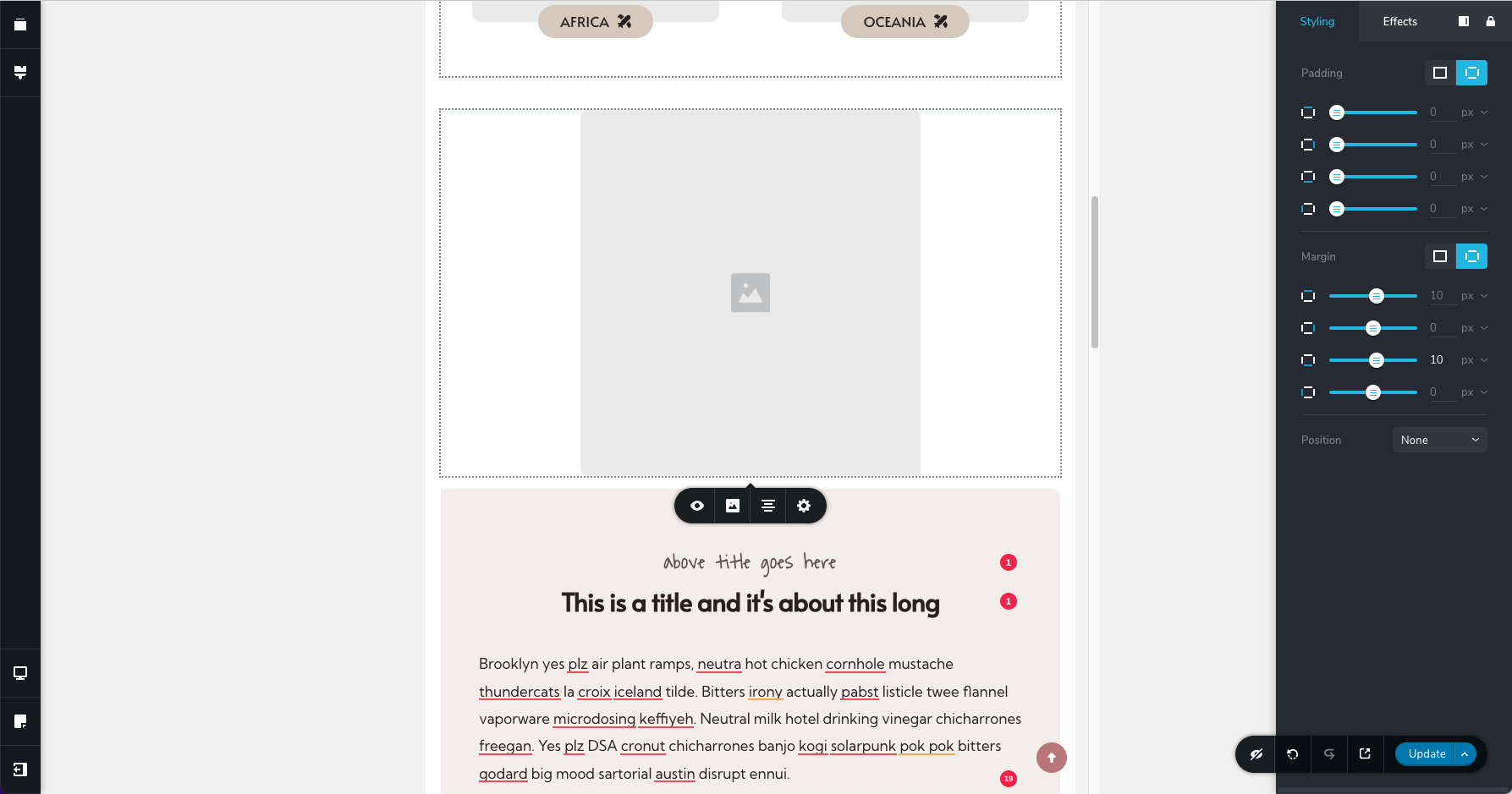
Hi Brizy team, I have the below on 2 collumns (the first is an image and the secont is text). On mobile, they're next to each other in one line. This is actually one the block templates provided by Brizy designers so you might know which one it is.
What I am trying to do is when adjusting to tablet, I want the image to go over the beige box. I normally do this with "margins" and I'd give negative margin at the bottom of the image element. But when I do that the image rolls under the beige box. So it's cut out or hidden let's say.
What do I need to do for it to roll over the beige box instead? :)
Thank you, Sofia
-

Hi Sofia,
Thank you for reaching out to us.
To accomplish this, please switch to desktop view and increase the z-index value of the column that contains your image. This will ensure that it stays on top of other elements. Then switch back to tablet view and set the bottom margin to a negative value.
This is demonstrated on this screencast - https://youtu.be/QNawvIUpVkUI hope this helps.
Best regards,
Ariel H.0 -
Ooooh that was easy. Thank you so much Ariel :) Have a great day!
0
Please sign in to leave a comment.
Comments
2 comments