Page not redirecting Properly

Hi there
My page https://candidate.audacity-talent.com/candidatepresentationcfotech10 doesn't work consistently. It often goes just to candidate.audacity-talent.com which is (intentionally) blank for the moment. If I access the page via Brizy Cloud, it will work for 20 mins or so and then stop working.
Thank you !
-

Hi Max,
Thank you for contacting us.
Could you please send us a screenshot of the Redirects tab showing the redirects, so we can check how you set this up?
Did you try clearing your browser's cache or using another browser to see if you get the same behavior?
I am looking forward to your response.
Best regards,
Ariel H.0 -
Hi Ariel
Here's the screenshot
And yes I cleared caches and browser
Thanks for your help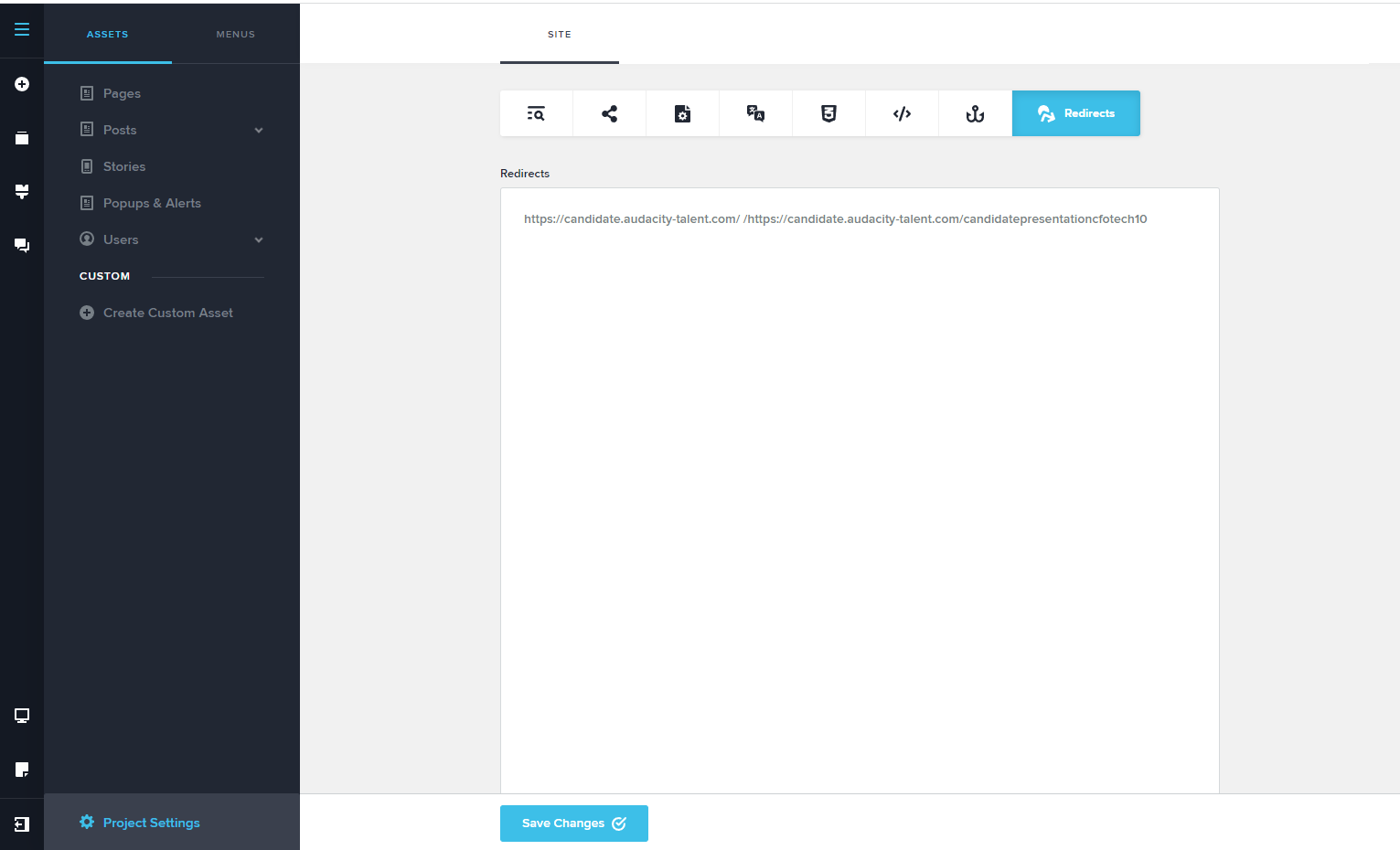 0
0 -
Hi Max,
Thank you for your cooperation.
It looks like you are using the full URL, please try this example instead.
Please see screenshot on this link - https://prnt.sc/8rvmhLq0Y-KtIn example 1, I'm trying to redirect my home page to the new page.
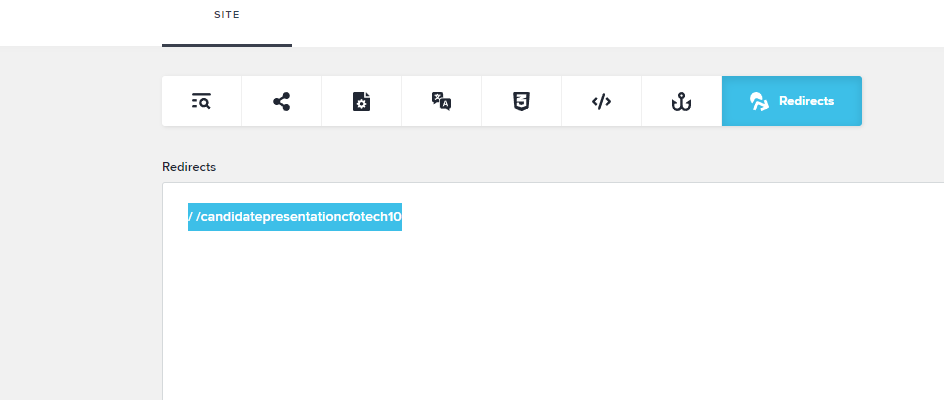
In your case (Example 2), you just need to use "/", put a one or two space and find the slug of the page where you want to redirect your home page.
I hope this helps.
Best regards,
Ariel H.0 -
Like this ?
 0
0 -
Hi Max,
Yes, that is right, as long as the slug is correct, it should work.
Please hit Save Changes at the bottom and try it.
Best regards,
Ariel H.0 -
Unfortunately it's not working! It works if I click on the link from Brizy Cloud but it doesn't work otherwise
0 -
Hi Max,
Please also ensure that both pages are published and not Draft.
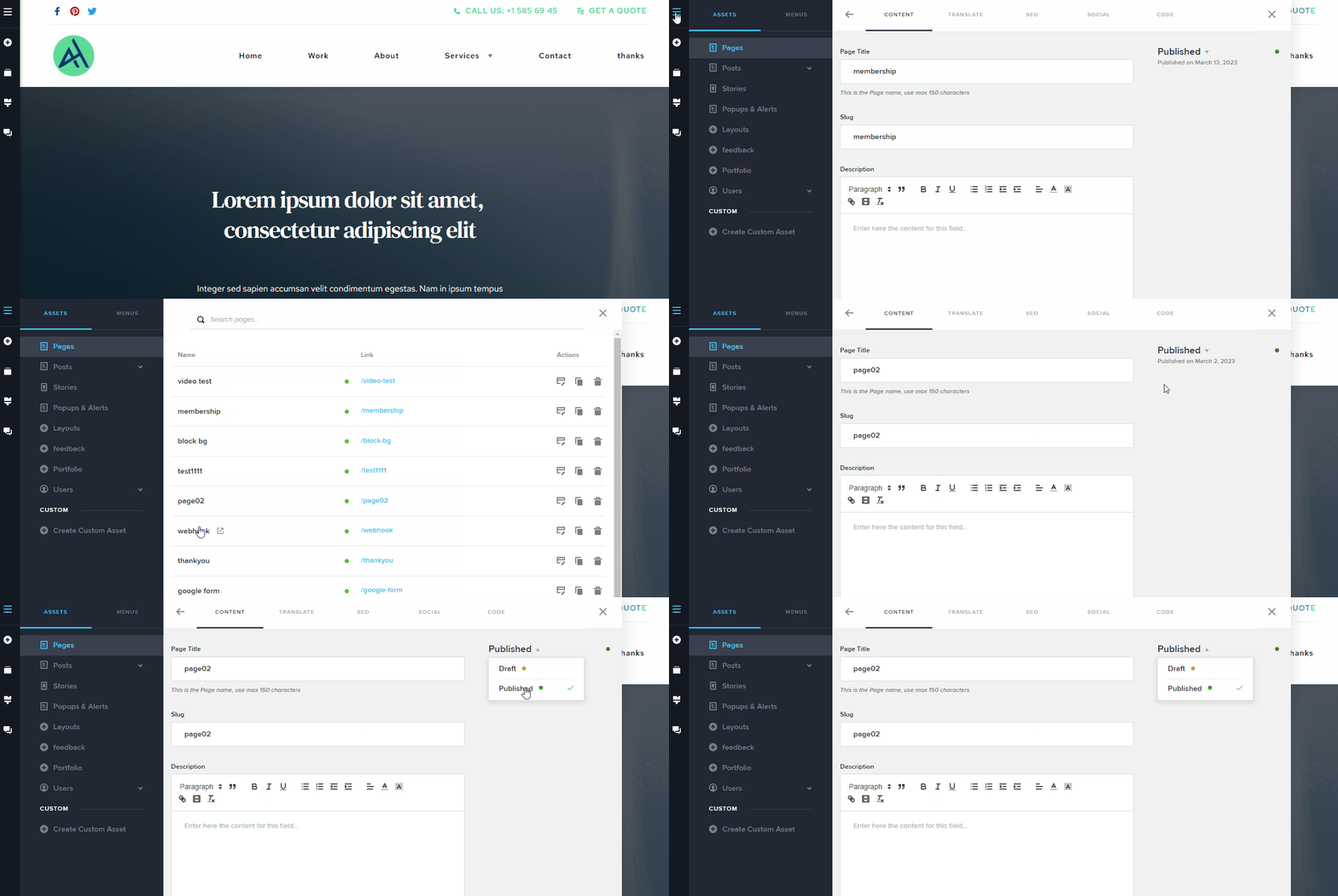
Best regards,
Ariel H.0
Please sign in to leave a comment.
Comments
7 comments