Single Product Gallery

Hi, I am using the Brizy single product template. My product gallery doesnt work the way it should. I also tried to use product gallery plugins for woocommerce to change my product gallery and they also do not seem to work. It looks like the product gallery in Brizy is not working as it should.
My product page link below.
IPL – Zoeys Skincare. IPL Laser Hair Removal.
I am using Blocksy theme.
Plugins for product gallery not working.
https://wordpress.org/plugins/advanced-woocommerce-product-gallery-slider/
https://thriveweb.com.au/the-lab/wooswipe/
Please can you assist with fixing my sigle product gallery.
-

Hi Fourie,
Can you elaborate your questions a bit more? When you say your product gallery doesn't work the way it should, how do you expect the gallery to work and what aspect of the gallery is not working as it should?
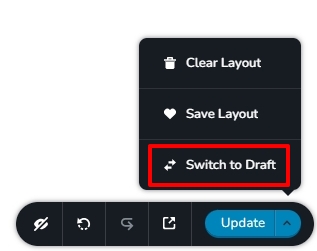
Please open the Single Product Brizy Template in the Brizy Editor and switch the template to draft by selecting the 'Switch to Draft' option at the bottom right corner. This will disable the Brizy single product template and enable Blocksy's single product page. Please check if the gallery plugins work with Blocksy. Once you make the gallery work with Blocksy, you can publish the Brizy single product template.
 0
0 -
Hi,
I switch the template to draft and now the gallery is working as expected.
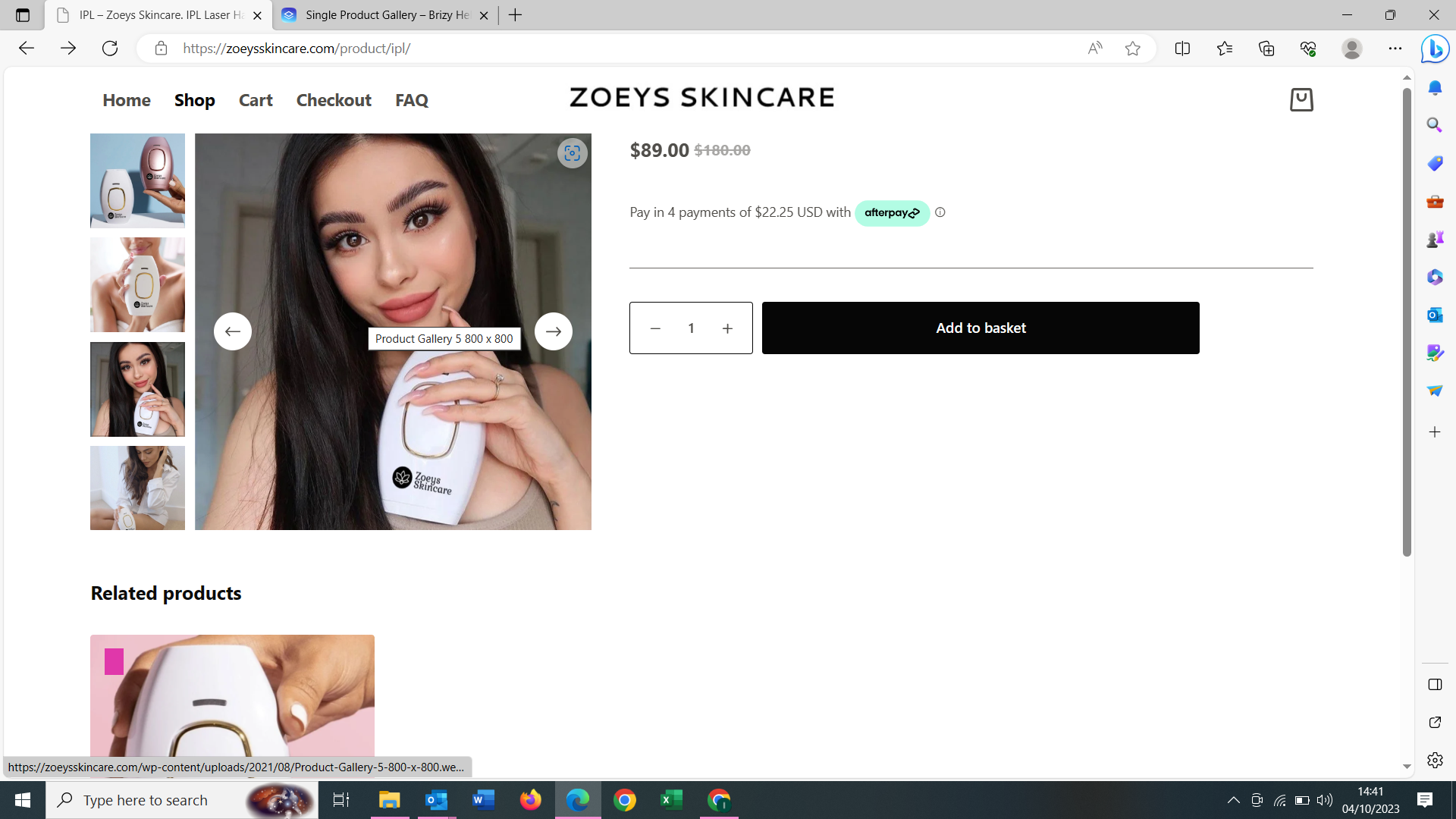
It noew allows me to use the theme gallery options, and when I changed the product scroll and thumbnail options it works. If I publish the template the gallery thumbnails and product image scroll options are not functioning at all.
See image below, in draft mode I can scroll the product image and the thumbnails can be vertical.
 0
0 -
Hi
I tried the plugin Advanced Woocommerce Product Gallery Slider. The gallery did not work well at my end with Blocksy theme. This plugin hasn’t been tested with the latest 3 major releases of WordPress. It may no longer be maintained or supported.
I tried a different plugin, Product Gallery Slider for WooCommerce They provide a shortcode which can be added to the Brizy Template. The plugin seems to work well with Brizy. Please have a look at https://brizytest.online/product/office-chair/
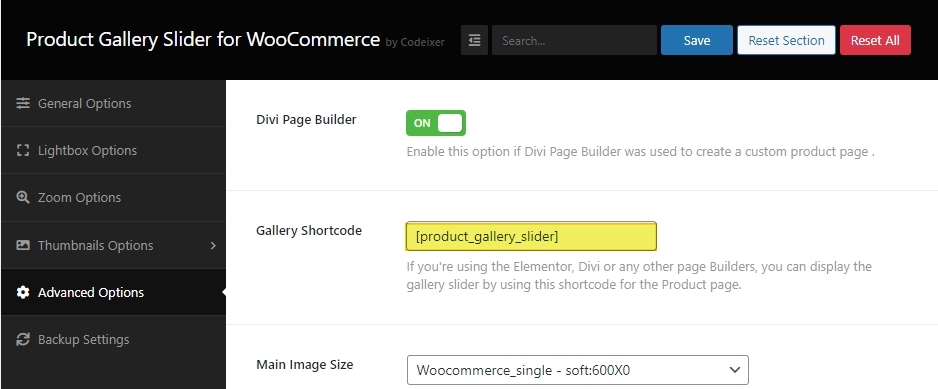
You could also explore other plugins from this list Top 5+ WooCommerce product gallery plugins to boost sales
0
Please sign in to leave a comment.
Comments
3 comments