Expanding the code window of the Embed and WP Shortcode elements.

Is there a way to increase the code-window size of either the Embed or WP Shortcode elements?
-

Hi William,
The width specified in the original design will be used when you embed external content into a Brizy page. No matter what you do in Brizy, the content will always display in a width of 300 pixels if the original design you are embedding has a fixed width of 300 pixels. In such case, altering the width of the embedded content requires changing the original design. The content will fill the width of the Brizy Embed element if the width of the embed content is set to 100%.
Please ensure that the Embed/Shortcode element's width is set to 100%. When the Brizy Embed element is placed within a block, the embed content can only be as wide as the block. In such case, you must increase the block width in order to enlarge the width of the embedded content.

Similarly the maximum width of the embed content would match the column's width if the Embed/Shortcode element is placed within a column. To increase the maximum width of the embedded content, you must increase the column width.
0 -
Hi, thanks for the reply. What I was actually looking for was to expand the size of the code input window of either the Embed or the WP Shortcode tool elements.
From something like this: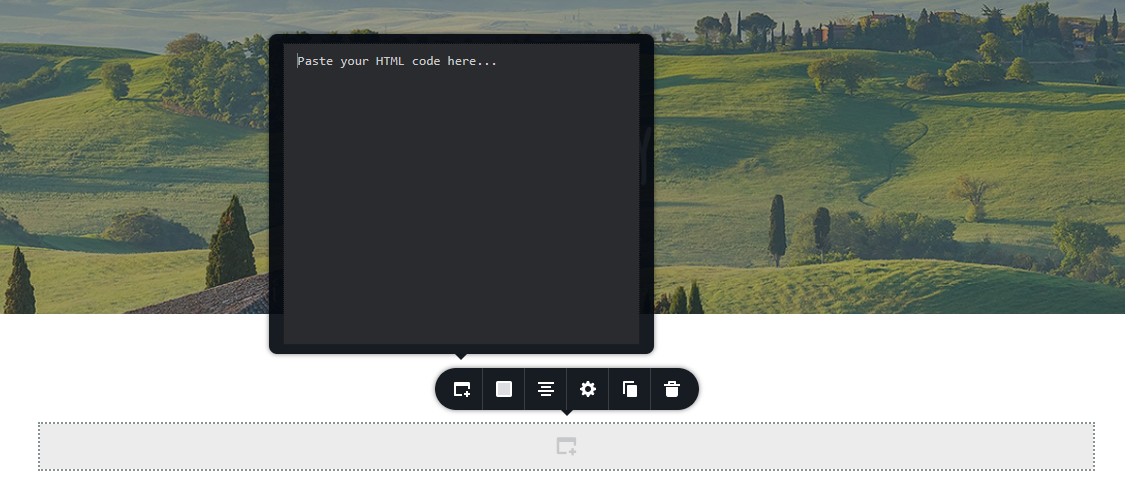
To something like this:
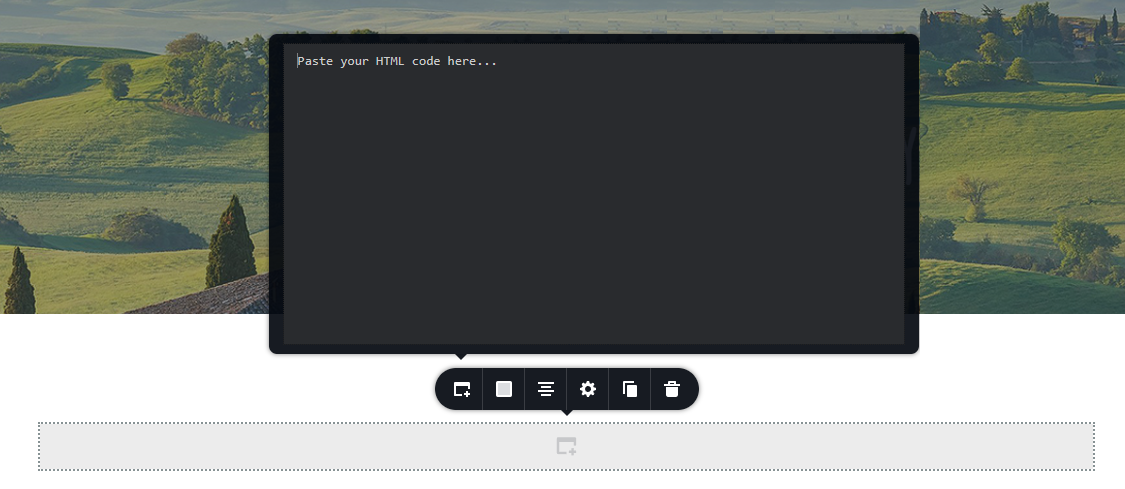
Thanks,
Bill0 -

Hi Bill,
Thank you for keeping in touch.
Unfortunately, there is no available option to expand the code windows within the embed element. Nevertheless, I encourage you to visit our website, where you can submit this feature. Just visit https://www.brizy.io/ideas-and-roadmap and submit your ideas. Our team will carefully review all the suggestions, and the most popular ones will be considered for inclusion in our development roadmap.
If you have any further questions, please let us know.
Best regards,
Ariel H.0
Please sign in to leave a comment.
Comments
3 comments