Brizy Cloud - Hide Pages from Search Engines

Hi, I have re-constructed my website and it has gone from a 5-page website to a one-pager. I have valuable information on the 4 pages I no longer want to be publicly available so I don't want to delete them. Is there a way to have them hid from search engines? If not, what's the best work-around? I'm sure I'm not the first person looking for a solution for this. :)
Thanks,
Amir
-

Hi Amir,
Please follow the procedure in this video to remove pages from Search Engine index. https://jmp.sh/CHjjFQP0 You could also resubmit your sitemap to Google Search console to force Google to recrawl your website.
0 -
Hi KC, I believe the video you have forwarded shows Brizy WordPress. I can't seem to find that option inside Brizy Cloud. Can you clarify?
Thanks,
0 -
Hi Amir,
I used the Brizy Cloud in my video illustration. If you check the editor URL, you will see brizy.cloud.
If your user interface looks different from what I have demonstrated, it implies that you are using the older Brizy Cloud project format. Projects that were created before Feb 2021 have the older project format. The older projects do not have the Search Engine Visibility option.
You could consider an alternate approach. Please add this code to the Code Injection header of all the pages you do not want Google to index
<meta name="robots" content="noindex">
Click on the Settings (cog) icon on the left sidebar
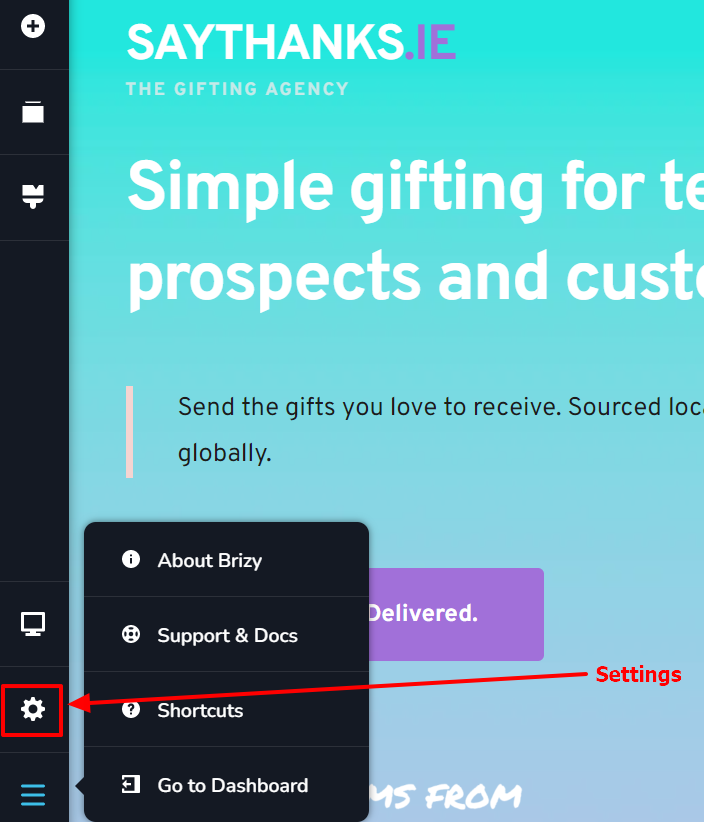
Then select Settings tab' and look for Code Injection and paste the code in the Head section.
 0
0 -
Hi KC,
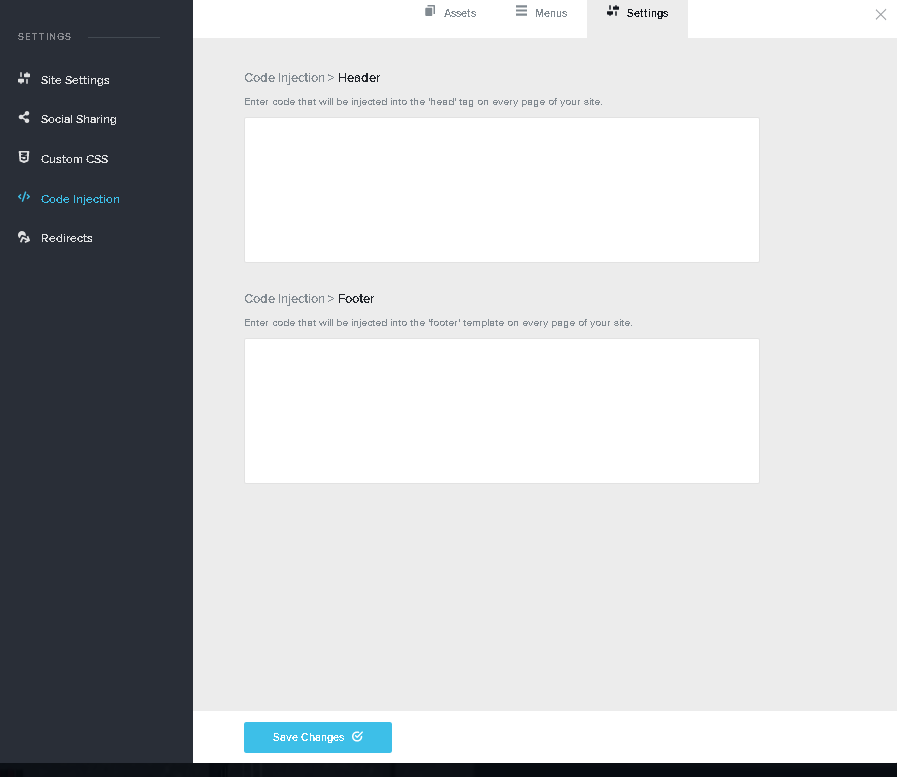
Under Settings and Code Injection, the only option I'm given is to add a code that will apply to the entire website (not specific pages). Is it possible to upgrade the project to the new version? I'm thinking maybe by saving all layouts and them importing them into a new website maybe? Thoughts?
Thanks,
Amir
 0
0 -
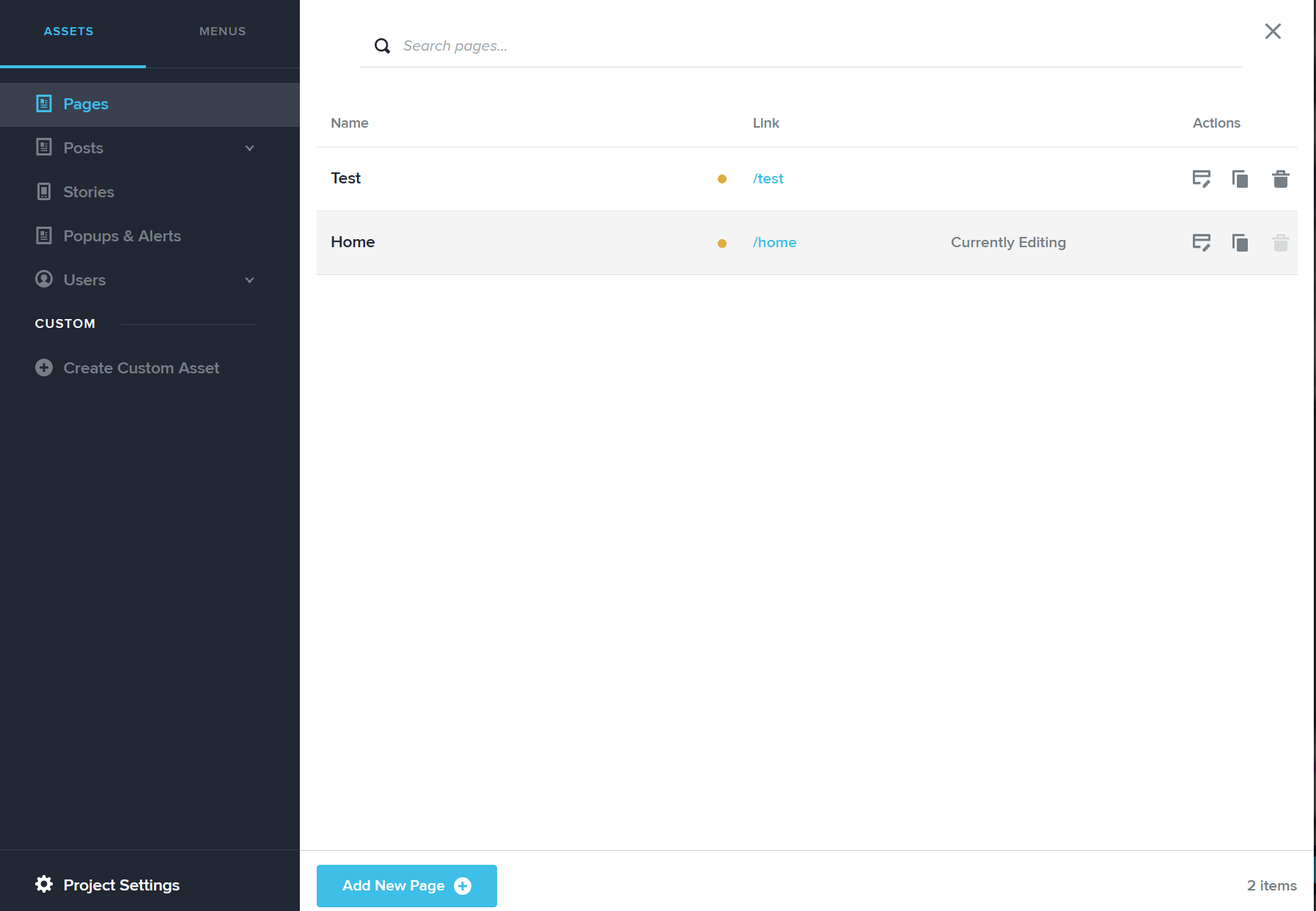
I've started a new project and even there (under the new interface) I can't seem to find the setting that controls search engine visibility. This is what it looks like:
 0
0 -
Never mind! Found it! That's a tricky place to spot page-specific settings. Maybe can be improved in the future? :)
0
Please sign in to leave a comment.
Comments
6 comments