We need to make a refund

We need to make a refund
-

Hi Omar,
Thank you for reaching out to us.
To cancel your subscription, please follow these steps:
- Log in to your account dashboard.
- Click on the "Account" tab.
- Select "Payments" from the menu.
- Scroll down to the bottom of the page.
- Click on the option to "Request Cancellation".
Screenshot - https://i.imgur.com/FrvE27T.png
In the cancellation note, you can include a request for a refund of any charges that have been applied to your account.
If you have any further questions, please let us know.
Best regards,
Ariel H.0 -
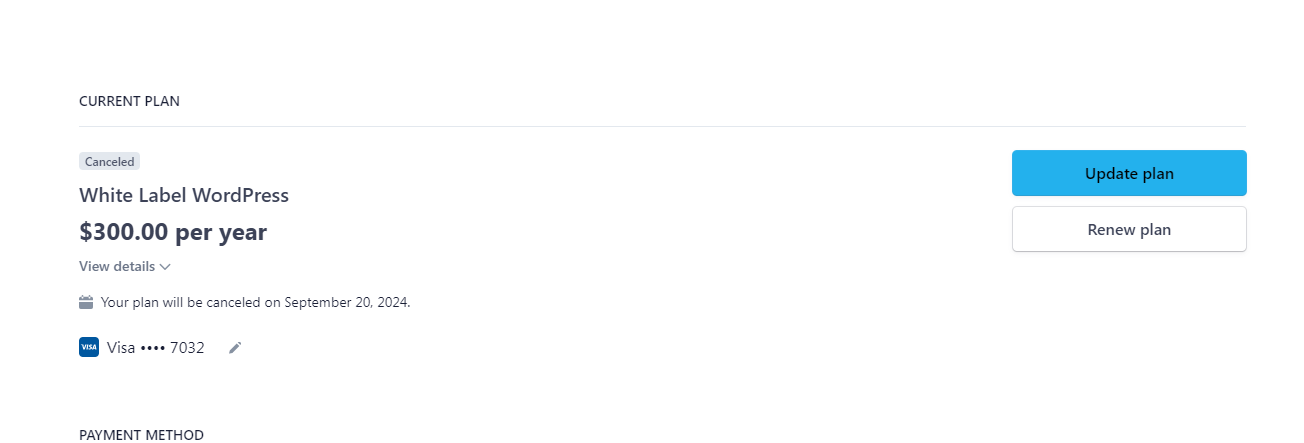
I have canceled the plan but i want to make a refund too
 0
0 -
Hi Omar,
Thank you for the update.
I received confirmation that the refund has been processed following the cancellation of your account. However, there is a possibility that there might be a slight delay in the refund being credited to your account. I kindly request you to give it a few more days for the refund to be fully processed. If the refund has not arrived within this timeframe, please feel free to reply to this support thread.
Best regards,
Ariel H.0

Please sign in to leave a comment.
Comments
3 comments