Global CSS not applied

Hey all,
I'm adding the following custom CSS to my project:
.landing-btn {
  background-color: #fbf802;
  border: none;
  color: black;
  padding: 15px 32px;
  text-align: center;
  text-decoration: none;
  display: inline-block;
  font-size: 15px;
  margin: 10px 10px;
  cursor: pointer;
}
And I want this to be applied to a button on my page:
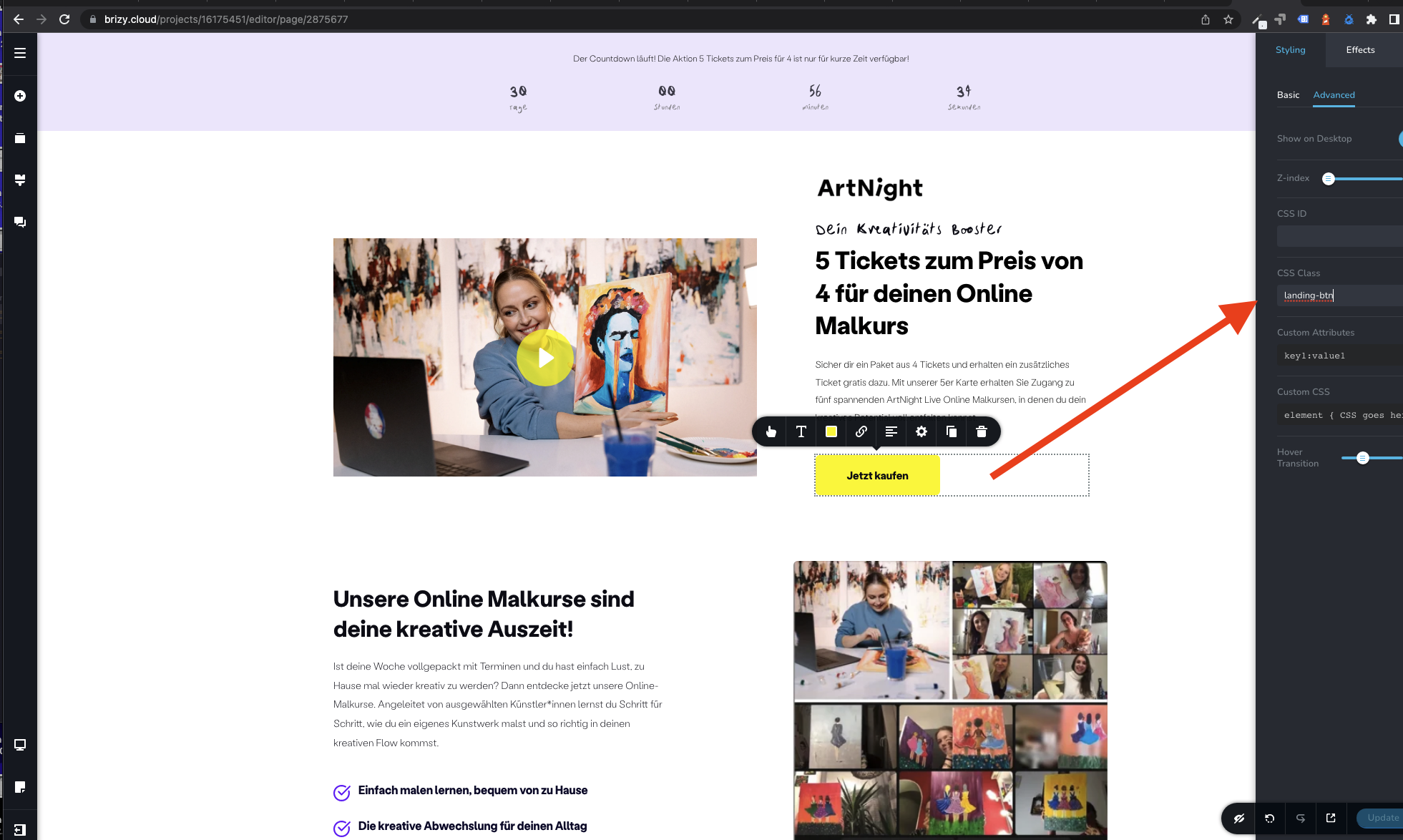
How can I make it work?
Thanks!
-

Hi Aimie,
Thank you for reaching out to us.
All these can be achieved by using existing features.
- https://prnt.sc/mSI6ZM6zlzhK
You don't need CSS to accomplish this.
For more information, please refer to this link - https://youtu.be/pTiNxyAmlkI
Please try this and let me know how it goes.Best regards,
Ariel H.0 -
Hey Ariel,
thanks for your reply.
The main issue is, that the button I use from "out of the box" stylesheet has a weird hover effect which I want to remove. However, I couldn't really find a way in the UI the remove the hovering effect. Thats why I wanted to overwrite it with a new global CSS class which I can just apply.
So overall there are two questions:
1. How can I remove the hovering effect int he UI?2. Still, why is the global CSS not applied properly?
Thanks!
0 -

Hi Aimie,
Buttons come with a normal and hover colors. By setting the same normal and hover colors, you can get rid of the hover effect on a button.
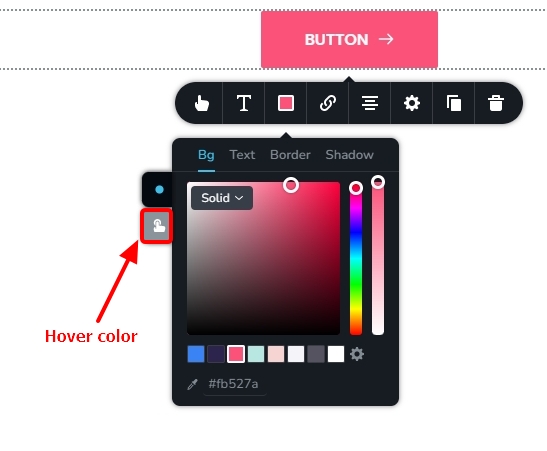
For the custom CSS to work, the right class must be targeted.
0
Please sign in to leave a comment.
Comments
3 comments