ERROR: Could not switch to draft / Could not publish or save page

I noticed that there are a lot of topics like that but none provides actual solution, so here I go.
I did a clean new instalation of WP on server, installed Brizy and I try to import one of the stocks layouts to new page. I can edit it, but when I want to save it for draft or publish it, i get this error: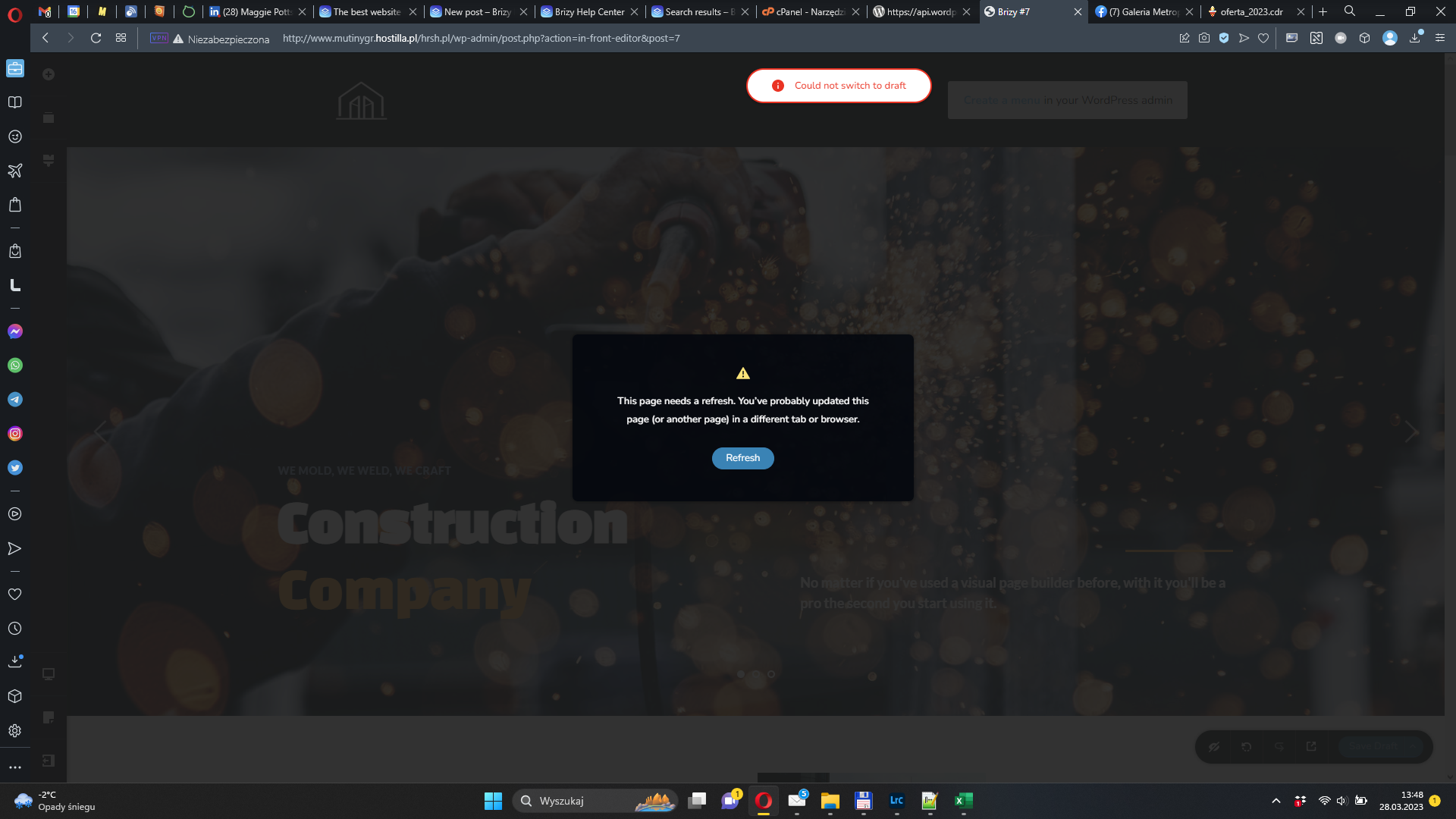
Yet I noticed that it happens with most of the blocks and layout, but not with all of them.
- WordPress ver. 6.1.1
- Brizzy ver. 2.4.17
- Brizy Pro ver. 2.4.16
What I already tried and failed:
- cleaning cache
- increasing PHP memory
- all combination of turning on/off plugins and themes
- deleting WP instalation and database and creating new ones
- every other thing I found in related topics
I hope you can manage to help me. Thanks.
-

Hi Karol,
Thank you for reaching out to us.
This is something we would like to investigate from your dashboard. Could you please provide us with the WordPress credentials, so we can look into this issue further?
Please add us as a user to your WordPress Dashboard and send the following details to: communitysupport@brizy.io
Community Post link: https://support.brizy.io/hc/en-us/community/posts/14094838969105
WordPress Admin URL:
Username
PasswordPlease make a full backup of your website as a precaution.
Best regards,
Ariel H.0 -

Hi Karol,
Thanks for giving us access to your WordPress Dashboard. I attempted to replicate the error you are seeing when trying to save a newly imported layout. I could not reproduce it. Please see my test here https://jmp.sh/5xyXf2U2
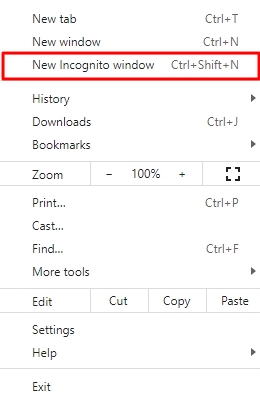
What steps should I follow to reproduce the "Could not switch to draft' error. Can you sign in to your WordPress Dashboard from a private (incognito) window of your browser and see if that makes a difference?
 0
0
Please sign in to leave a comment.
Comments
2 comments