Site is not loading

Hi, can you please check https://www.canadianentrepreneurs.org/
it does not load.
-

Hi Sharky,
Please implement the following three changes and get back to us. We will help you with the SLL certificate.
1. Sign in to your Cloudflare account and delete the 4 records highlighted in yellow.
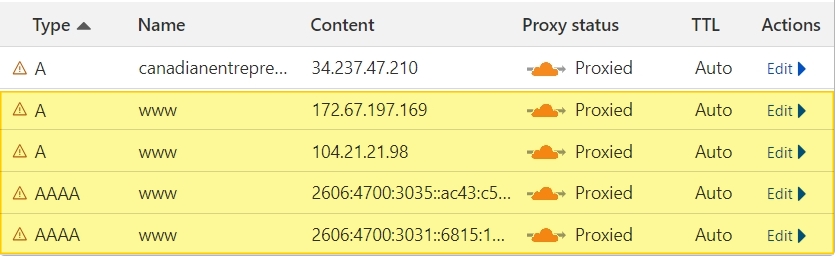
2. Disable Proxy for your A Record
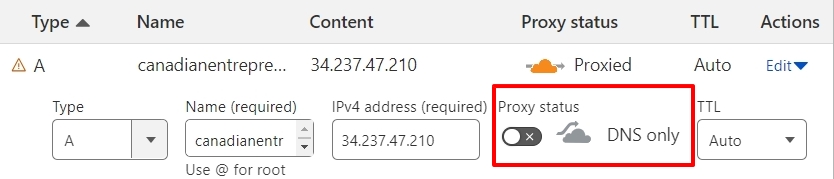
3. Add a new CNAME record with the target cherry6024801.brizy.site. Ensure proxy is disabled for your CNAME.
 0
0 -
Hi, this is done.. can you tell me how to install the SSL certificate? thanks
0 -
Hi Sharky,
When DNS records are modified, automated SSL installation does not work; we manually add the SSL certificate.
We have added the SSL certificate. Please check. If you are checking from your regular browser, please reload the page to see the latest change.
0 -
Thanks.. it's working now
0
Please sign in to leave a comment.
Comments
4 comments