Single template for all the categories

Hello,
I'd like to inquire whether it's feasible to design a universal template that can accommodate all categories, or if there's a method to incorporate a variable that can adapt the template according to the selected category.
For instance, if I were to click on Category A, could the template display the page with the title "Category A" and list all the blogs belonging to Category A? Then, if I were to select Category B, could the same template be used, but with the title modified to "Category B" and all the blogs listed under Category B displayed?
Additionally, could this same template be employed for the Archive pages?
Alternatively, if there's an alternative approach that doesn't involve creating distinct templates for each category and custom post types, I would greatly appreciate your guidance and help.
Thanks
-

Hi Devashish,
It is possible to setup a single blog category archive template for all categories. Please use this display condition for the Category Archive template.
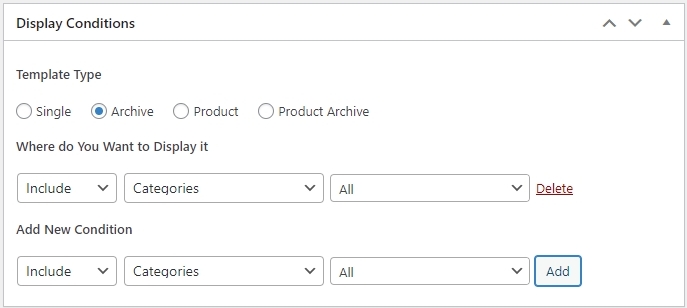
You will also need to create a menu with all your blog categories in WordPress. Please watch this video for the procedure. https://youtu.be/cWJEetL4f-s?si=-xmquZtyoTgqCFIz&t=145
This video is dated and was recorded three years ago. The general process is the same, though. After watching the video, if you have more questions, please get back to us.
You could do the same for custom post types. However CPT needs to be setup appropriately for it to work with Brizy. Please let us know the CPT plugin you are planning to use. We will explain the procedure to make the CPT work with Brizy.
0 -
Hi George,
Thanks for the mail.
Within the "Resources" section, we've developed different types of posts, such as Blogs, Webinars, Ebooks, etc., each of which is subsequently categorized according to the content's context. How can I use the same template for listing the content for all CPTs
Thanks
0 -

Hi Devashish,
Thank you for the update.
To use the same template for listing the content of different Custom Post Types within the "Resources" section, you will need to ensure that the custom post type is activated.
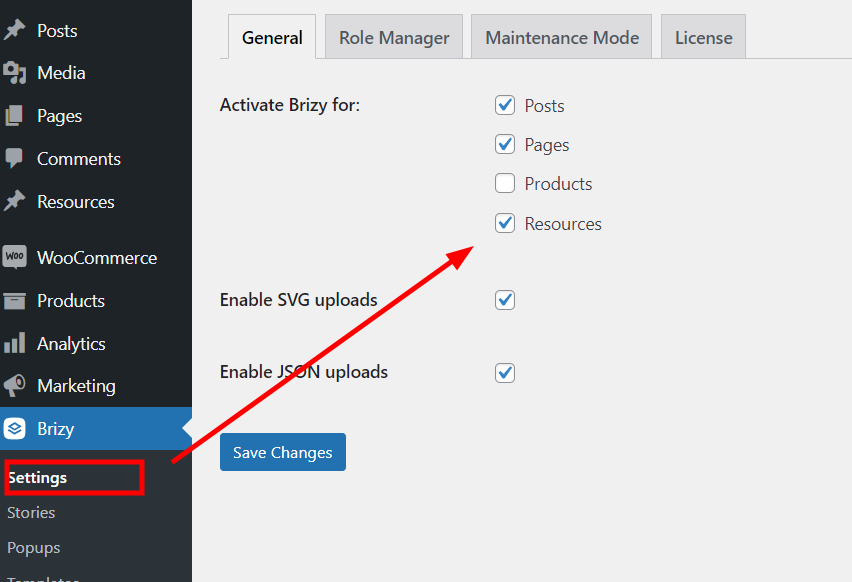
Once the custom post type is activated, you should be able to select the desired template when creating the content for each CPT.
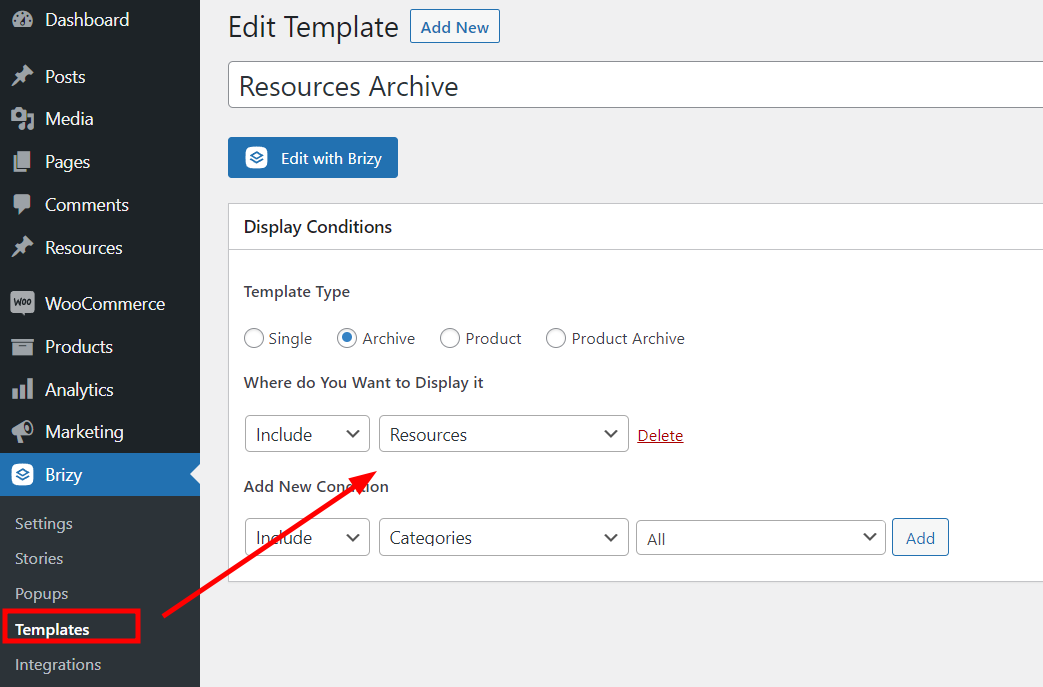
This should allow you to create and manage posts specific to that post type. This means you can have separate posts for Blogs, Webinars, Ebooks, and categorize them accordingly.
If you have any further questions, please let us know.
Best regards,
Ariel H.0 -
Hi Ariel,
Thank you for your email. I made an attempt to make the modifications as outlined in the email, but I encountered an issue where the customPost Layouts do not seem to be visible in the selection box. I have attached screenshots for your review.
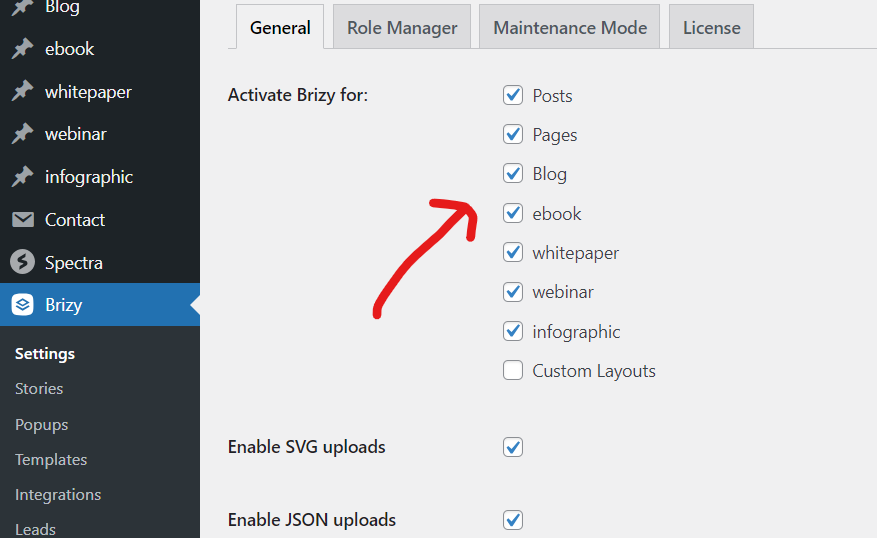
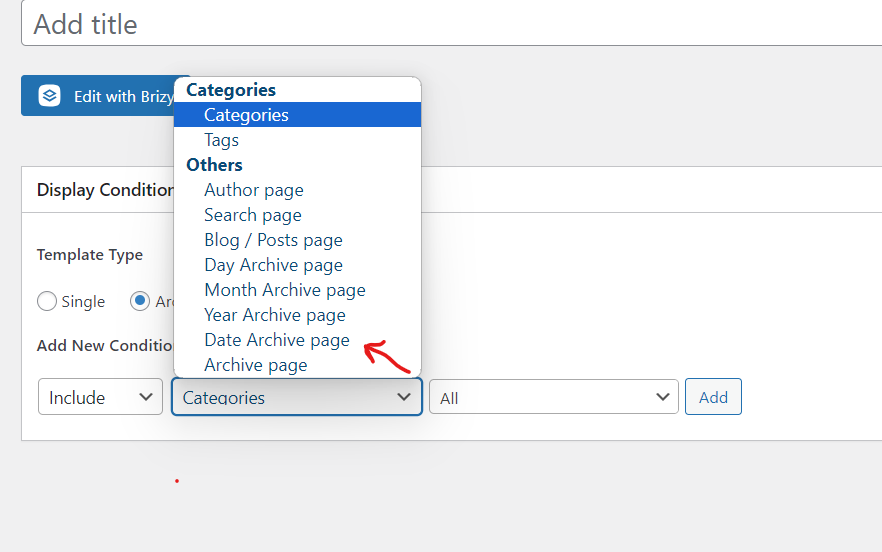
Thanks
0 -
Hi Devashish,
Thank you for the update.
There is a possibility that the CPT plugin you are presently utilizing may not be compatible with Brizy. In my example, I have used CPT-UI and ACF. Could you kindly inform me which CPT plugin you are currently using?
Best regards,
Ariel H.0 -
Hi,
We are using CPT-UI version 1.14.0
Thanks
0 -
Hi Devashish,
Please activate the "Has Archive" option for all of your Custom Post Types. After doing so, revisit the template and test it once more.
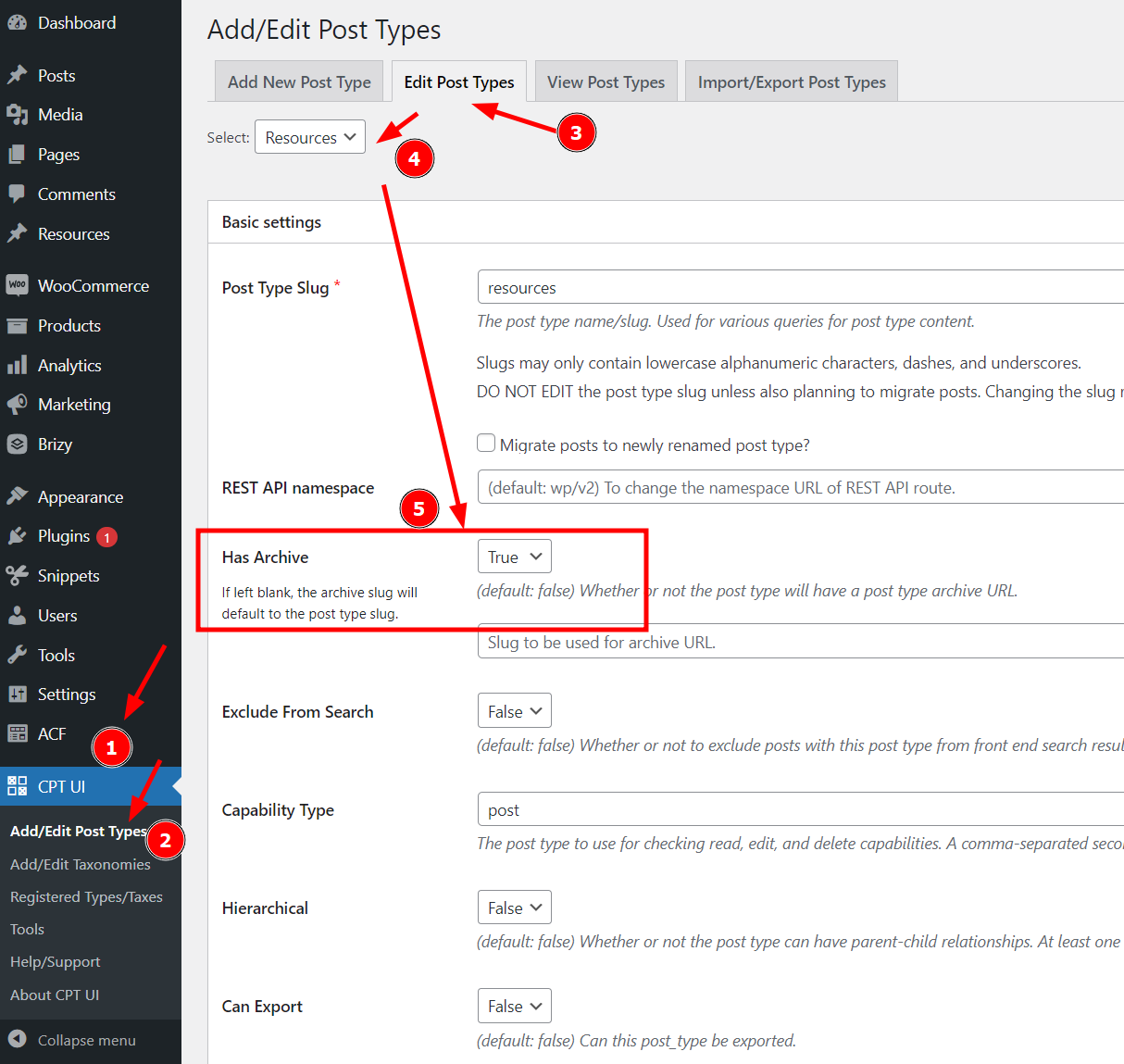
Best regards,
Ariel H.0 -
Thanks Ariel,
Things are working fine. Thanks for your assistance.
Regards
0
Please sign in to leave a comment.
Comments
8 comments