Change color of form input

Hi,
I'd like to change the color of a form input > see
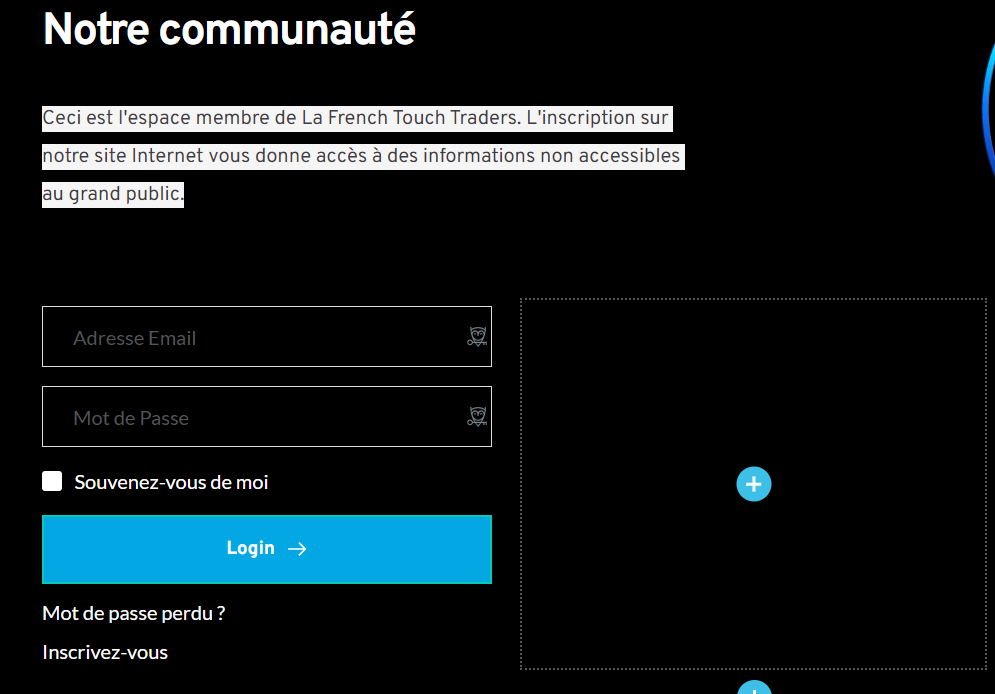
Email addresse and Password is in light grey and I would like it to be in white (so it stands out) ... but I don't seem to have that possibility. Can you help me out?
Brgds
Koen
-

Hi Koen,
Thank you for reaching out to us.
Please try increasing the text opacity as shown in this screenshot: https://i.imgur.com/Quyoazj.png
In step 4, the current opacity is 65%, drag it upwards and raise it to 100%.
Please try this and let me know if this works for you.
Best regards,
Ariel H.0 -
Hi Ariel,
That's the issue...I don't have that option ...I can't change the color of that part og the text (the input of Mots de Passe and Adresse email)
Brgds
Koen0 -

Hi Koen,
I have modified the color of your form fields. The username and the password fields are a bit more visible now. The placeholder text usually will have less contrast compared to regular text. When the user types in the username and password, the text will be more visible.
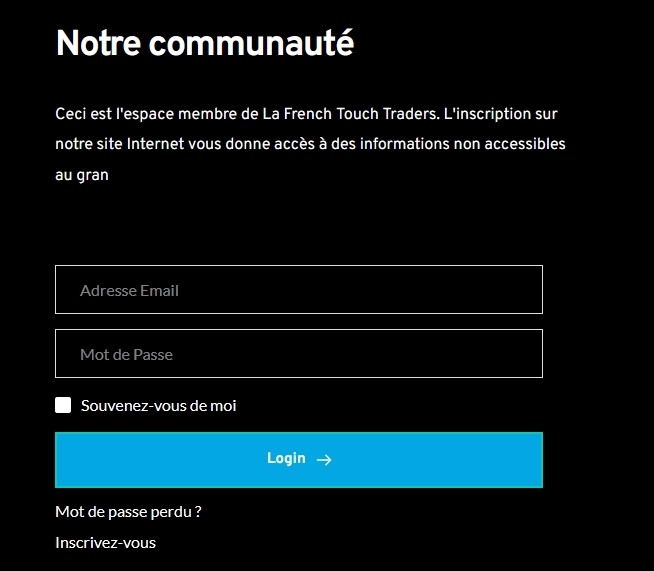 0
0 -
Hi KC,
See below.It's again on the membership page but the top part
It seems to be in white now (Adresse Email Mot de Passe) but I don't seem to have the ability to change it as you can see. I have the icon of the form, the icon of the settings, icon to copy and the last one to delete.
Brgds
Koen0 -
Hi Koen,
To change the color of the form filed placeholder text. please follow these steps.
- Click on a form field place holder text (Adresse Email or Mot de Passe)
- Select the colour icon. A color palette will open up
- Assign the appropriate color
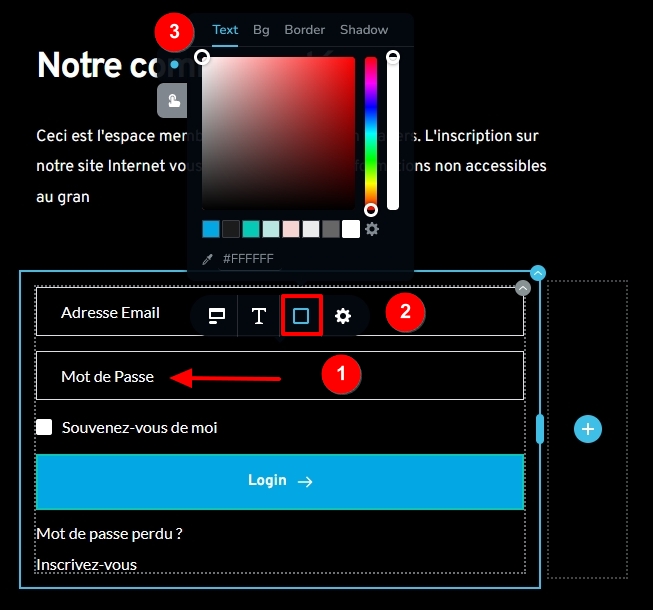 0
0 -
That's what I was missing -> I didn't have the colour option icon when being in that text field. So I guess there was a glitch since it's back now (tried in Chrome/Vivaldi and Edge and all is OK)?
But all is good now - that's what counts.
Brgds
Koen0

Please sign in to leave a comment.
Comments
6 comments