Getting message "Your Email was not sent"

I'm currently getting the error message - "your email was not sent" when using the brizy contact form. However, even though this error message is displayed, the email is still delivered. I am currently using WP Mail SMTP - Other SMTP. When I send a test email from WP Mail SMTP it is successful. When configuring the mail settings on the contact form I tried both the Wordpress option as well as the SMTP option (both seperately) and I recieve the same results with each one.
-

Hi Rick,
You have mentioned that you have attempted to send email notifications through both the WordPress and the SMTP options. In this case, both email notification options get selected in the form. If two email notification options are selected within the Brizy Form, the form will try to send out emails through both.
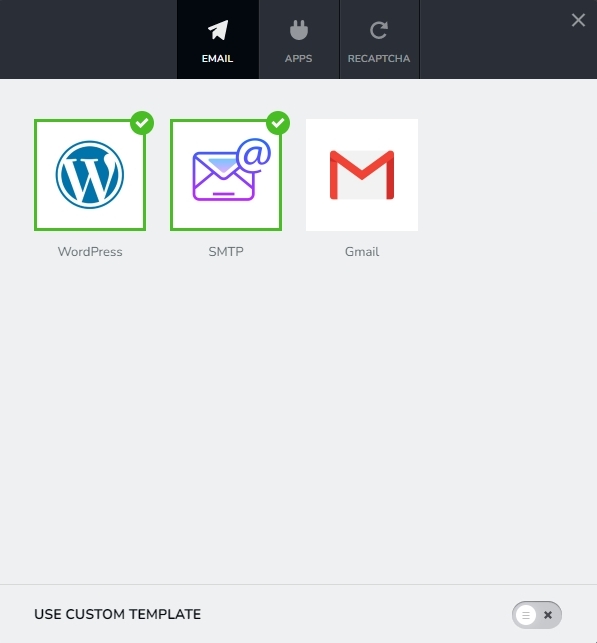
To get rid of the error message you are seeing, please delete the SMTP Email Notification option from the Brizy Form. Brizy Form does not have a direct method to delete a previously selected Email Notification. Please consider this work around to delete the SMTP option.
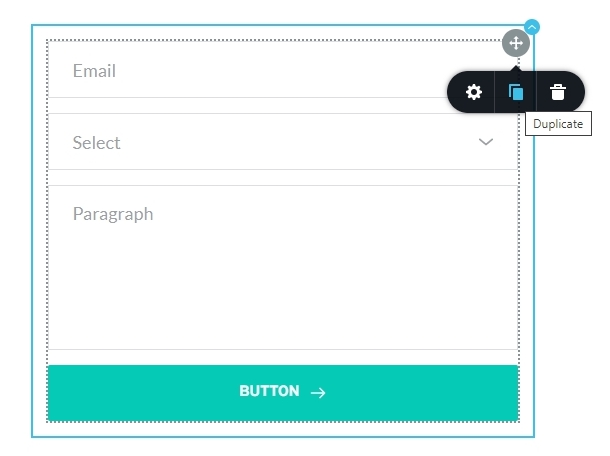
- Duplicate the Form by clicking on the Duplicate icon
- In the duplicated form setup the WordPress option to send out Email Notification one more time
- Delete the original form
 0
0
Please sign in to leave a comment.
Comments
1 comment