Adjust & outline table rows and columns in TABLETVIEW

In the desktopview the table looks good and positioned well as you can see here: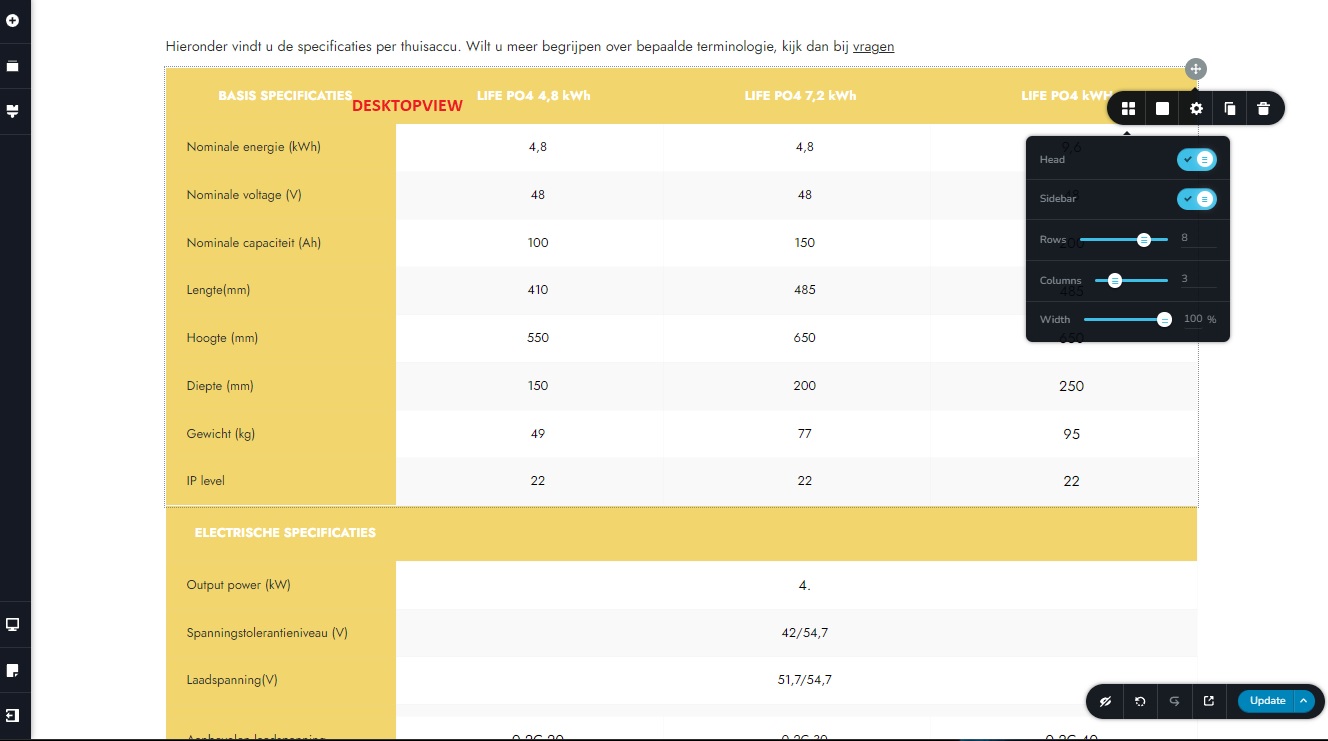
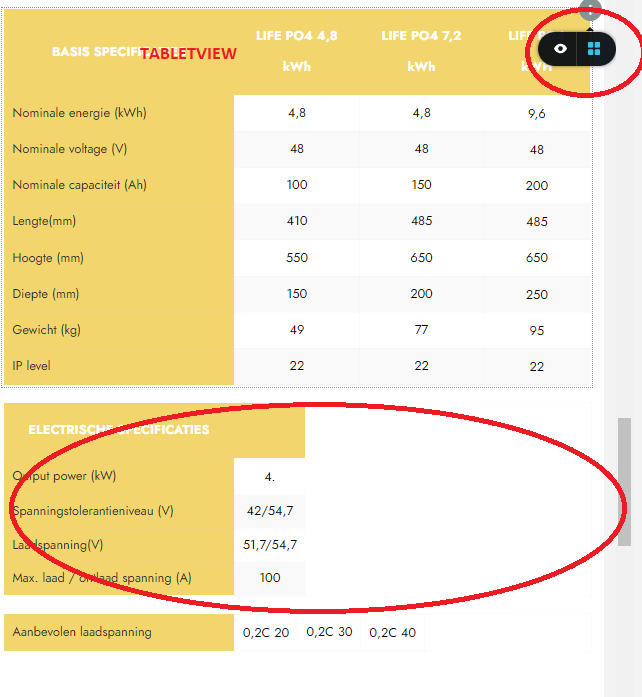
But in the tabletview it is not structured well, it seems that I have less option in this dashboard to adjust. How can I adjust and outline the table in tabletview?
-

Hi MJJ,
Thank you for reaching out to us.
Please try adjusting the width of the first column in tablet view and see if this helps.
This is demonstrated on this screencast: https://youtu.be/p7K-XIDk_FA
Please try this and let me know how it goes.
Best regards,
Ariel H.0 -
Dear Ariel
I was unable to get the outline right. I tried to copy the above table and keep it with 3 columns, but the outline is still not good. I made a video of the problem:
0 -
I found the solution, just use the SPACE key in the yellow row toget it to the right
0
Please sign in to leave a comment.
Comments
3 comments