White label - blog h1

When you create single blog post and try to set post title (dynamic) to H1 it is NOT possible. The option is not there.
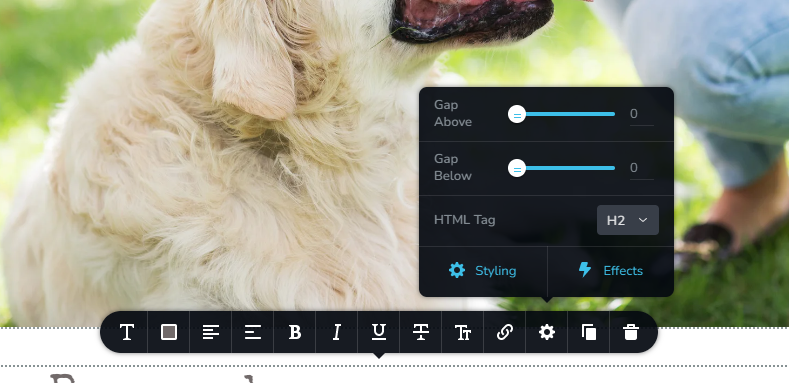
Regular text , you click setting and there is HTML tag option there (look at pic), with dynamic text (blog post title in this case the option is not there) - here is a website we noticed this problem https://www.fancywhiskers.com/ but most likely this is global problem
-

Hi Tomasz,
Thank you for reaching out to us.
This option is found under typography, as demonstrated in this screenshot - https://prnt.sc/G_2kf9OcGQpK
If this does not answer your question, please provide additional details, so we can assist you.
Best regards,
Ariel H.0 -
Incorrect, under typography you can select what global style you want to use NOT what HTML tag and as said before this option is missing if you are using dynamic text ex. blog post title.
0 -

Hi Tomasz,
You are right; Brizy does not have an option to set the HTML tags for blog posts headings. However, by default H1 tags are assigned to Heading 1 typography, H2 tags are assigned to Heading 2 etc. for pages and blog posts.
For example, please have a look at this test blog post developed using Brizy https://brizytest.online/the-yinki-ilori-colour-explosion. In this video, I show you the HTML tags being used for each heading. https://jmp.sh/n55pL7LK
I looked at https://www.fancywhiskers.com/. I could not find any blog post to check the heading tags.
0 -
1) regular text element has HTML tag setting , so any other element like this ex. text element set to dynamic value should have it to - it should NOT be a guessing game , one time set it here the other time set it there. You created HTML tag option to set what html tag it should render - USE IT
2) Setting Heading 1 does nothing but changes style
https://www.fancywhiskers.com/the-complete-guide-to-choosing-a-pet-sitter-everything-to-knowset to heading 1
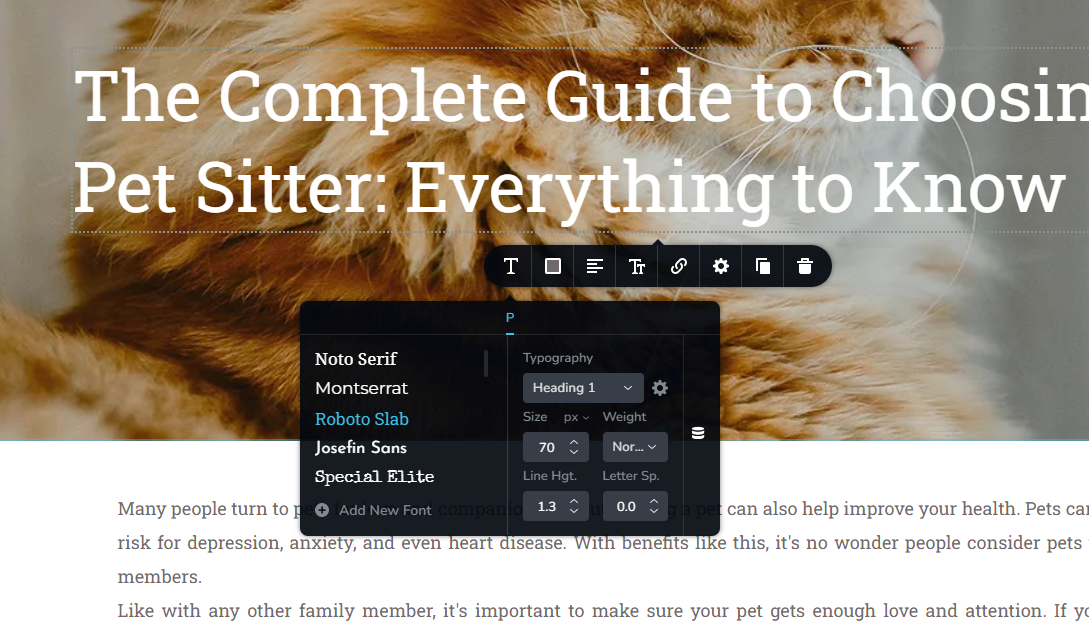
source
 0
0 -
Hi Tomasz,
You are right; in the example above, the H1 tag for the blog post title is not set. Let me suggest a workaround to resolve this problem. Open the blog post, select the title, temporarily assign an alternate typography, then select Heading 1 again, Save changes, and then check if the right HTML tag is assigned to your blog post title. You could also have a look at this video. https://jmp.sh/DbKlW4eY
Please let us know if this fixed the issue for you
0 -
George,
I was able to fix it - but the same thing needs to be done in 3 diffrent ways. Report this because this is terrible:
- regular text element - you have HTML tag setting that decides what tag is rendered (pic 1 in my first post)
- the same regular text element , when you set it to dynamic value ex. blog post - you will lose "html tag" setting and setting heading1, heading2 DOES NOTING
-what you need is to pull blog title element and html tag is still missing BUT this time when you set heading 1 you will actually get H1 tag in your code
WHAT A MESS !!! - fix this
0 -

This is not solved yet as of today june 24th.
Could you please fix this and add html tag for dynamic titles?
0 -
Hi Jean-Pierre,
This does not appear to be a common issue with Brizy Cloud. Do you see this issue with every project? If it is specific to projects, can you specify the projects?
0 -
Hi KC, I just created a new website that have blog articles like this one.
https://www.rankranker.com/real-estate-agents-and-online-reputation-management-winning-client-trust
And I cannot change the titles tag to H10 -
Hi
I have replied to you here. https://support.brizy.io/hc/en-us/community/posts/16463325865233
0
Please sign in to leave a comment.
Comments
10 comments