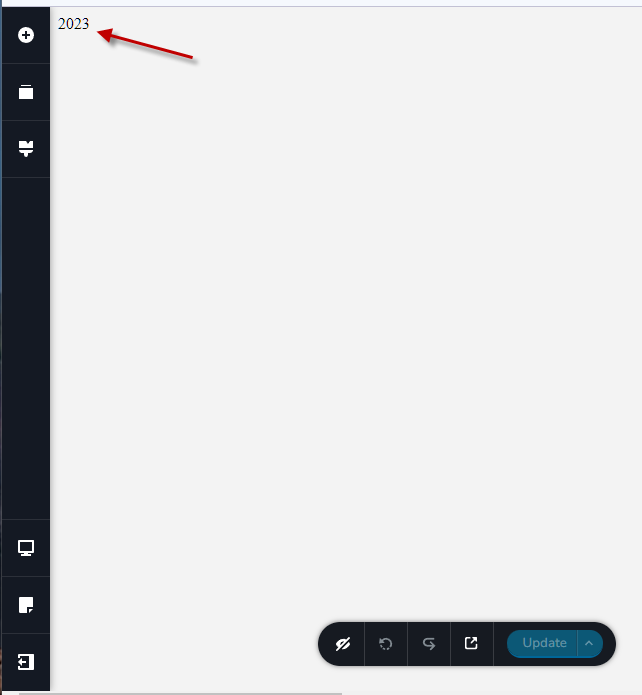
Brizy Page Edit only showing '2023'

All of the sudden, when I go to edit a page with Brizy, the page only says "2023" in the upper left hand corner. It doesn't show the existing page anymore! At least the page still loads in production OK; I just can't make changes. This is happening on several of my Brizy sites. It occurs with different browsers and on different PCs. Brizy is at 2.4.16 and Pro is at 2.4.15. If you would like to sign in, PM me for credentials.
Doug
-

Hi Douglas,
Thank you for reaching out to us.
This is something we would like to investigate from your dashboard. Could you please provide us with the WordPress credentials, so we can look into this issue further?
Please add us as a user to your WordPress Dashboard if you need assistance with this. Please send the following details to my email: kc.george@brizy.io.
Community Post link: https://support.brizy.io/hc/en-us/community/posts/13606583209361
WordPress Admin URL:
Username
Password
Please make a full backup of your website as a precaution.Best regards,
Ariel H.0 -
Hi Douglas,
Thank you for your patience.
Our developers are already looking into this issue. I will get back to you as soon as I have an update.
Best regards,
Ariel H.0 -
Hi Douglas,
We are aware of this issue and are currently working on a solution to address it. I will get back to you as soon as I receive an update.
Meanwhile, please revert to earlier versions of both Brizy and Brizy Pro. Please use these ZIP files to rollback to the previous versions.
- Brizy 2.4.15: https://jmp.sh/ekipsC8i
- Brizy Pro 2.4.14: https://jmp.sh/HkyItjto
Please follow this procedure to roll back.
- Deactivate and delete Brizy Pro
- Deactivate and delete Brizy
- Download Brizy 2.4.15 and in your WordPress Dashboard under Plugins - Add New - Upload Plugin, upload Brizy
- Download Brizy Pro 2.4.14 and under Plugins - Add New - Upload Plugin, upload Brizy Pro
Sorry for the inconvenience.
Best regards,
Ariel H.
0 -

Hi Douglas,
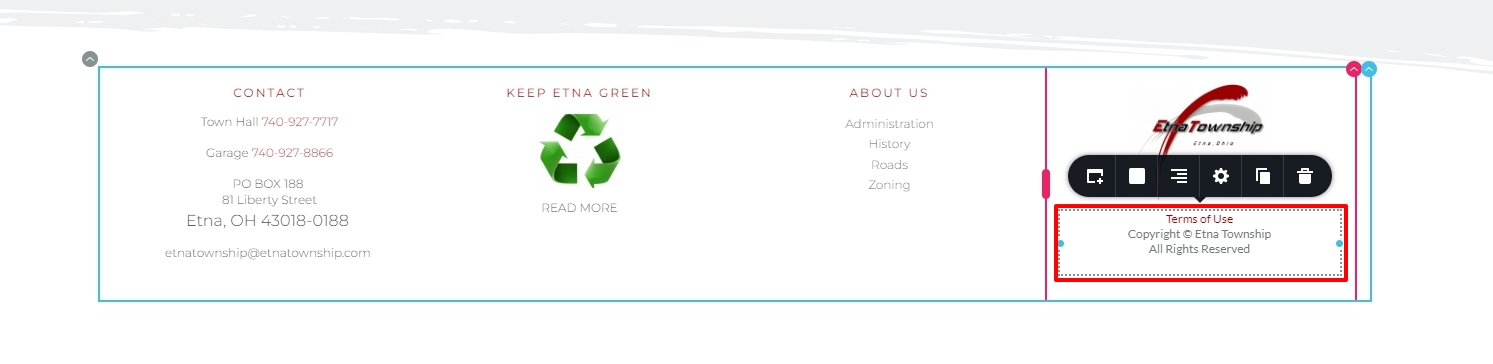
The issue was because of code conflict between Brizy and an embed code on your website footer. We have made some changes to the embed code and now the pages are opening normally in the Brizy editor.
You don't have to rollback to the previous Brizy versions since we have fixed this issue on your website.
 0
0 -
Thanks great!
I have this same issue on another site. Since you cannot use the Brizy Editor to fix this Global Block, what procedure do you use to change the embedded code?
0 -
Perfect!!!! I now have do this same fix on at least one another site, maybe more. To that end, how do I get Brizy Editor to open this page so that you can edit the Embedded Code in a Global Block? In other words, is getting around the '2023' (temporarily) something I can do on my end? Thanks so much for the great support! Doug
0 -
Hi Douglas,
Please give access to your WordPress Dashboard for the other websites too. We will fix it for you.
Please send these details to kc.george@brizy.io
- Community Post link: https://support.brizy.io/hc/en-us/community/posts/13606583209361
- WordPress Admin URL:
- Username
- Password
0 -
Hi Douglas,
We have fixed this issue on https://avroomservice.com/ also. Please check
Sorry for the delay in fixing it
0 -
Hi Kc, Yes, it works fine now. Looks like the solution was changing the embedded code from PHP to JS (to display the current year). I'll make a note of that for future projects. Thanks, Doug Acest Tiket a fost facut Recovery din Suspended Tickets. Trebuie editat si la final in PS. trebuei de zis la user "Please do not reply to noreplay email, pentru ca mesajele ajung in SPAM" 0
Please sign in to leave a comment.
Comments
9 comments