Canonical.php error

We have an error warning that is quite tricky:
We are using blocksy them, for translation we use translatepress and the brizy builder. The error accurs when the brizy builder and translatepress are activated together. When we deactivate the brizy plugin the warning is gone, the translation is fine and blocksy is working. When we now activate brizy again the warning appears. When we deactivating translatepress, the warning dissapears again but we doont have a translation.
We told translatepress already, they said: We don't set canonical at all. Usually, this comes from the SEO plugin you use probably. Moreover, the error appears on the default language also. Here TranslatePress doesn't make changes
You should try to find the plugin that generates that file and eventually contact their support to tell you more about what can be done.
Our plugin works with the main SEO plugins on the market. If it's a custom solution, well, this may not work properly. So, you should try to use one of the mentioned plugins if you don't do already.
We have not activated any SEO plugin, so this is not helping. We are quite stuck and can not go online can you help please!
Warning: Undefined array key "path" in /home/.sites/36/site1454177/web/wp-includes/canonical.php on line 592 Warning: Undefined array key "path" in /home/.sites/36/site1454177/web/wp-includes/canonical.php on line 701
The issue warning is visible on the page (above the header) only on the "home" page whenever we go online(live)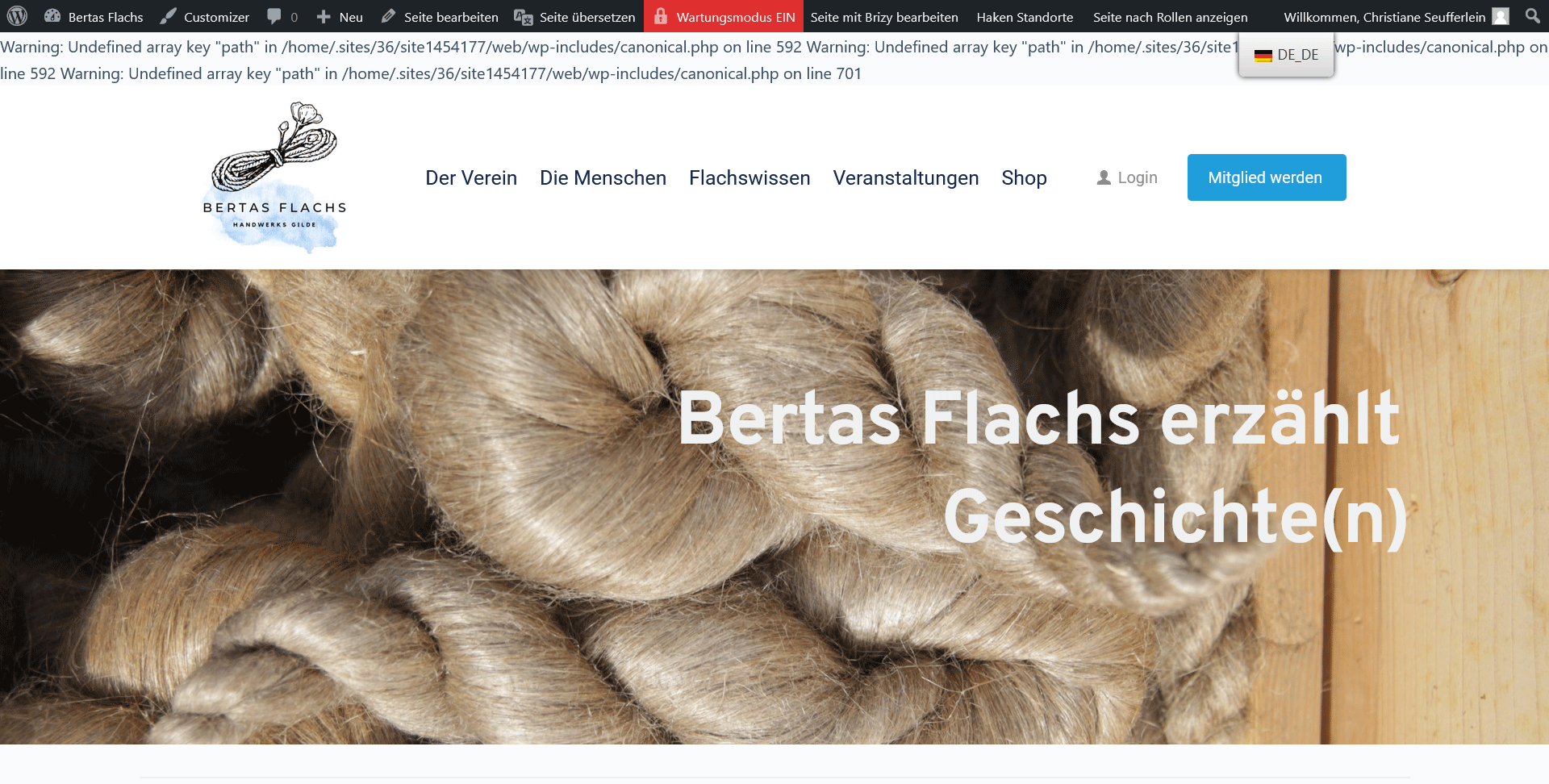
thank you
Christiane Seufferlein
-

Hi Christiane,
Thank you for reaching out to us.
Please confirm if you have PHP version 8.0 or lower on this website. If this is the case, please try to update it to PHP version 8.1 and see if this will address the issue.
You may need to contact your hosting provider for them to set this up for you.Please try this and let me know how it goes.
Best regards,
Ariel H.0 -
Hello Ariel,
we are working with the latest PHP version it's 8.1
This are the lines:
Line 592

Line 701
 0
0 -
Hi Christiane,
Thank you for the update.
This is something we would like to investigate from your dashboard. Could you please provide us with the WordPress credentials, so we can look into this issue further?
Please add us as a user to your WordPress Dashboard if you need assistance with this. Please send the following details to: kc.george@brizy.io.
- Community Post link: https://support.brizy.io/hc/en-us/community/posts/13602505224593
- WordPress Admin URL:
- Username
- Password
Please make a full backup of your website as a precaution.
Best regards,
Ariel H.0 -
Hi Ariel, thank you very much. We are preparing the backup and send you the WordPress credentials this afternoon.
All the Best from Austria
Christiane0 -

Hi Christiane,
Sorry for not getting back earlier.
I saved the homepage layout and imported into another page and the warning message disappeared by itself. Please have a look at https://www.bertas-flachs.at/new-start/
Please check and ensure the above page is complete. Then you can delete the homepage, rename this page to Start and set it as your new homepage.
0 -
Hi KC George,
sorry, but it does not work. In the Moment when i go to WP-settings and activate the button "static page" and in the field below i set the startpage to "Start" we have the same error message as usual.
All the Best from Austria
Christiane0 -
Hi Christiane,
The PHP warning message displays on your website because you have enabled debug mode which helps developers to debug their code. One way to get rid of this warning message is to turn off the debug mode. Here is the procedure How to Turn Off PHP Errors in WordPress
If this is too complicated for you to do, may be you can take the help of your host https://www.world4you.com/
0 -
Thanks for helping, I think it's not complicated, I can do it by my own😉. Have a nice weekend.
0 -
Hi KC George,
it works great and very well. Thank you so much, i'm so happy.
All the Best from Austria
Christiane0
Please sign in to leave a comment.
Comments
9 comments