Popup & Multistep Form Error

Hi,
I have created a popup in which a multistep booking form is inserted via code from a third party vendor. This works so far.
My problem is that as soon as I go one step further (add to cart and checkout), the popup closes. When I click on the link again, the correct page appears within the popup.
Here is the page
new.actionzone.be/?page_id=345
(Popup inserted at "Paintball 14+" -> "Jetzt buchen")
Here is the code:
<div class="regiondo-booking-widget"
data-locale="de_DE"
data-provider="AC35"
data-product="T-AC35-217248"
data-title="Paintball (+14) NEU"
data-url="https://actionzone.regiondo.de/"
data-font="Open Sans"></div>
<script id="regiondo-js" src="https://cdn.regiondo.net/js/integration/bookingwidget/bookingwidget.js"></script>
-

Hi
As per instructions at How to integrate the React Booking Widget? you should place the code inside of a HEAD tag, together with a DIV tag or before a closing BODY tag.
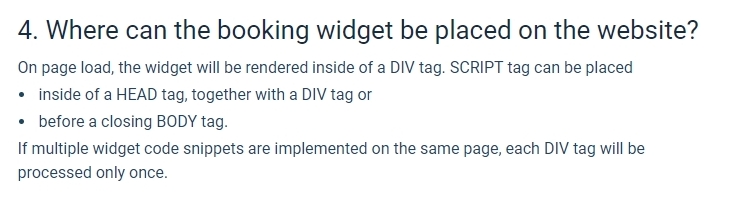
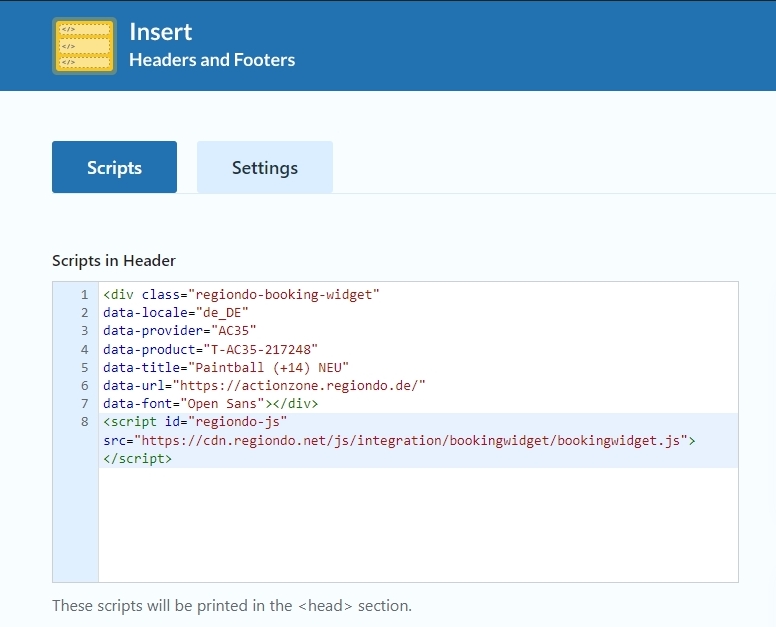
May be if you follow their instruction exactly, the code may work well. Please consider using the plugin Insert Headers And Footers and paste the code in the header section of the plugin and see if that helps.
 0
0 -
I did it exactly as described, but unfortunately the problem persists. Attached is a video that shows the problem.
https://www.youtube.com/watch?v=XCpYLHqOwPo0 -
Hi
The issue appears to be with the way the form is designed. When the user completes selections within the Shopping Cart section, the page refreshes before moving to the Contact section. Hence if you place this form within a popup, when the form refreshes the page, the popup gets closed. Please watch this screen recording https://jmp.sh/NWaEWCfI You can see my test page here https://brizytest.online/test
Because of the way the form is designed, you may need to embed it to a regular Brizy page and not to a popup.
0 -
Hi,
I tried it once with the plugin "Popup Maker". With this it works. Now it is so that this workaround is not the smartest. My technical understanding does not go so far that I understand why it works with the plugin and not in Brizy directly. Is there anything that can be done?
0 -
Hi
An embed code can be compatible with one software and incompatible with another. If its compatible with the Popup Maker plugin, using the plugin would be your best solution.
0
Please sign in to leave a comment.
Comments
5 comments