Favicon

Is it possible to upload a favicon on the current version of Brizy WordPress? Thanks.
-

Hi Amata,
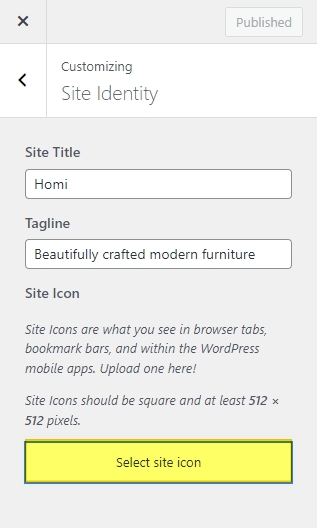
Yes; you can upload a Favicon to your website in your WordPress Dashboard under Appearance - Customize- Site Identity by clicking on the button 'Select Site Icon'
 1
1 -
Thanks!
0 -

Hi there. I have the Brizy Pro WP Plugin and under Appearance in the WP Dashboard there is no Customize. Only Templates and Editor that takes you to WP. How do I add a Favicon with the Brizy Plugin?
0 -
Hi Bryan,
WordPress is gradually releasing the full site editing experience which uses blocks to edit all aspects of a WordPress website. When you are using a WordPress theme offering the support for the full-site editing (block based themes), the option Appearance - Customise will be missing. Default WordPress themes like Twenty Twenty-Three and Twenty Twenty-Two do not have these options.
Installing any of the themes listed below will give you the opportunity to upload a Favicon under Appearance - Customize. https://www.brizy.io/theme-partners
0 -

FAvicon doesn't appean in all my Brizy Cloud Pro site, check example
result will show Brizy Icon, that isn't god at all
 0
0 -

Hi Pete,
Thank you for reaching out to us.
Please ensure that you have already uploaded your Favicon to your website by following the steps shown in this screenshot.
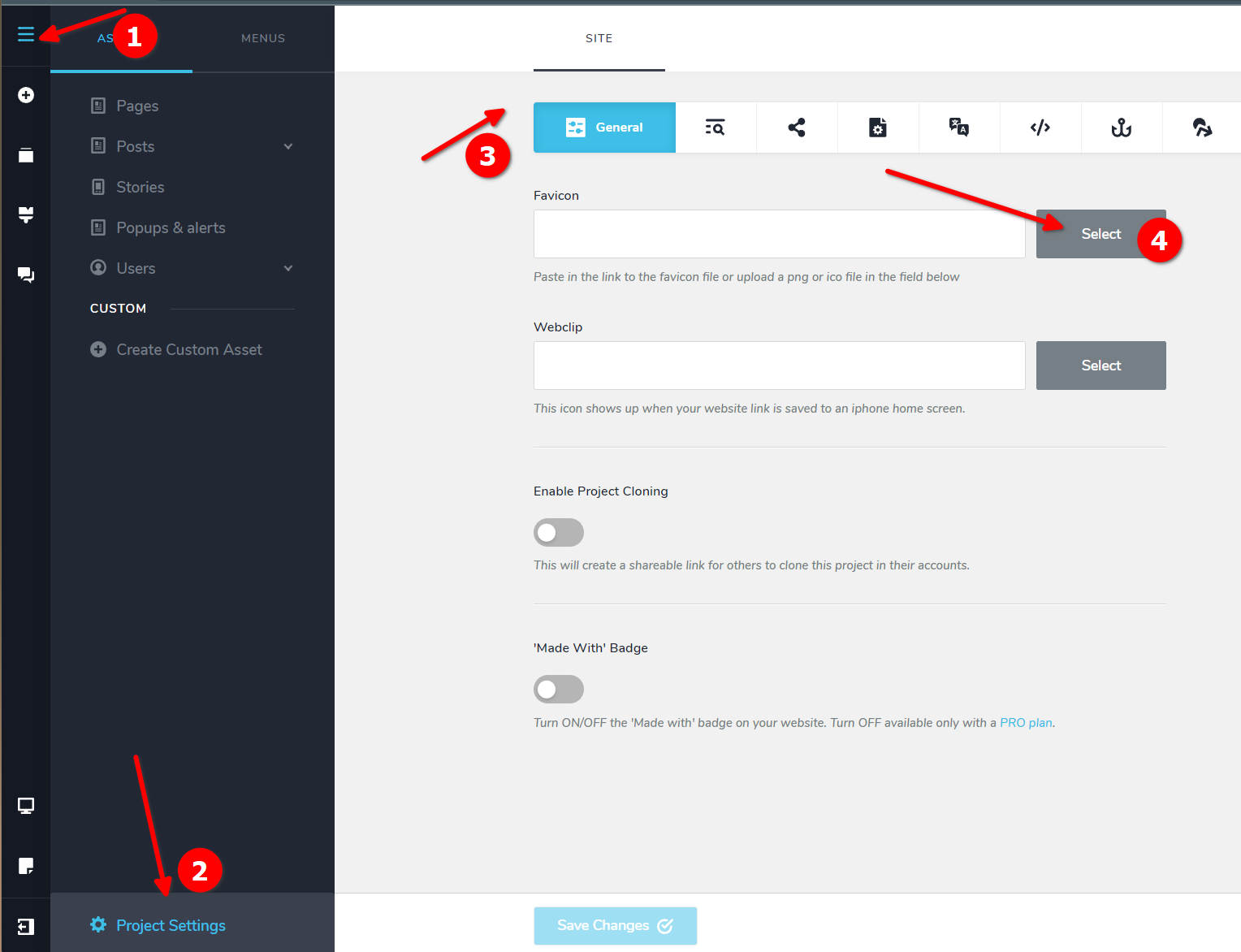
If you have already completed this step, Google may have indexed your site before you updated your Favicon. In this case, you'll need to resubmit your site to Google for re-indexing. You can find more information on how to request a crawl from Google in this link
https://www.seoclarity.net/blog/google-request-crawlIf you have any further questions, please let us know.
Best regards,
Ariel H.0
Please sign in to leave a comment.
Comments
6 comments