Menus Under Appearance

-

Hi Richard
As I have discussed with you here https://support.brizy.io/hc/en-us/community/posts/12449029908881 missing menus option under Appearance is a factor outside of Brizy. You do not need to download a Blocksy template to add a menu to your website.
To edit your website menu under Appearance - Menus, please change your theme from Twenty Twenty Three/ Twenty Twenty Two to Blocksy, Astra or any other theme listed here https://www.brizy.io/theme-partners
0 -
So do I download Blocksy or a free starter site from Blocksy? How do I know that the menu will be under appearance? Sorry, but this is very confusing to pick out a Brizy template start working on it only to realize you can’t change the menu - this has been happening to me most of the time.
Is there a video or step process explaining how to do this? Thanks.
0 -
Hi Richard,
In your WordPress Dashboard, under Appearance - Themes, select the 'Add New' button and in the search box, type Blocksy and install the theme and activate it. When the Blocksy theme is activated, you will find the Menus option under Appearance. You do not need to install a Blocksy starter site.
Please have a look at this video I have recorded for you. https://jmp.sh/KHyBrZMu
0 -
So after I install this template do I then install brizy and brizy pro and then a pro or free template from Brizy like Politico?
Respectfully yours,
Richard Reynolds, PhD.
0 -
Hi Richard,
Yes; once you install Blocksy theme, you can install Brizy and Brizy Pro and under Brizy - Starter Templates you can import the Politiko or another template.
You could also look at this tutorial if you like How to install Brizy PRO and activate your PRO license
0 -
What is the purpose of installing the bocksy theme? Does that integrate somehow with WordPress and add the menu under appearance I guess what I’m asking is that like a trick to get your templates made by brizy to work with the brizy pro software?
Should I reinstall WordPress with a clean fresh copy and then install Blonsky then follow your steps
Respectfully yours,
Richard Reynolds, PhD.
0 -
Should I install the Blocksy Companion?
0 -
Hi Richard,
Installing the Blocksy theme enables you to use the 'Menus' option under Appearance in your WordPress Dashboard.
Ideally, you should import a Brizy Starter Template into a new WordPress installation. However, this is not mandatory. You will be given the option to 'Delete existing content' during the installation process. Please have a look at this screen recording for the procedure to install a Brizy Starter Template https://jmp.sh/B4vG22pb
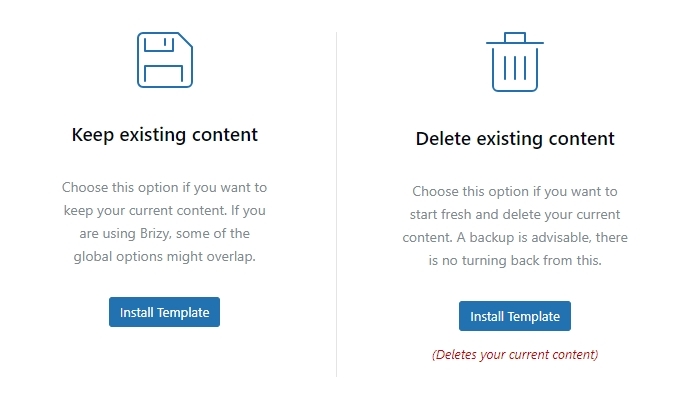
Installing Blocksy Companion is not required for Brizy Starter Template to install well.
0 -
Got it. What’s the benefit of importing a starter site?
I was able to get the Politiko template working with any import of a starter site but still would like to know.
Thank you.
Respectfully yours,
Richard Reynolds, PhD.
0 -
Hi Richard,
Starter sites allow you to quickly import a whole website with demo content and designs. It provides a starting point to build your website and it speeds up the development process.
0 -
Before I installed the Politiko theme you offer I took a good look at its function, so I installed it and activated it.
I have not run into any issues yet. So what I think I have learned here is that WordPress is moving towards a new design method using block and older themes you offer will have to be updated?
Respectfully yours,
Richard Reynolds,
0 -
Hi Richard,
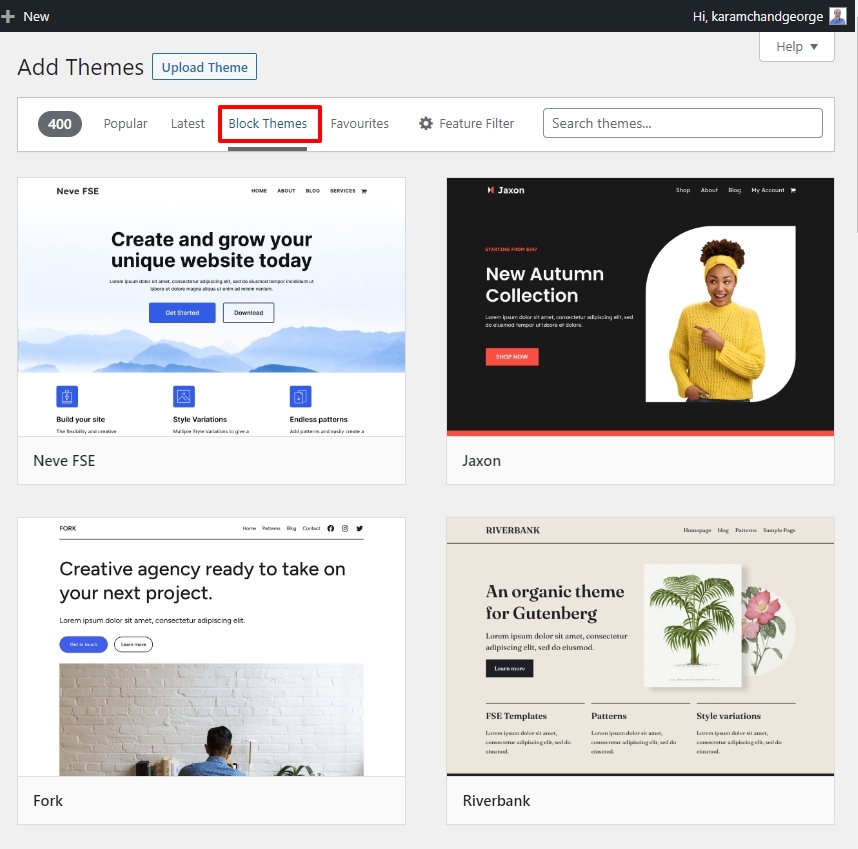
Using block themes is an option. You can find around 400 block themes and around 15,000 regular themes in the WordPress theme repository.
Brizy works with regular and block themes. However the tutorials are developed using regular themes. Hence it is easier to follow a Brizy tutorial if you also use a regular theme.
 0
0
Please sign in to leave a comment.
Comments
12 comments