Saved blocks in Brizy

I have saved blocks in Brizy Pro, but unable to use them as they fail to load. I see a gray spinning circle which never stops and previews of the blocks do not load. Please help.
-

Hi Ruben,
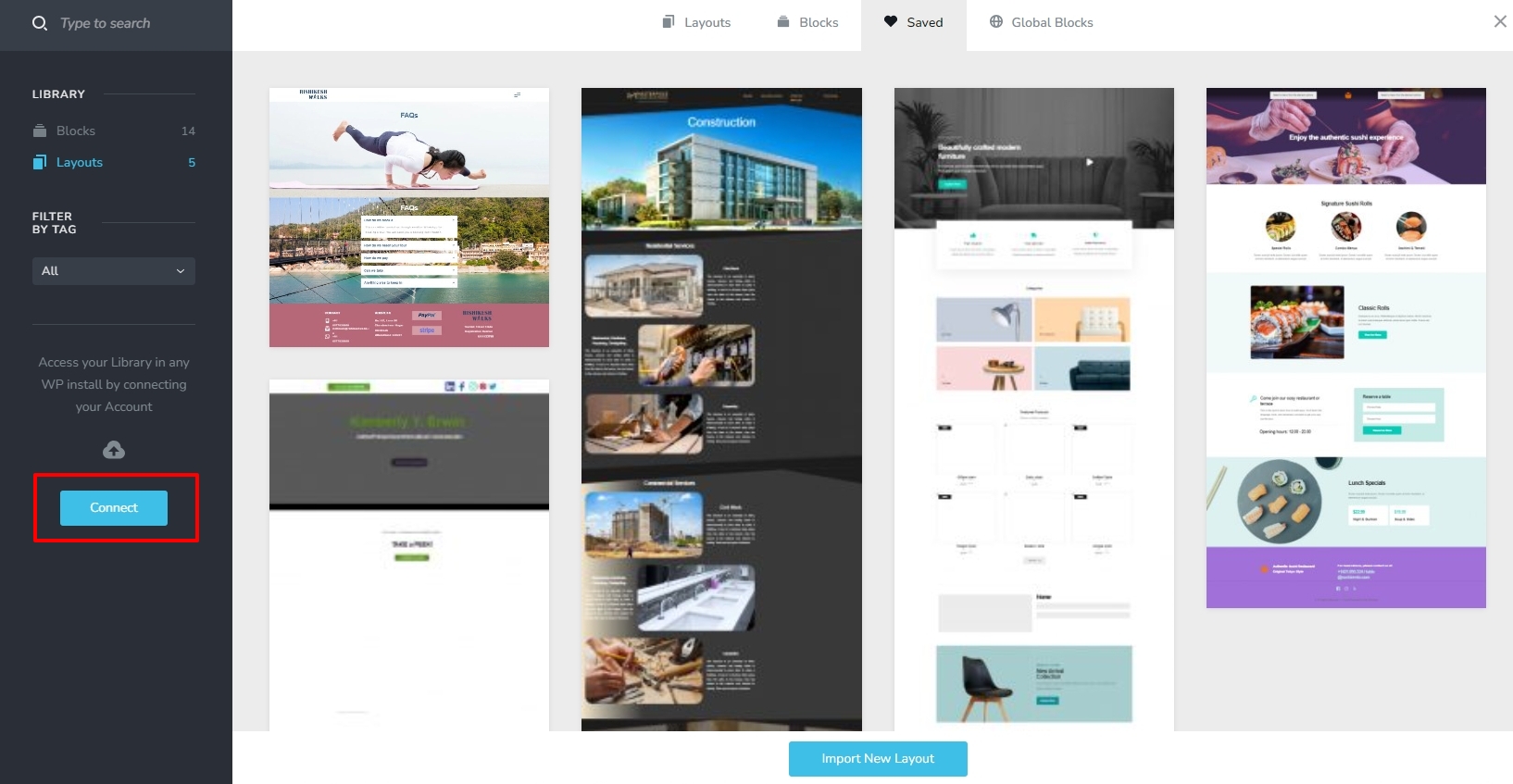
In your Saved Blocks and Layouts library, on the left sidebar, do you see a 'Connect' button? If you do, please click on the button and type your Brizy.io username and password to sync your library to your Brizy account.
Please follow the above procedure first in the source project (the project from which you want to reuse a design). Repeat the same procedure in your destination project (the project where you would like to reuse a design)
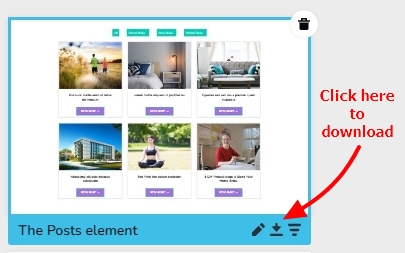
You can also open the saved blocks/layouts library in your source project and hover the mouse pointer over any design and select the download icon to download the block/layout to your computer.
In the destination project, please click on the Import New Block/ Layout button at the bottom of the Saved Blocks/ Layouts library to import the downloaded block/layout.
 0
0
Please sign in to leave a comment.
Comments
1 comment