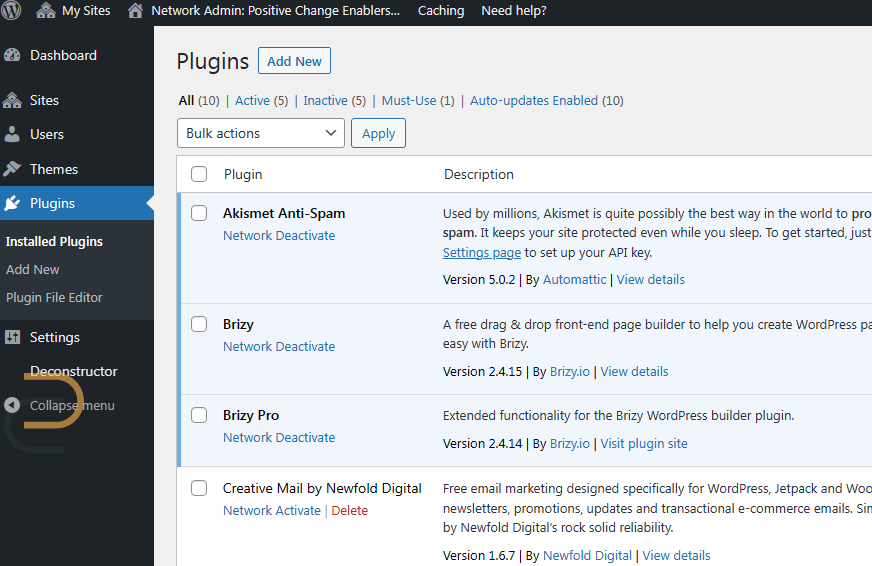
Plugin shows as Brizy on multisite network admin plugin dashboard even after activating white label option.

It's not supposed to show as Brizy plugin anywhere in Wordpress multisite otherwise buying Agency option is pointless. Is there a fix?
-

Hi Alglen,
You are right; when implementing Brizy white-label in the WordPress Multisite environment, the name Brizy appears in the list of plugins in the Network Admin. This looks like a bug. I have reported it and we will work on fixing it.
The white-labelled name does show in the network websites. Hence the network website users should be unaffected by this bug.
0 -

Hi Brizy, I have a few questions:
-
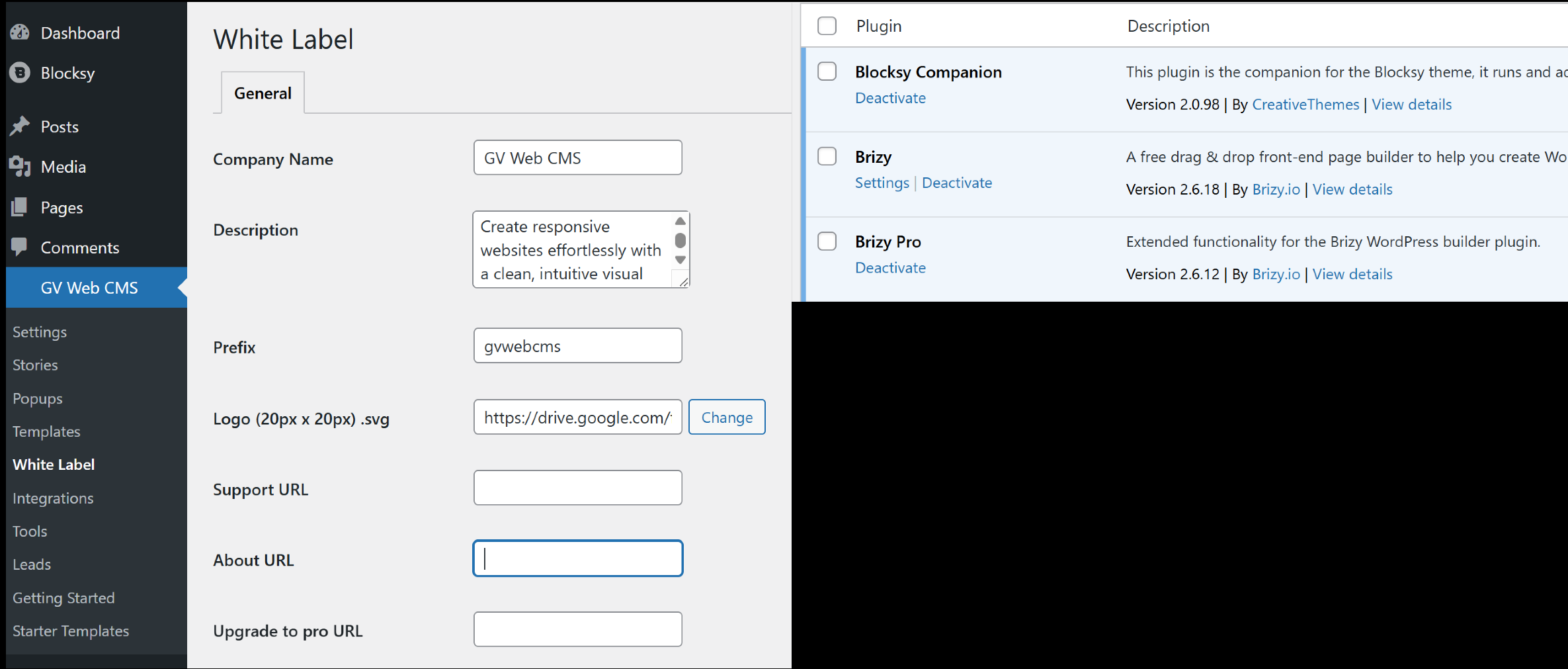
What’s the purpose of the Logo (20px x 20px) .svg? What exactly does it change? I tried uploading an .svg file at first, but WordPress rejected it, so I replaced it by inserting an image link from Google Drive. But I didn’t see any changes at all.
-
I noticed the name "Brizy" still shows up in the plugin. How can I change that? Is it supposed to be done through white label settings? Why isn’t it updating?
Regards,
GV
0 -
-

Hi GV,
Thank you for your questions!
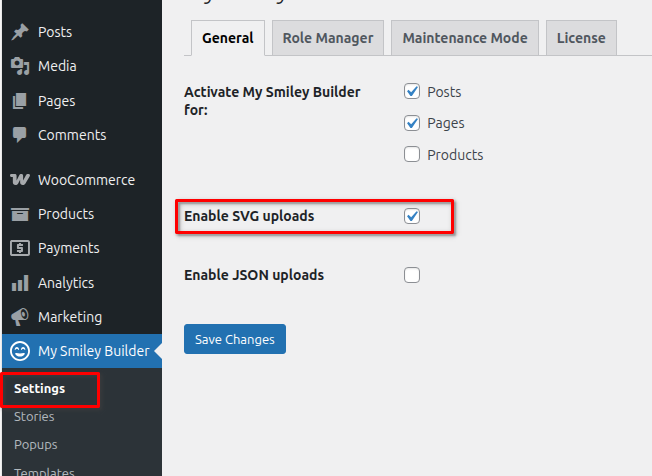
The 20px x 20px SVG icon is meant to replace the Brizy icon in the WordPress Dashboard as part of the white label settings. To use it correctly, please make sure SVG uploads are enabled by going to Brizy > Settings and turning on the option to allow SVG icons.
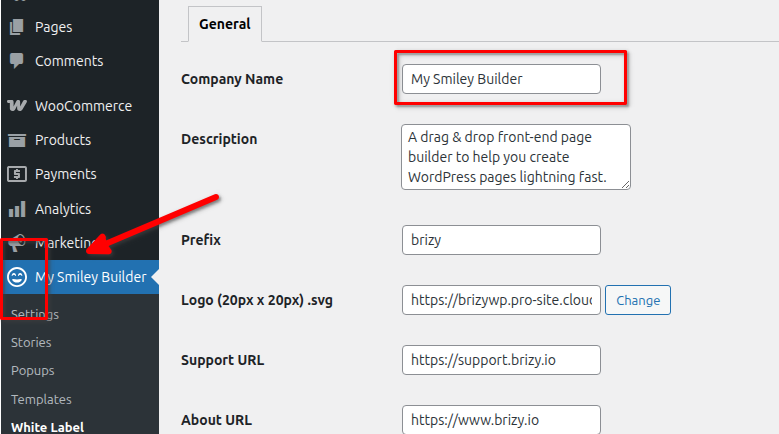
Please note that linking to an image (e.g., from Google Drive) won’t work—WordPress requires the actual SVG file to be uploaded.
Regarding the plugin name still showing as Brizy, it seems there may be an issue there, it’s not updating on my end either. I’ve already reported this to our senior support team for further investigation. Apologies for the inconvenience, and thank you for your patience.
Best regards,
Ariel H.0 -
Hi Ariel, I checked today and saw that the latest Brizy Pro update has fixed the plugin name issue in white label mode. Thanks for your help!
0
Please sign in to leave a comment.
Comments
4 comments