Product sorting for customers

Dear,
How do I add a product sorting option for my customers?
Please refer to the picture to see what I mean.

-

Hi Lukas,
Thank you for reaching out to us.
At this time, you cannot have customer order for products when you create a template using Brizy.
Other customers have asked for this feature in the past. I hope that this will be implemented in future updates.
Sorry for the inconvenience.
Best regards,
Ariel H.0 -
Alright. Is there another way to make this happen? By using a code or something? Thanks a lot.
0 -

Hi Lukas,
You can use third party product filter plugins. Here is a list of plugins you can look through. https://kinsta.com/blog/woocommerce-product-filter/
Please try these plugins which seems to work fine with Brizy.
- YITH WooCommerce AJAX Product Filter plugin. https://vitacomfort.nl/ uses this plugin for product filtering.
- WOOF – Products Filter for WooCommerce
1 -
Hey George, thank you very much for the suggestions. I downloaded and activated HUSKY (formerly WOOF). I am able to change settings etc. but I cannot add it to my product page in the Brizy editor. How exactly does this work? Do I use a piece of code...? Hope to hear from you soon!
0 -
Hi Lukas,
You can add the Husky product filter to your shop page by adding the shortcode [woof]. In your Brizy product template, add a column and move the Brizy Archive element to one of the columns and drag the shortcode element to the other column. Then paste the shortcode into the shortcode element. https://jmp.sh/M28pfHQw
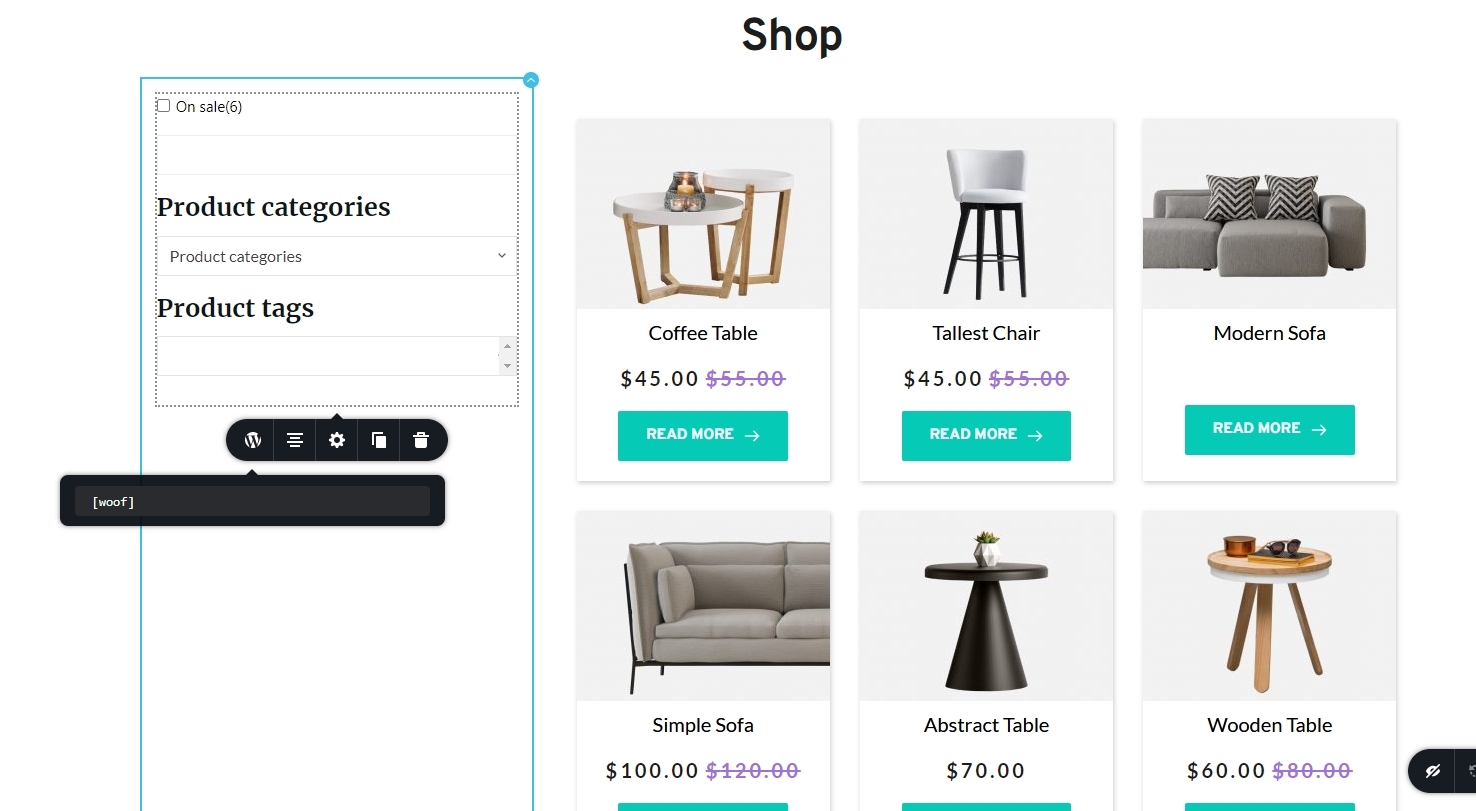 0
0
Please sign in to leave a comment.
Comments
5 comments