Can you tell me how I can select this block on the page...

Hi Support
Sorry to write you again, but I noticed a "different" section that I can't seem to find on the page
I have tried to move it to the bottom of the page to see if that name is easier... but I still can't select it ...
Any suggestions on how to find out what it is and if this may cause the issues we have with the grid as the other grid does not look like our design
Kind regards
Brian Nielsen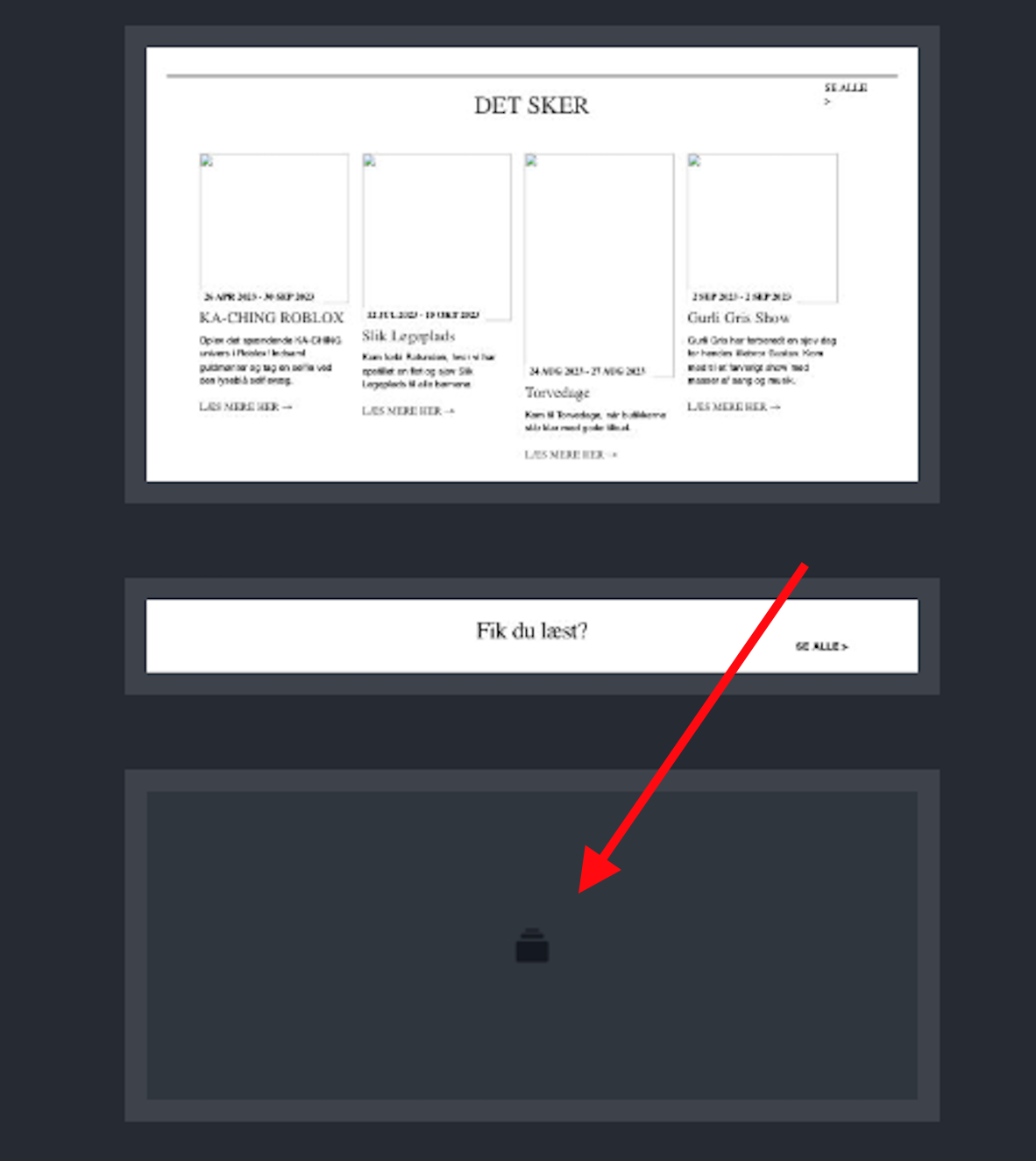
-

Hi Brian,
Thank you for reaching out to us.
This section might be a feature of your theme, could you please try to temporarily switch to another theme and see if this will address the issue?
Otherwise, this is something we would like to investigate from your dashboard. Could you please provide us with the WordPress credentials, so we can look into this issue further?
Please add us as a user to your WordPress Dashboard and send the following details to: communitysupport@brizy.io
Community Post link: https://support.brizy.io/hc/en-us/community/posts/13275337271186
WordPress Admin URL:
Username
Password
URL of the affected page:Please make a full backup of your website as a precaution.
Best regards,
Ariel H.0 -
Well it will take very long to make a full backup as this site is 200 GB + in size, but we do make incremental backups daily and also a full every week
We had a huge job taking over the site as it is so big. I think there is a lot of old products on it as they run som XML feeds with products...
The site is based on the Astra Theme and using a child theme
I Have created a copy of this HOMEPAGE and here I have tried to remove the block to see if it break the page and it does NOT seems like it break anything on that page.
I have also made a backup of the home page and one for you to look at if you want
You will find your test page here
[link removed]
I have tried to add THE GRID on my test where I had deleted the strange block and here it looks like the masonry grid works... but I would like to know what this block is.I have created you as an admin user and set your language to English as this site is in danish.
[removed] 0
0 -
Hi Brian,
Thank you for the update.After reviewing the duplicated home page, it appears that the block you mentioned is a result of customizations made in the child theme. To confirm this, you can temporarily change the page template to use the Brizy Template, which is demonstrated in this screencast: https://youtu.be/ugyeTgjR-X8Alternatively, you can also verify this by temporarily switching to the parent theme or another theme.If you wish to locate where this block was added, I recommend examining the code within the child theme. Alternatively, you have the option of switching to an alternative theme. However, if you prefer to keep the current theme, you can hide the block using CSS.If you have any further questions or need additional assistance, please let us know.Best regards,Ariel H.0 -

Hi Arial Thanks for your reply But I'm not talking about the SERVICE section … that is part of the template and added manual in the code I’m talking about the “Empty” block you will see if you open the Navigator and wish is located under the first section Here you can see what I’m talking about Understanding the Issue with the Service Section (https://www.loom.com/share/43f084e880e04960839465b6b43085b6?sid=13da40a7-5a50-4937-8862-70c1030bc95c) loom.com (https://www.loom.com/share/43f084e880e04960839465b6b43085b6?sid=13da40a7-5a50-4937-8862-70c1030bc95c)
0 -
Hi Brian,
Thank you for making the video.
To uncover the hidden block, please refer to the instructions provided in the screencast: https://youtu.be/wK-TLt0ndDA
If you have any further questions, please let us know.
Best regards,
Ariel H.0 -
Aha sorry … I did not notice that it was just a hidden section on the desktop :-)
Thanks for pointing it outBrian N
0
Please sign in to leave a comment.
Comments
6 comments