Multisite Wordpress Site Plugin Installation Issues

Hello,
We have a client who we built a site for. We built it under our pro license, but it seems when we transferred the site over to our client, their wp environment is in a multisite env. I looked up about the WaaS license, but all the links are going to a 404 error or its outdated.
Please advise on how we can get their mulit-site up and running as our pro license isn't working.
Thanks in advanced.
-

Hi Thomas,
Brizy WP Freelancer and Agency plans are compatible with the WordPress Multisite as you can see here https://jmp.sh/of3cadpQ To use Brizy in the WordPress Multisite environment, please install and network activate Brizy and Brizy Pro in the WordPress Multisite Network Admin.
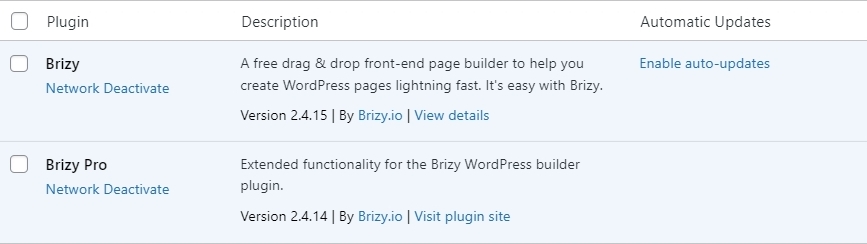
Please also add one of your Brizy Pro licenses in the Network Admin Dashboard under Brizy.
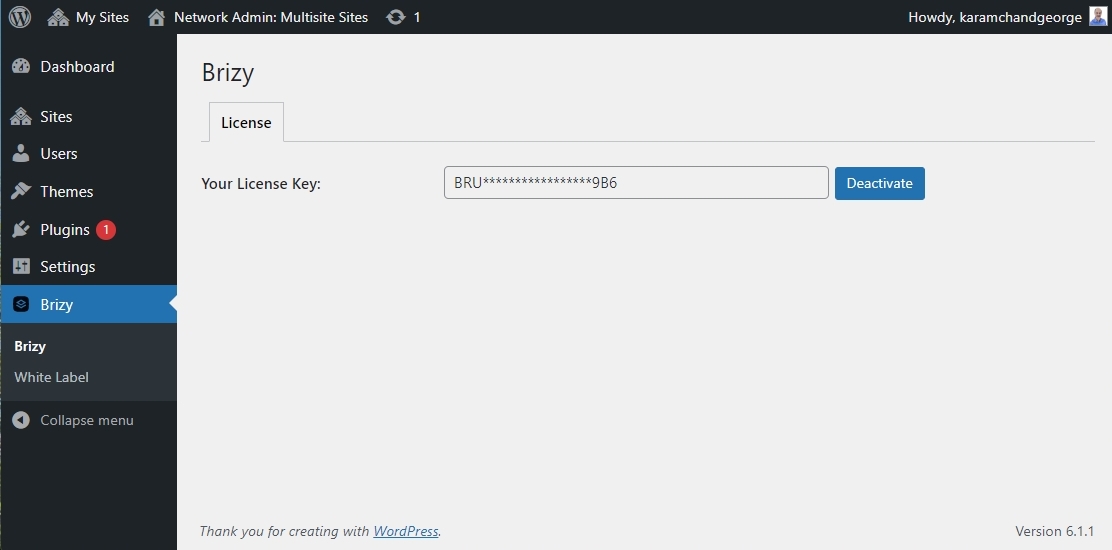
Once you complete the above steps, you can use Brizy in one of the network websites.
0 -
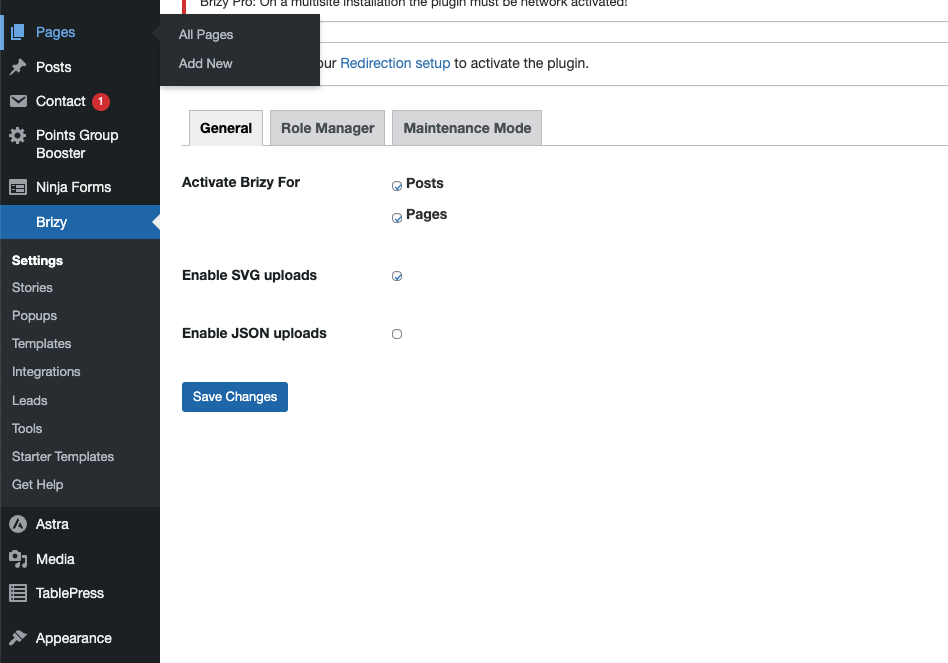
We bought the agency plan. But theres no place to edit the license
 0
0 -
how do i network activate it?
0 -
also, how do we whitelable the plugin?
0 -

Hi Thomas,
Thank you for the update.
To network activate it, please ensure that you are in the Network Admin Dashboard.
This is demonstrated on this screencast - https://youtu.be/l2ylYyoj6DsFor instructions on how to activate White Label, please refer to this link.
https://support.brizy.io/hc/en-us/articles/360040492831-How-to-activate-the-white-label
I also made a screencast for you on this link - https://youtu.be/5ADXkqL2sc0Please try this and let me know how it goes.
Best regards,
Ariel H.0 -
ah got it. thanks
0
Please sign in to leave a comment.
Comments
6 comments