Olha

Hello! I have attached a screenshot of the problem. There are two blocks in my theme that I can't change or delete using the regular tricks. Is it possible to do something, or is it worth starting all over from the very beginning and building the site from a clean theme? All additional plugins are disabled. Thank you.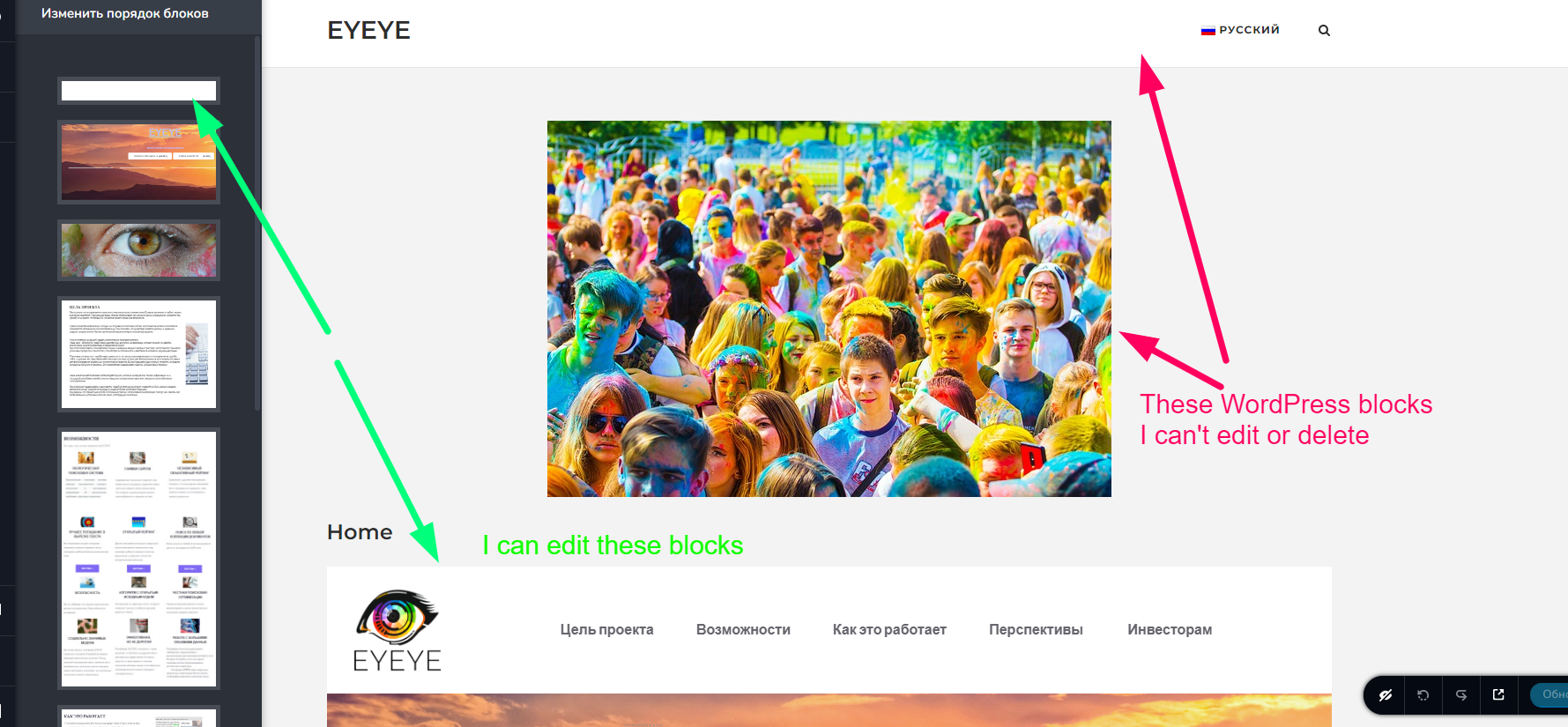
-

Hi Cherkaska,
Thank you for contacting us.
Could you kindly verify if the WordPress blocks disappear when you temporarily switch to a different theme? If they do, it is possible that your current theme has an option to disable them.
Additionally, could you please confirm if this page is using the Brizy Template—https://i.imgur.com/2wqtzSf.png?If this didn't help, please provide us temporary access to your WP Admin credentials, so we can further check the issue. Add us as a user to your WordPress Dashboard and send the following details to: communitysupport@brizy.io
Community Post link: https://support.brizy.io/hc/en-us/community/posts/13254037698450
WordPress Admin URL:
Username:
Password:
Also include the URL of the affected page:Please make a full backup of your website as a precaution.
I am looking forward to your response.
Best regards,
Ariel H.0 -
Hi Cherkaska,
Thank you for your cooperation.
Upon checking, as soon as I'm logged into your site, this is what I saw on your WP Admin page—https://i.imgur.com/RUmEL8r.png
This issue appears to be coming from your current theme.Upon inspecting the page, I couldn't locate the specific block or image you referred to. Additionally, I noticed that the Brizy Template was already being used on the page, so I assume you have already figured out what is causing this issue.
If you have any further questions or need further assistance, please let us know.
Best regards,
Ariel H.0


Please sign in to leave a comment.
Comments
2 comments