Posts create with another builder

Hi, I created my posts before Brizy. I'm not sure how this works. Sometimes I lose post content when using Brizy.
Any tips or tutorials?
Thanks
-

Hi Annie,
Thank you for reaching out to us.
To help us understand the issue better, could you please provide us with additional information about the problem you are experiencing? Specifically, could you please provide us with some screenshots or a screencast demonstrating the issue?
I am looking forward to your response.
Best regards,
Ariel H.0 -
I really don't know what I did. I may have I saved it as Brizy template and tried saving it back.
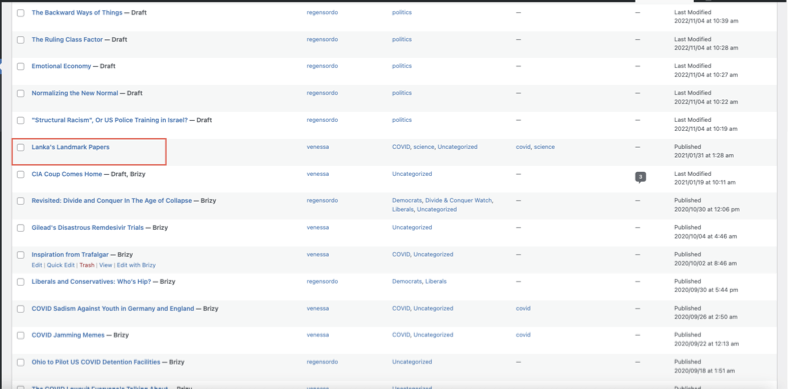
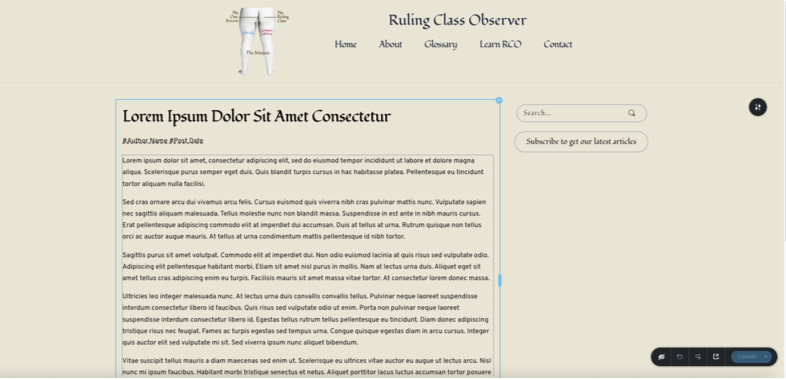
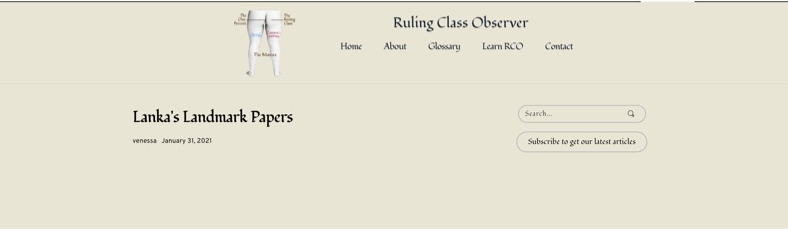
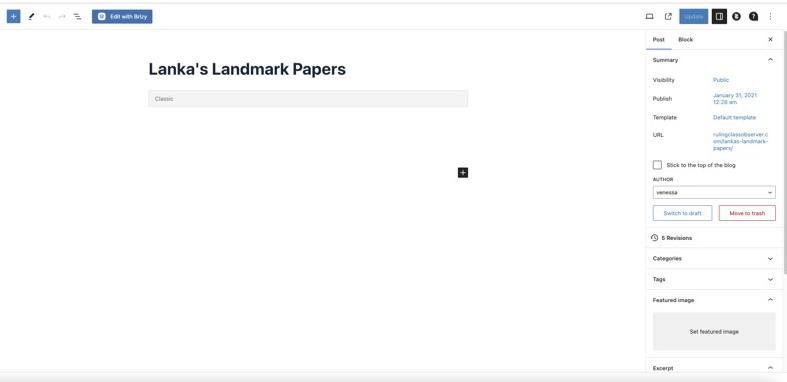
Enclosed are various screenshots if that helps.
Thanks
 0
0 -

Hi Annie,
You might have added your blog post content in the Gutenberg Editor since they were created before you started using Brizy. To give your blog posts a Brizy design, you must add a Brizy Template when the content is in the block editor.
It appears from the first screenshot above that you have edited many of your blog posts using Brizy (rather than adding a Brizy Template) When you use Brizy to edit a Gutenberg-created blog post, you lose the content. Unfortunately, clicking on the 'Back To WordPress Editor' button does not restore the original blog post content. Based on the above screenshots, I am afraid you may have already lost content of many blog posts.
Please check with your hosting provider if they have backups of your project. If they do, please consider restoring your project to an earlier date to recover the lost blog post content. If a backup is not available, you may need to recreate the blog posts content from an archive of your website at https://web.archive.org/web/20230210154454/https://rulingclassobserver.com/
Once you recover lost blog post content from either a backup or from the above archive, you can stylize your blog posts by creating a Brizy single post template. Please have a look through these tutorials.
- Dynamic Template Creation with Brizy | Lesson 19 The procedure to create a single post template starts at 4:38 (4 minutes and 38 seconds)
- Harnessing the Potential of Dynamic Elements in Brizy | Lesson 18
0 -
Ok. Thanks. I have backups.
I did watch the first video. It can be a little confusing. I'll watch again with your comments in mind.
So, just to be clear, I paste text, images, etc, into wp Gutenberg and save as default temp and NEVER as Brizy. Then create post template from Brizy. All content to be done in Gutenberg and only styling of post page in Brizy. If I make changes in Gutenberg still save as Gutenberg (default). Correct? If so, perhaps there can be a way to turn that option off. Or does it exist already? After I got used seeing post with Brizy and I went to Gutenberg editor I noticed it was default temp, without thinking I changed it to Brizy.
Also, sometimes as a novice I lost track of what I'm trying to do in what space, if that makes sense. I think those were my errors.
Many Thanks,
Annie0 -
Hi Annie,
You are right;
- You add all content like text, images etc, in the Gutenberg editor and save your work and never click on the button 'Edit with Brizy'
- Then create blog post template under Brizy - Templates following the procedure in the tutorials
- All content is added in Gutenberg and only styling of blog posts are carried out in the Brizy Template.
- You make changes to blog posts in the Gutenberg editor and save your work (without clicking on 'Edit with Brizy')
Unfortunately the option 'Edit with Brizy' cannot be turned off.
0 -
Thanks again
0
Please sign in to leave a comment.
Comments
6 comments