Blocksy Header and Footer gone

The header and footer of Blocksy is gone after editing the homepage in Brizy. I have no idea how to get it back. Do you recommend using the header and footer of Blocksy, or can I also just make a new one in Brizy? Thanks!
0
-

Hi Lukas,
You have broadly two options to setup your pages when using Brizy.
- Default Page Template: In this option, you use the theme header and footer and design the page content area using Brizy
- Brizy Template: The page header, footer and the content are all designed in Brizy
You can make this selection in the Brizy editor towards bottom left. Click on the Page icon and then under Page Template, select either Default or Brizy Template.
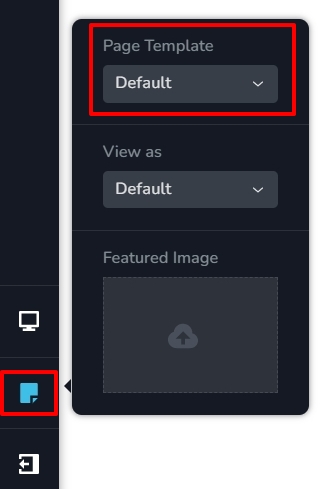
When you edit a page with Brizy, initially you will lose the Blocksy header and footer. This is because by default, Brizy Template is selected. When you select the Default template, the page will reload with the Blocksy header and footer.
0
Please sign in to leave a comment.
Comments
1 comment