Cannot Delete Saved Layouts

Hi. Whenever I try to delete saved layouts, they appear to be removed, but when I refresh the page and look again, they are still there which means they are not actually being deleted correctly.
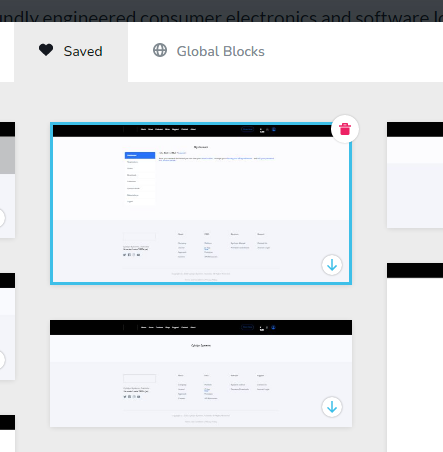
After looking at the console, when I click on the red delete icon, I get a 405 error in the log
DELETE https://mysite.com/wp-admin/admin-ajax.php?hash=adf4a56a05&uid=yvcrrqmzocrbzmlkmyakurlrwxtrjqbznzok&action=brizy-delete-layout&version=251-wp 405
How can I fix this?
Thanks.
-

Hi,
First of all sorry for the inconvenience.
It seems strange! I’ve just tried on my end and it perfectly deleted on my website. Could you, please, check if you are using the latest versions of Brizy Free 2.4.15 and Brizy Pro 2.4.14?Could you please temporarily deactivate all external plugins (except Brizy Free, and Brizy Pro), clear the browser cache and check if the problem still occurs?
A 405 Method Not Allowed error indicates that a web browser has requested access to one of the web pages, but the server has rejected the request; hence, the browser cannot access the requested web page. When this happens, your website will show 405 Method Not Allowed to your visitors.
Also, this issue could be related this issue is related to the Firewall or to the Mod_Security option installed in your hosting dashboard.
Anyway, let me know how it goes with deleting. If you still face the problem of deleting i will open a private ticket!
Have a good day!
Nelea.
0 -
I am on Brizy 2.4.14, but from reading the changelogs for 2.4.15 there isn't anything that would benefit me regarding this bug. The same goes for Brizy Pro (it only fixes the menu hamburger).
2.4.15 – 2023-01-31
- Fixed: Menu hamburger – items link on responsive mode
What is "Mod_Security"? I am hosting the site on my own server under IIS (Windows Server) using a standard MySQL database.
0 -
Hi,
I have opened a private ticket. You had to receive a notification regarding this by email. Soon one of my colleagues will contact you for more information.
Regards,
Nelea.
0 -
I managed to solve this after doing some extensive research.
https://stackoverflow.com/a/65975289/11925605
The problem was my "PHP_via_FastCGI" module was not using the "DELETE" keyword, and it only had "GET,HEAD,POST" in the "applicationhost.config" file. After changing that, saving the file and doing an IISRESET, I could then delete the entries successfully.
0 -
Hi,
Ok, thank you for your reply and for updating us regarding this inconvenience! Great to know that all is working fine on your site now.
0
Please sign in to leave a comment.
Comments
5 comments