Menu Bar not Highlighting on the Current Page

Hi. Whenever I click on 'Shop' from my Menu Bar, it's not highlighting the 'Shop' text when I am actually on the shop page.
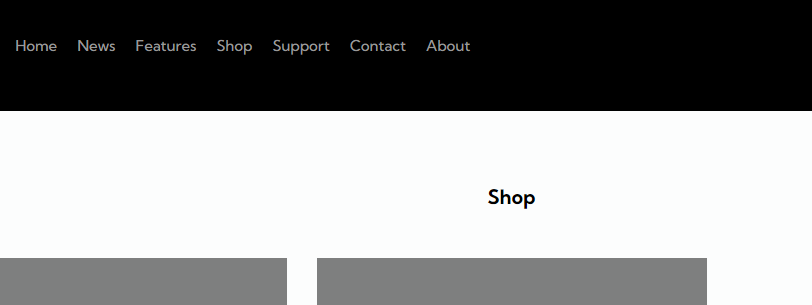
Here is an example with images so you can understand I mean if you are confused.
Here I am on my shop page, but the text in the Menu Bar called "Shop" is not being highlighted.
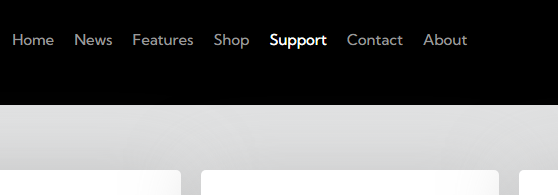
If I go to say, "Support" though, that is being highlighted fine and is working.
How can I fix this issue?
Thanks.
-

Hi Matthew,
Thank you for contacting us.
Please try the steps on this link to see if they work for you.
https://support.brizy.io/hc/en-us/community/posts/8788614806033-Menu-HoverBest regards,
Ariel H.0 -
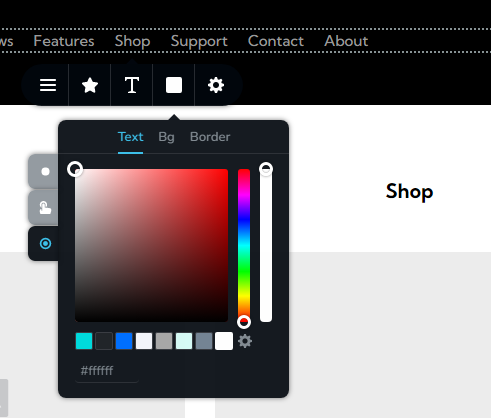
You've misunderstood my problem. The issue isn't the fact that I haven't set the colour already, but rather a problem or bug in the way what page constitutes for it to trigger the colour.
As you can see in my screenshot below, my Menu Bar is already set to white for an active page, yet the page I am on (IE: "Shop") isn't triggering it. How can I fix this?
 0
0 -
Hi Matthew,
Sorry about that.
I appreciate all the details you have provided.
The issue is something we would like to investigate from your dashboard, so we will need temporary access to your WP Admin login details.
This request has been assigned a private ticket, you should receive a notification email shortly. Kindly reply to the private email and send your credentials.Best regards,
Ariel H.0
Please sign in to leave a comment.
Comments
3 comments