images not showing

Hi,
Some of the images are not visible. I tried to rebuild the page, used some cache plugins but that didn't solve the issue.
Is the current Brizy version (regular and pro) having issues with some files?
Mainly noticable on the shopping category pages:
https://colocoagency.be/product-category/tafelgerei/
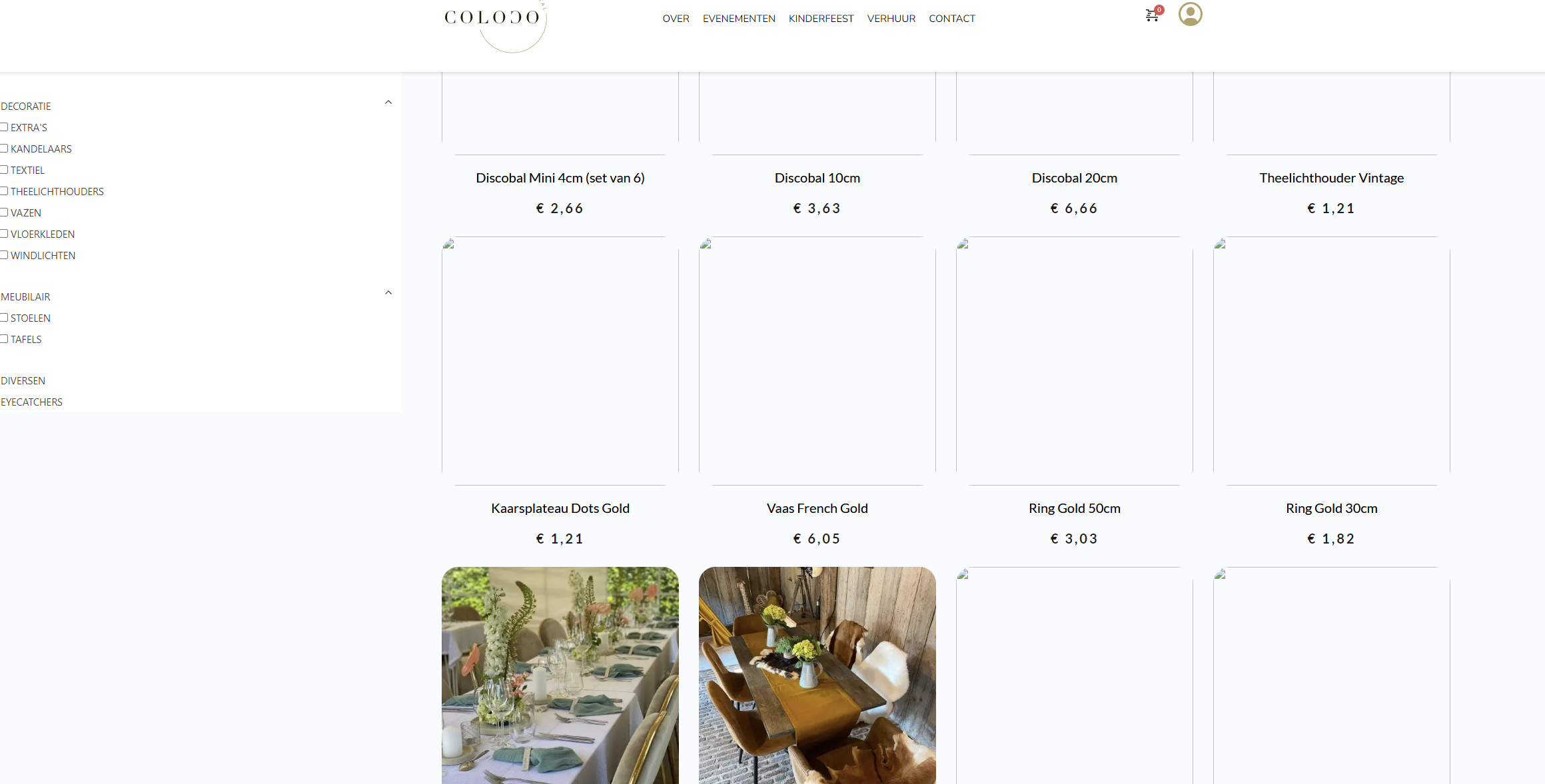
I created a temporary login and sent to communitysupport@brizy.io so you guys can have a look.
Thank you in advance to fix this matter!
-

Hi Yonik,
Thank you for reaching out to us.
We have identified an incompatibility between the most recent versions of Brizy and Jetpack Image optimizations. If you have enabled any of the following options, we kindly request you to disable them temporarily to upload images using Brizy.
- In your WordPress Dashboard under Jetpack - Dashboard scroll down to the heading "Performance and Growth" and disable the option 'Image Accelerator' https://jmp.sh/SU32wfE9
- Under Jetpack - Settings, under the Performance tab, disable the option 'Speed up image load times' https://jmp.sh/neap53iR
- If you have installed Jetpack Boost, under Jetpack - Boost disable the option 'Image CDN' https://jmp.sh/FUSoE1ZP
- And lastly, if your website is hosted with GoDaddy, please disable CDN
https://in.godaddy.com/help/enable-or-disable-my-cdn-40921
If this didn't help, we'd like to look into the issue from your dashboard. Kindly grant us temporary access to your WordPress admin by adding us as a user. Please send the necessary login details to communitysupport@brizy.io.
Here are the details we need:Community Post link: https://support.brizy.io/hc/en-us/community/posts/12946298963730WordPress Admin URL:Username:Password:As a precaution, please make a full backup of your website.Best regards,
Ariel H.0 -

Hi Yonik,
When using the plugin 'WebP Express' along with Brizy, the images in the category archive page do not show. If you deactivate this plugin, your images display well. I have deactivated the plugin. Please check your category archive pages like
0 -
Hi,
Thanks for your help! That solved the problem, but I do notice that not having the "WebP Express" plugin has a negative impact on performance. The website is a lot slower than I would like.Do you recommend anything to improve the performance?
I also contacted my hosting provider to see what's possible from their end.
Kind regards,Yonik
0 -
Hi Yonik,
Thank you for the update.
You might want to consider using an alternate plugin to serve the images on your website in WEBP format.
You can find a list of them here - https://imagify.io/blog/best-webp-plugins/Best regards,
Ariel H.0
Please sign in to leave a comment.
Comments
4 comments