Pages Keep Crashing - Too Many Rows

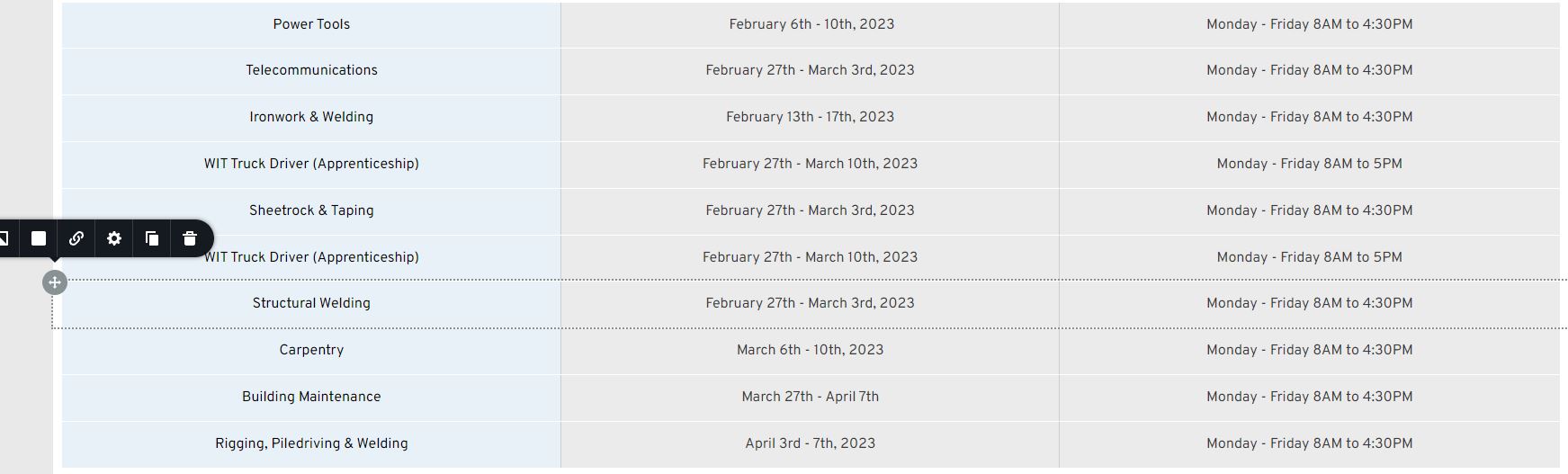
I am trying to build a list of trainings. I can't use Brizy Tables because of the way we will need to update the training... We will need to regularly cut some new dates/rows in the midle of the table, and Brizy Tables do not work like that.
So I need to build out the list with Rows & Columns.
The problem is that when I hit a certain number of rows, Brizy crashes every time I "update". The changes are not saved and mywork is lost.
Each row has three columns that contain simple text. I need to stack rows, so I always retain three unified columns across on all devices....
Is Brizy limited to the number of rows that a page or section can hold by design, or is this simply a shorcoming?
-

Hi Carl,
I created a page with around 65 rows with three columns each with small texts. The issue that you have faced did not happen at my end. Please have a look at this screen recording. https://jmp.sh/fJVMqhDM Here is my test page https://brizytest.online/rowcolumns How may row are you using in your project?
This may not be a widespread issue with Brizy. We will need to take a look at your project to see why this is happening at your end.
0 -
Hi KC.
Thank you so much for the response. This is an issue that is very important, and I need to get it resolved asap, so I appreciate it. I'd love to share the project for you to see but can't make it public yet. How can I share this with you privately?
Thank you very much - standing by
0 -
Hi Carl,
Please add me as a user to your WordPress Dashboard and send these details to my email kc.george@brizy.io
- Community Post: https://support.brizy.io/hc/en-us/community/posts/12906320932625
- WordPress Admin URL:
- Username
- Password
0 -
Hi KC George,
This is done. And I sent you a link to a video showing the error as well
0 -
Hi Carl,
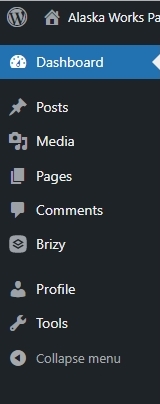
Thanks; I can access your project. However I have access to only these options in your Dashboard. I need to check the plugins and the Themes also to troubleshoot this issue for you. Can you please check the role you have assigned to the Brizy Support user?
 0
0 -
The access level has been addressed for you. Thank you very much.
0 -
Hi Carl,
I tried adding additional rows to the test page you had created. I could add 50 rows to the page and save it. The page did not crash at my end. Please have a look at https://alaskaworks.westbrookadvertising.com/test-row-page-01/
I created a new page for testing at https://alaskaworks.westbrookadvertising.com/building-trades-copy. When attempting to add additional blocks on this page, I did get the error "The page needs a refresh". An important file /wp-admin/admin-ajax.php is being blocked on this page when this error occurs. Please have a look at this screenshot https://jmp.sh/YFlbLQp5 WordPress uses this file to refresh the page's contents without reloading it, thus making it dynamic and interactive to the users. Your server returns both HTTP status codes 404 and 520. This file is essential for Brizy to work well.
Can you please check with your hosting provider why the file /wp-admin/admin-ajax.php is being blocked on your server when adding page content beyond a certain limit?
0 -
Thanks for discovering this.
GoDaddy says that the page is too large which does not seem right. I went into php settings and increased the memory limit to 512 from 128 which is why you were able to add 50 rows on the other page when you did your test. Had you tried to do 60 or 70 it would have crashed...
So increasing the memory helped, but did not completely fix the issue.
I can't imagine these pages being too large to upload. It seems like it is more to do with the number of elements a page contains (rows, columns, html, css etc) rather than page size. I'm at a sticking point with Godaddy - frustrating...
0
Please sign in to leave a comment.
Comments
8 comments