Have a problem with publishing on my custom domain

Hello, I can't link my website to a domain
Name on brizy: blackberry15005914.brizy.site
Domain name: video-boost.online
I attached screenshots below with settings on the hosting and the response from the hosting and domain support service to this problem (they made it just today at morning, maybe changes didn't accept yet)
"As we can see, the entry is added correctly and is given:
:~$ host briz.video-boost.online
briz.video-boost.online is an alias for blackberry15005914.brizy.site.
blackberry15005914.brazy.site is an alias for previewbrizycloudnlbv2-664b147e649a860c.elb.us-east-1.amazonaws.com.
previewbrizycloudnlbv2-664b147e649a860c.elb.us-east-1.amazonaws.com has address 34.237.47.210
In this case, you need to check the correctness of the settings on the server side to which the site is linked"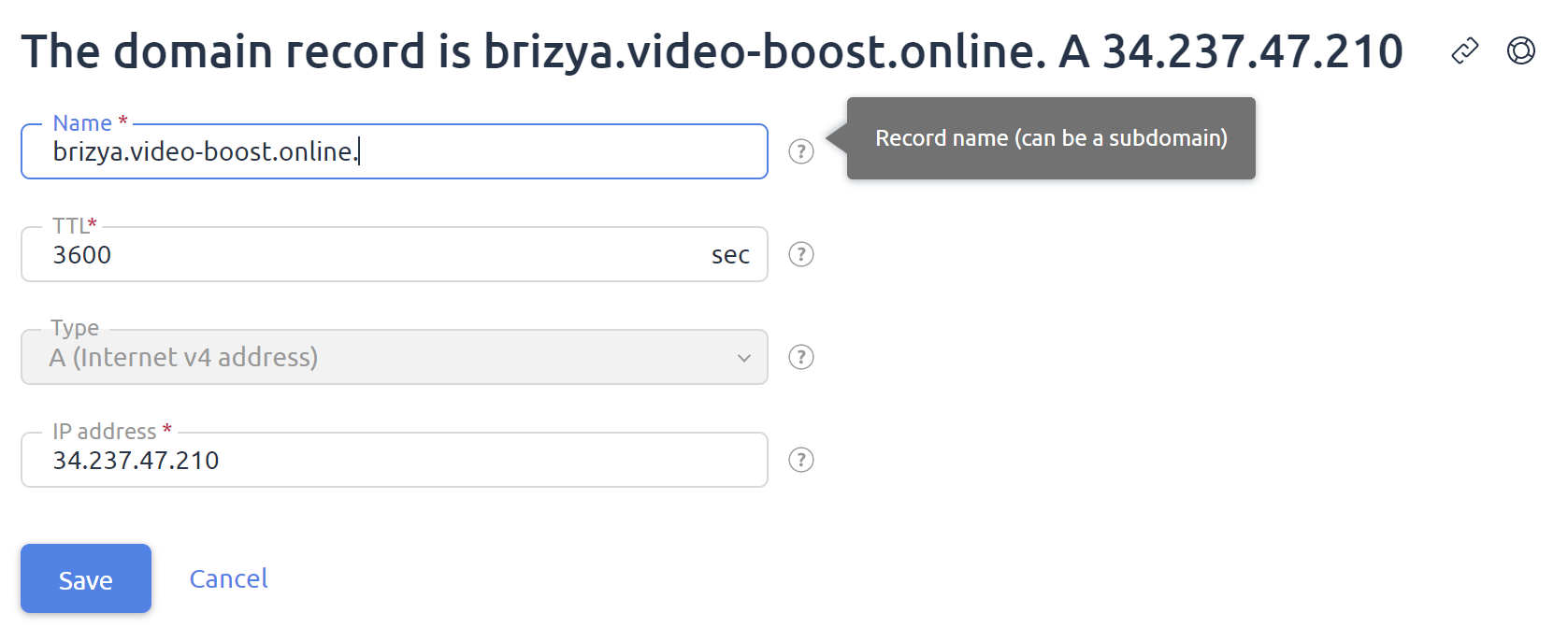
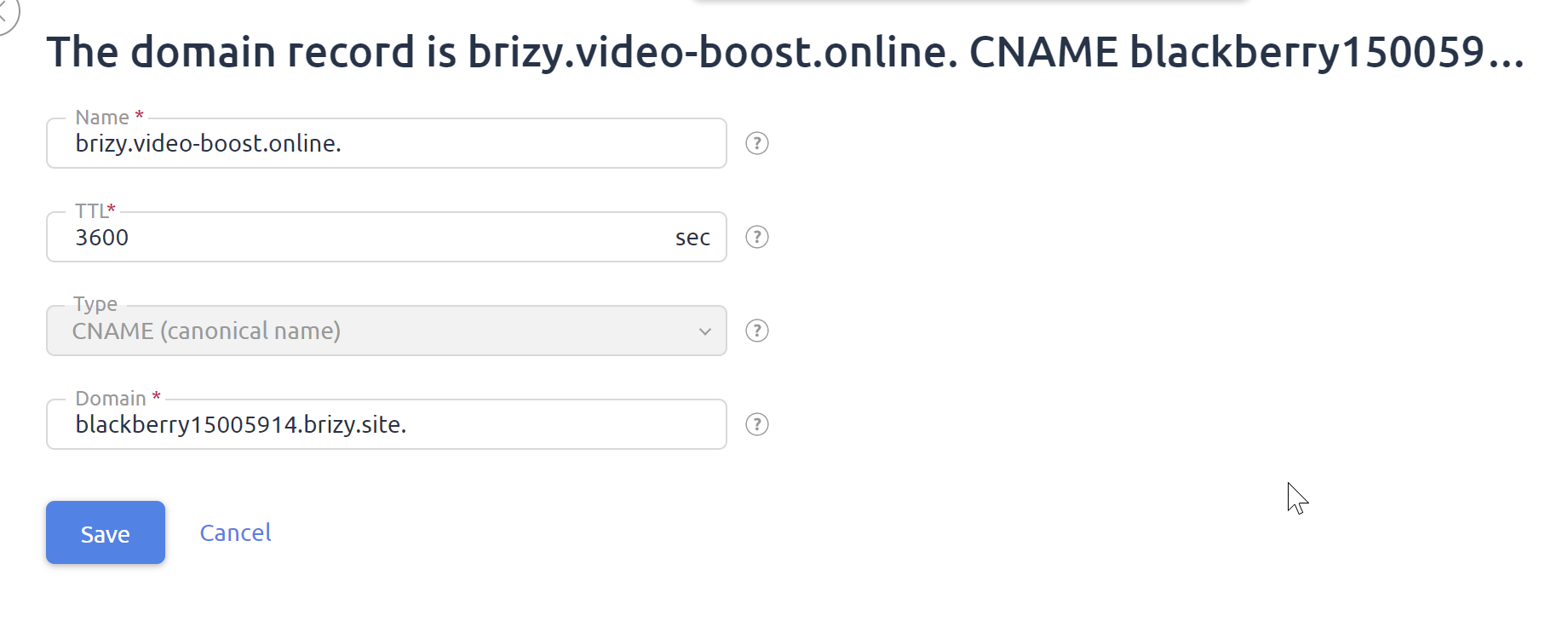
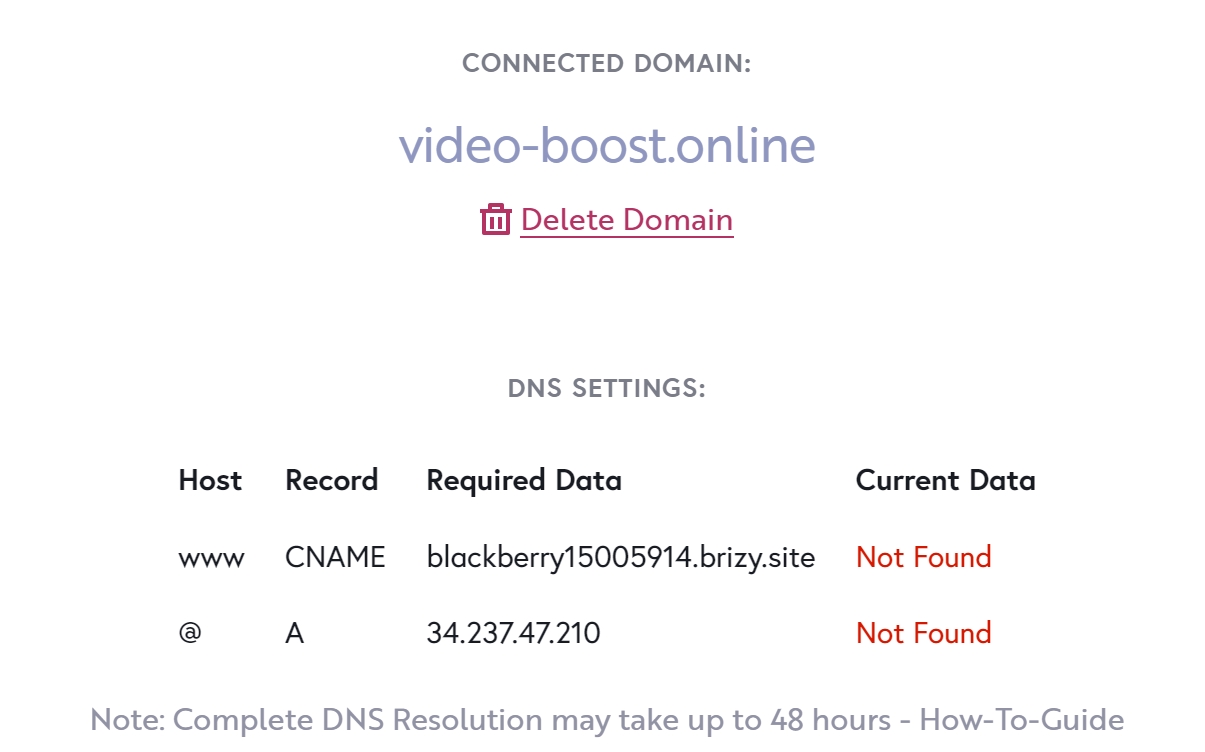
-

Hi,
Thank you for contacting us.
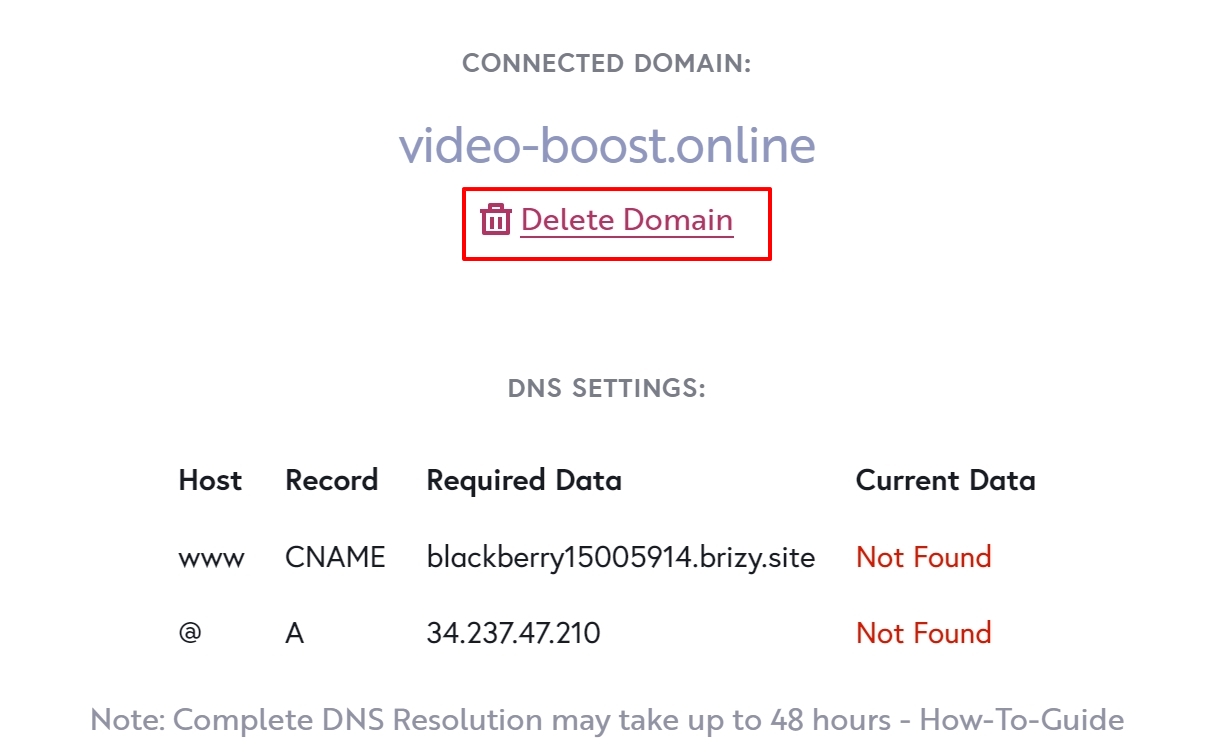
From your screenshot, I notice that you did not set up correctly the Cname and the A record, as it is marked with red, see here.
Please check also these two articles and make sure to add the correct records :
A: https://support.brizy.io/hc/en-us/articles/360041764052-Custom-domain-A-Record-Redirect-
CNAME: Could you please, check this article and follow all these steps to set up the A record?
Also, please check if you set up the AAAA record. If you have set up it, please delete it?
After this, all the records in the project settings should be green, this is an indicator that the configuration was done correctly.
Best regards,
Nelea.
0 -
It looks like it's all correct. Hosting's support changed the CNAME record this morning. Maybe the changes are not accepted yet?
But they didn't touch the A record, so I'm not sure why it's "not found"
AAAA records were made with support, I think. I deleted it before; it looks like they added it again.0 -

Hi Olegas,
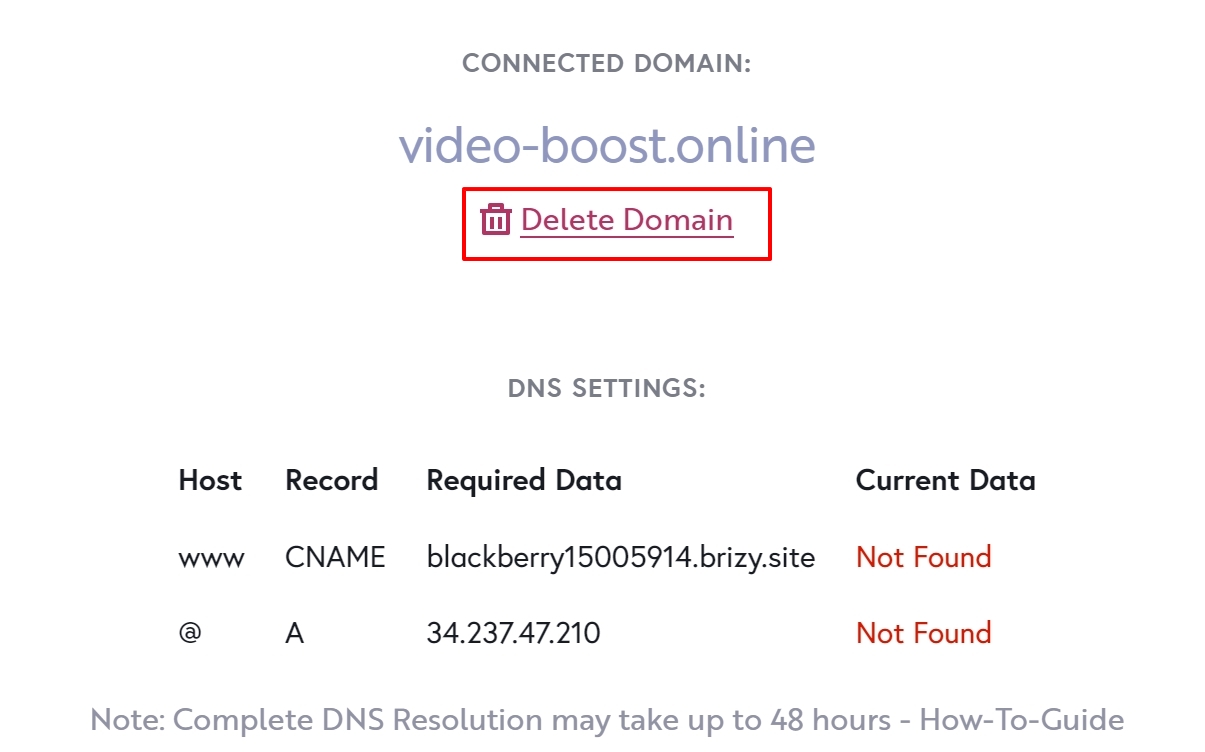
A DNS lookup of your domain at https://dnschecker.org/all-dns-records-of-domain.php shows that no A Record or CNAME record is associated with your domain video-boost.online. It shows a AAAA record of IP: 2a00:f940:2:2:1:1:0:192
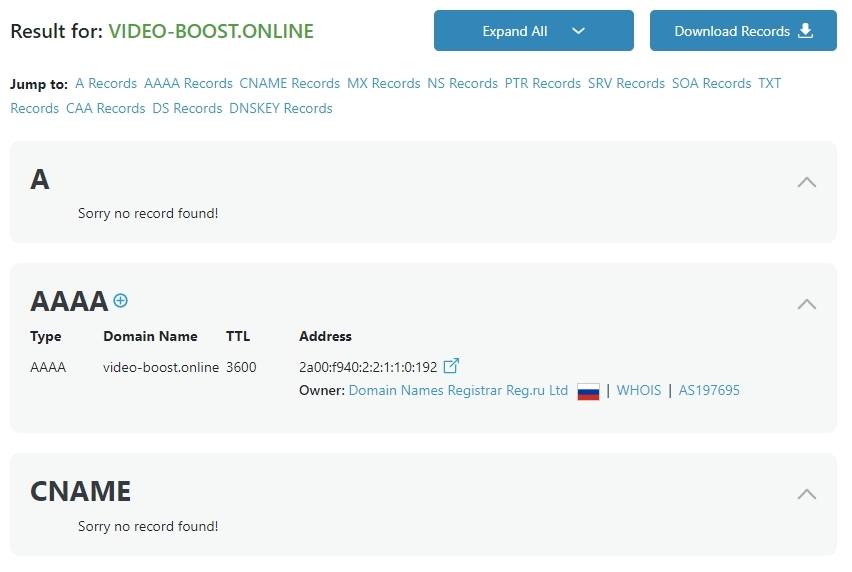
Please login to your account with your domain registrar https://www.reg.com/ and add the A Record and the CNAME records.
Once you add the records, please delete your custom domain, add it again and wait for 15 minutes for the SSL certificate to be generated
 0
0 -
Yes, the records are correct; I deleted and added the domain and nothing changed.
Look, I made a video from my hosting dashboard and checked the records. Maybe you'll find something here: https://drive.google.com/file/d/1sty1n888z-6bEX_acDODllXS2xBecwoe/view?usp=sharing
And the changes were made about 24 hours ago; can that be the problem?0 -
Hi,
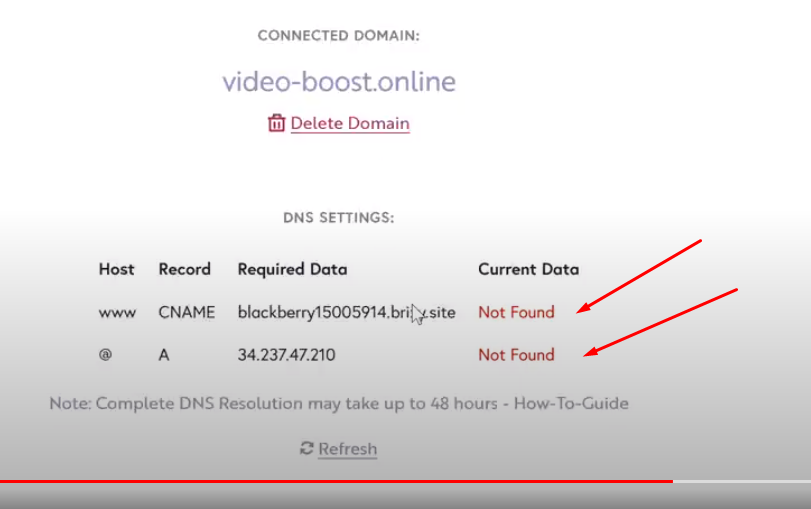
Like I said in the above message, you did not Set up correctly the CNAME and the A record, as they are RED, in this case, the SSL will be not propagated. In your project you have the Cname - NOT FOUND, and the A record also is - NOT FOUND. Please read the article that I have added in the last comment and try to connect the CNAME and the A record. Also, you should delete all AAAA records from the DNS settings.
 0
0 -
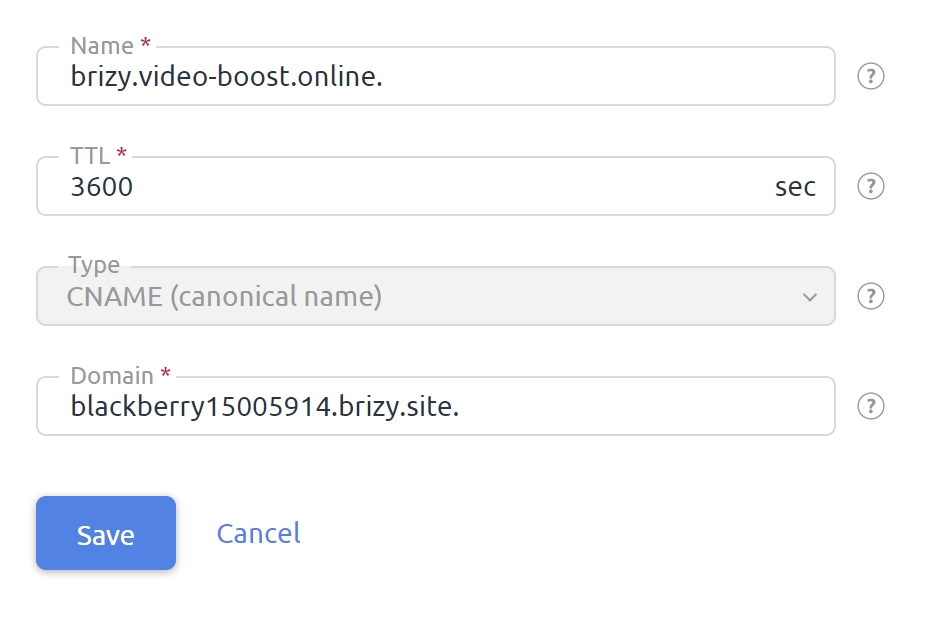
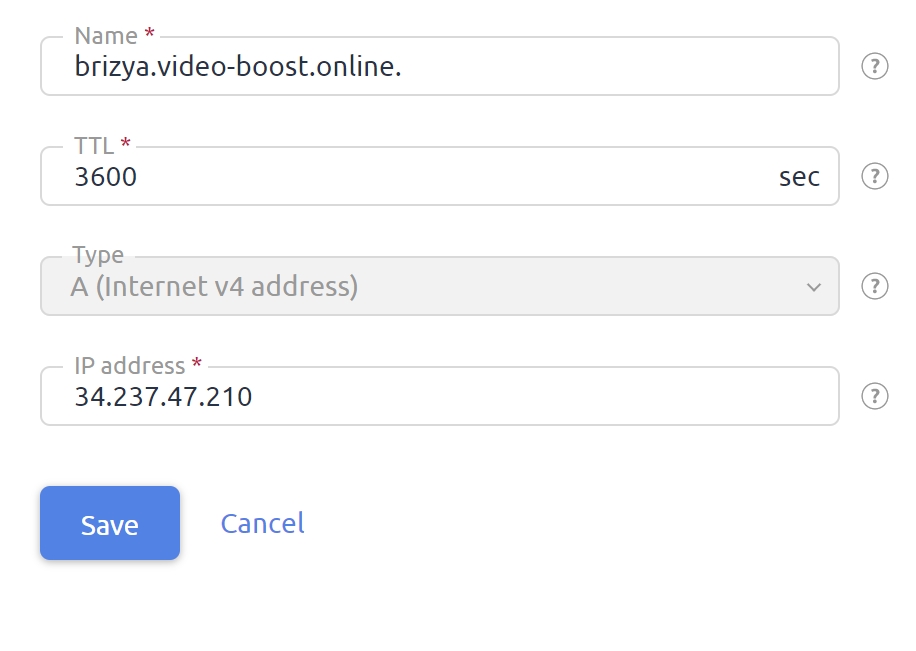
I deleted all AAAA records and doible-checked settings, it might be all ok?
Look at the screenshots please
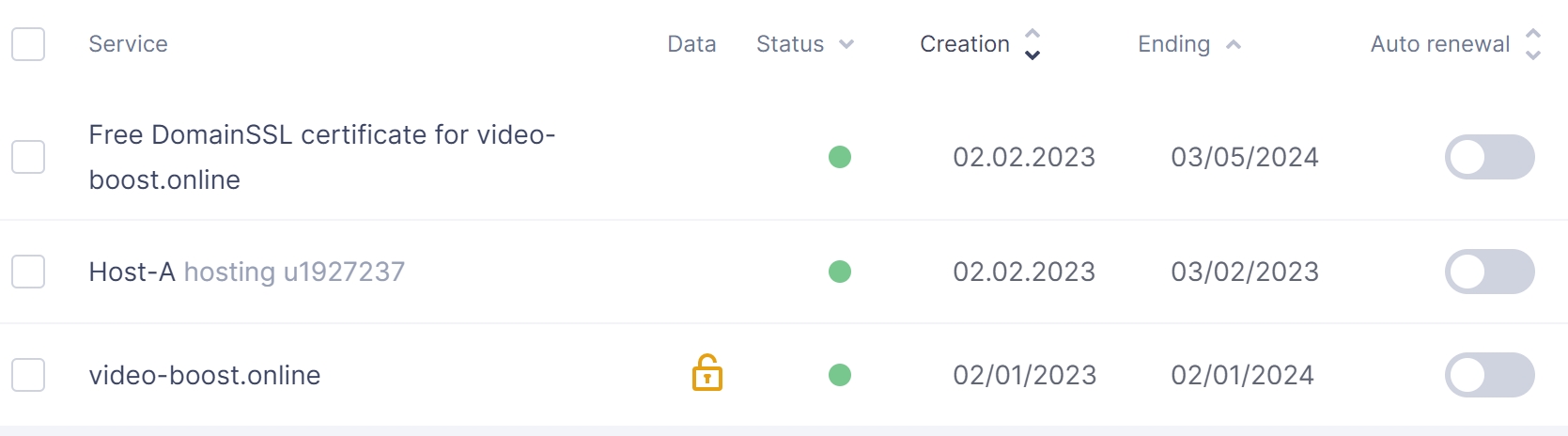
And looks like i already have SSL from my hosting provider, could this be a problem?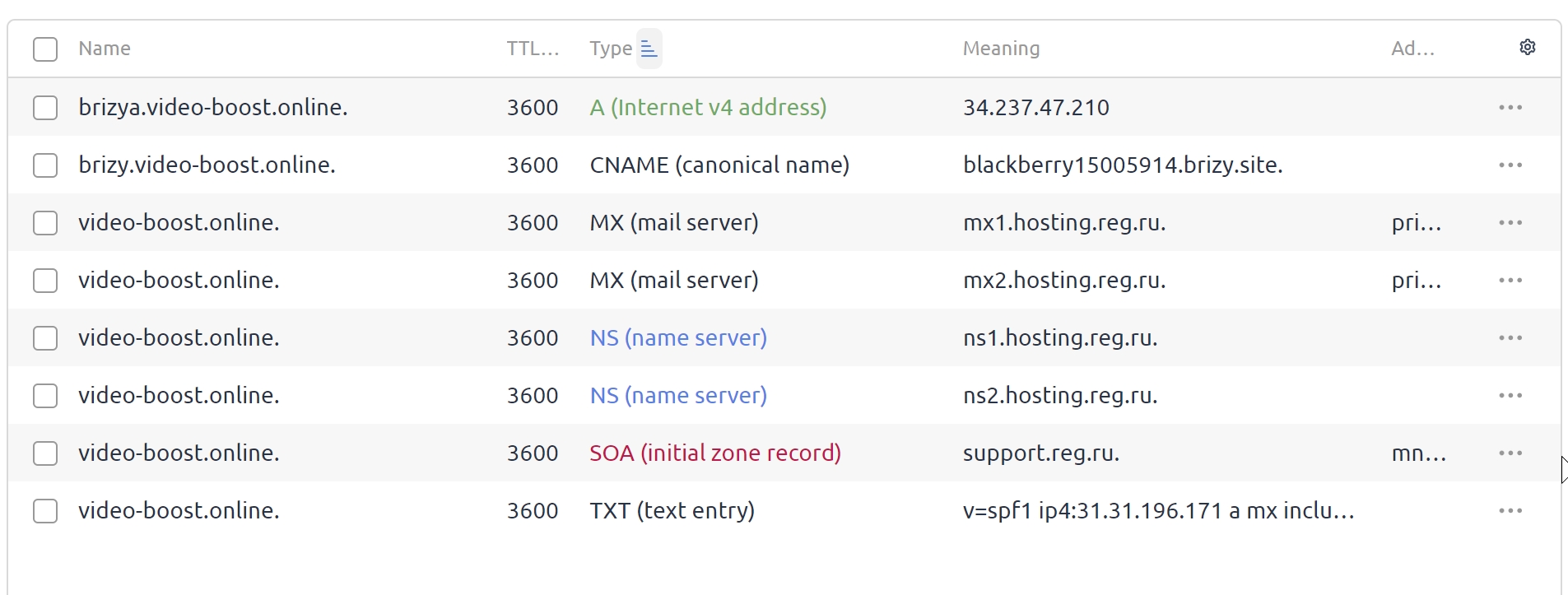
 0
0 -
Hi Olegas
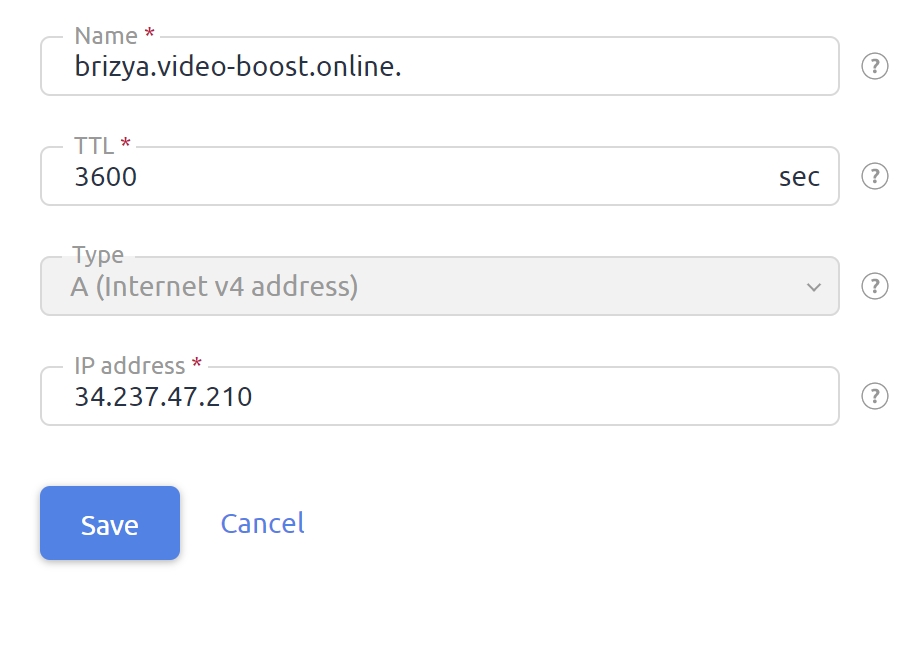
Your A Record entry is incorrect. Please change the Name from brizya.video-boost.online, to video-boost.online.
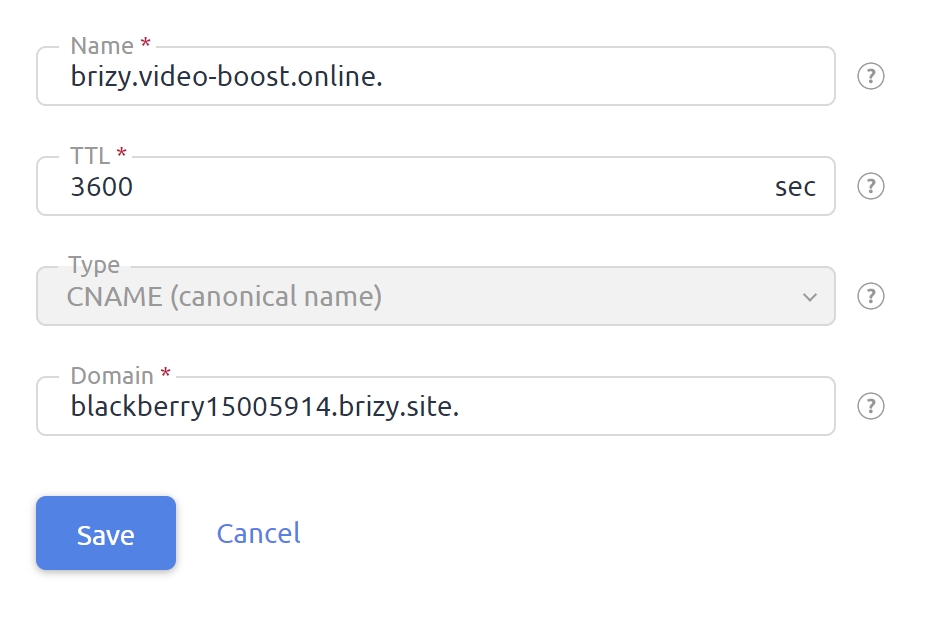
 Your CNAME entry is also incorrect. Please change the Name from brizy.video-boost.online to www in this screen
 Once you do the above, please delete your custom domain, add it again and wait for 15 minutes for the SSL certificate to be generated.
  0
0
Please sign in to leave a comment.
Comments
7 comments