Brizy Mobile Menu Issues

Hi there,
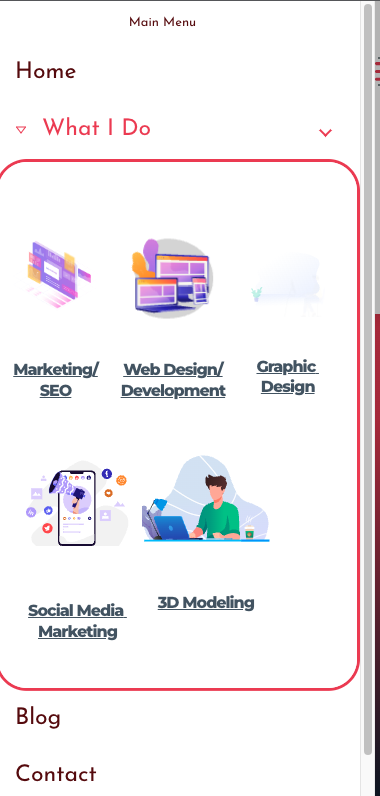
I had to ask on here as I have been searching for a solution but couldn't find any. I am having issues with the mobile menu on my site not showing the correct font and the drop-down menu font is displaying differently on the live site compared to the Brizy editor. On the live site, the text on each element of my drop-down menu is invisible or displayed as white on a white background.
Brizy Editor Looks OK.
Live site:
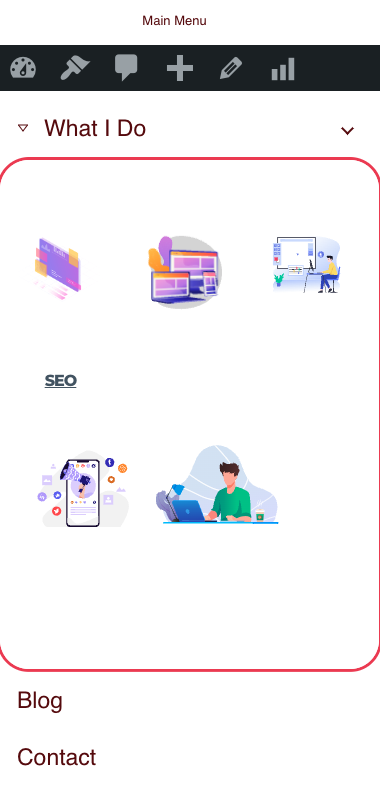
Also, I have to click the arrow to activate the drop down instead of just the text "what i do" Do you know which PHP file I need to edit to modify this? I tried with CSS however I couldn't get it to work and it is bad UX.
I have all my site done pretty much, I just need to fix the mobile menu and then I can launch it.
Thanks!
Regards,
Ryan.
-

Hi Ryan,
I will need access to your project to help fix this problem. Please add me as a user to your WordPress Dashboard if you need assistance with this. Please send the following details to my email: kc.george@brizy.io.
- Community Post URL: https://support.brizy.io/hc/en-us/community/posts/12795075799953
- WordPress Admin URL:
- Username:
- Password:
Please let me know here when you send me the above details.
You are right; one has to click on the arrow to activate the drop down instead of just the text "what i do". There is an option to setup a mobile menu drawer using the Brizy Popup builder. If you follow this approach, you can overcome this issue.
0 -
Thanks, I responded to you via email with a login to my site. I will update any help or results here in case it aids the community if they have a similar issue.
Regards,
Ryan.
0 -
Hi Ryan,
I could not get to the root of the problem. I have escalated the issue and one of our developers will take a look at it
0 -
HI KC,
Yes, it was a weird one which I couldn't figure out either. I am just waiting for a solution so I can finish things up and get it launched.Thanks for the update.
RegardsRyan.
0
Please sign in to leave a comment.
Comments
4 comments