Page deletion

Hi,
I'm in the process of inspecting a slug issue with a page.
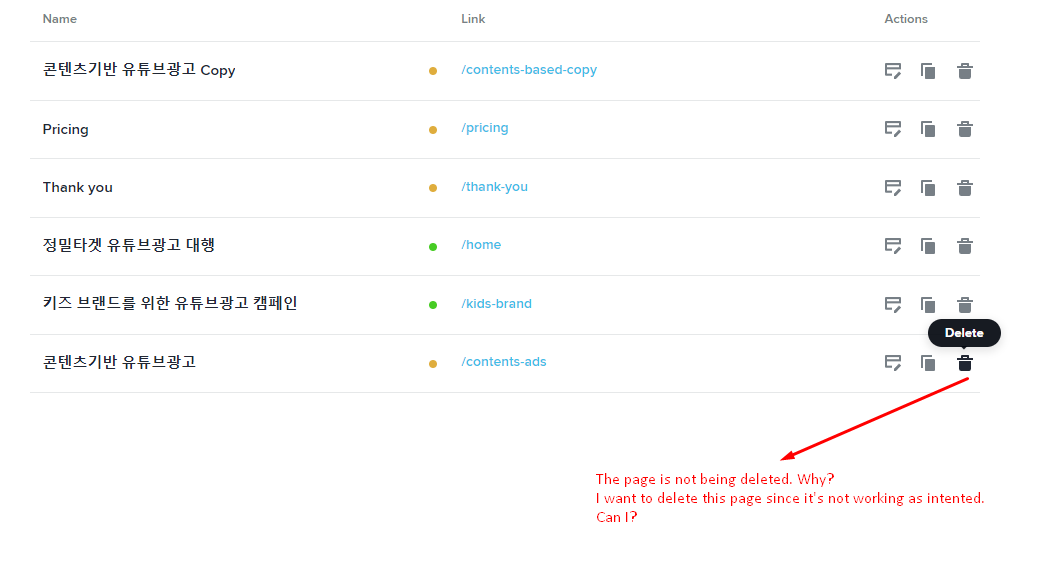
Since the page was not working as intended, I want to delete and remake it.
But I find it doesn't trigger a deletion pop-up option like other pages (attached)
-
The site link for the above is https://www.tubestorytelling.com/
0 -

Hi,
Thank you for contacting us.
Unfortunately, we could not reproduce the issue you reported. Can you please clear the browser cache, also, please sign out and then sign in Brizy account and check again the issue.
Best regards,
Nelea.
0 -

Another issue for me is that when deleting a page like /blog and trying to recreate it, I get the slug /blog2 and cannot change or rename this to /blog. When deleting /blog2, I recreate a blog page but get /blog3 Instead. Very strange
0 -
Yes. It works now. Thanks for your quick help!
0 -

Hi Jean-Pierre,
I am unable to reproduce this issue at my end. Please see this screen recording. https://jmp.sh/pN3tWIXV
Can you please mention the name of the project and its frontend URL where you are facing this problem. We will take a look.
0 -
Problem is on franceservice.com
/blog page was deleted but still exists, I am now on /blog-3
0 -
Hi Jean-Pierre,
Looks like the /blog slug is reserved for the blog posts. That could be the reason why you cannot use the same slug for pages.
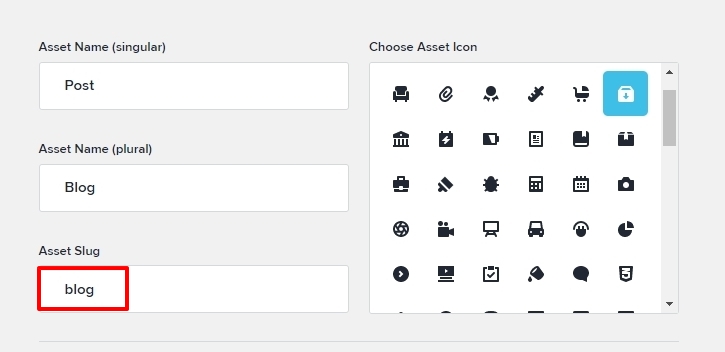
You should be able to use other slug like blog1. Our developers are looking into why that is not possible in your case.
0 -
That’s strange, hoW would you name the page with all the blog posts then? And I don’t have this issue on another site. It happens only if I delete the page named blog. I cannot recreate it anymore with the blog slug. It stays in the database but is not accessible anymore
0 -
Hi JP,
You can change the slug for the Blog asset to something else like Posts and then you can add a page with the slug /blog Please see this screenshot. https://jmp.sh/VpKA5J1x
0
Please sign in to leave a comment.
Comments
9 comments