Content Layout Shift

Hi,
I am having some issues with content layout shift in Google Page Speed Insights.
I have attached the CLS report for both mobile and desktop. It seems like it is the blocks that are causing it, not the Images. And the footer has the most impact.
This is the URL to put into page speed insights https://lightspeedindustries.co.uk/
I use Litespeed cache as a plugin in case that affects this.
Any help would be greatly appreciated
Kind regards, Elliot
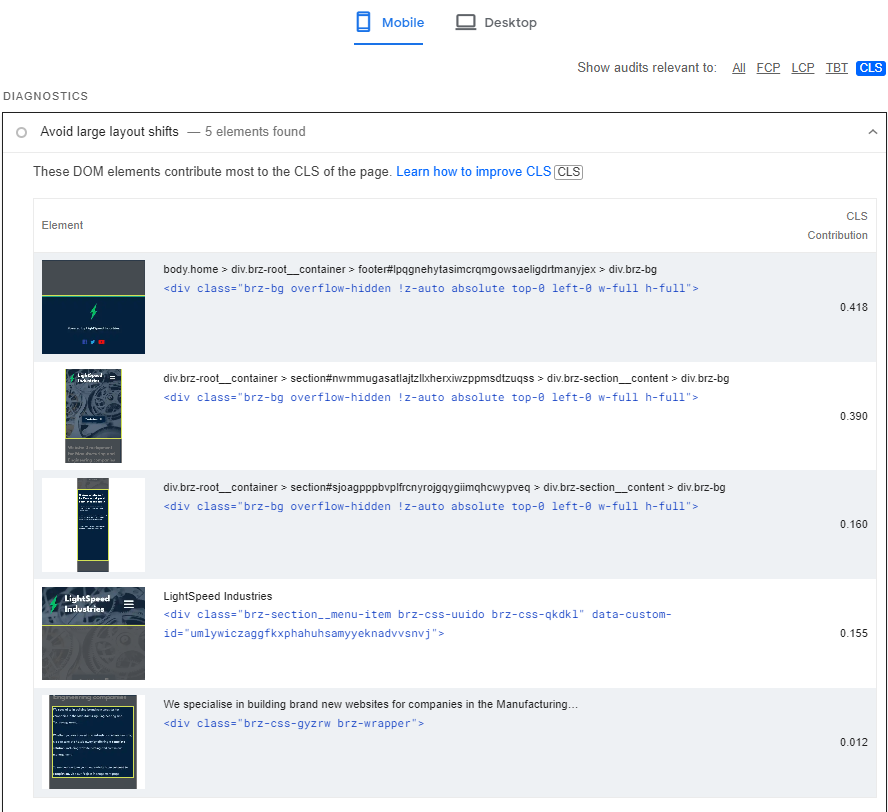
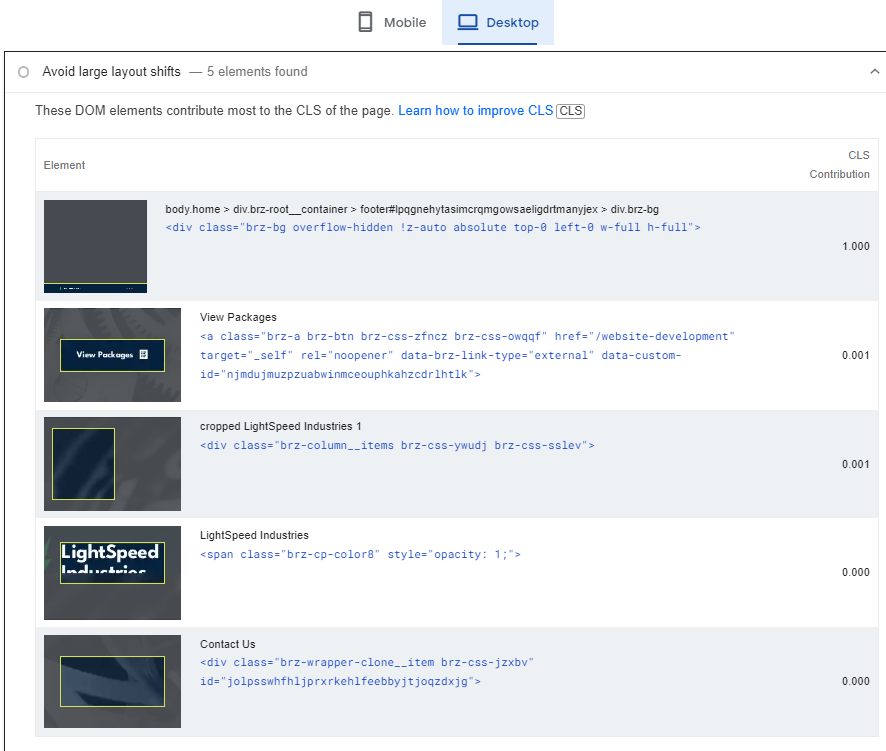
-

Hi Elliot,
In Litespeed Cache plugin, please disable these options and check if that makes a difference.
- Defer/delay JS
- Defer/delay CSS
- Lazy load images
0 -
Hi, after doing this, it seems to have resolved the issue on desktop but not mobile.
0 -
Hi Elliot,
The header moves from a lower to a higher height while the page loads. This results in a layout shift. Please review this screen recording for my assessment. https://jmp.sh/0ArUFCSM
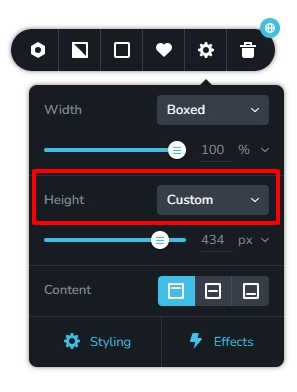
If your header's height is set to 'Auto,' consider changing it to 'Custom' and adjusting the height to display all of the header elements. Then double-check the layout shift.
 0
0 -
Hi, thank you for the video, I have gone back and done that but it has not solved the issue.
I think this is because the shift may be due to the blocks at the top of the page. I am using a makeshift transparent header, following this guide How to make header transparent – Brizy Help Center . I think the padding and margin settings necessary for a transparent header may be contributing to the issue?
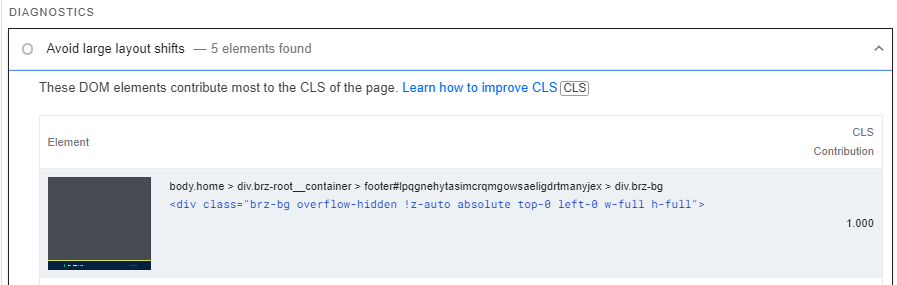
On another note, it appears that it is the footer that is causing the CLS issue in page speed insights.
 0
0 -
I've managed to fix the header shift issue, now its just this issue with the footer. It always gives a CLS of exactly 1.000.
I've tried to change the footer but the issue just comes back
Any help would be greatly appreciated
0 -
Hi, I believe the issue is with a litespeed cache setting called Guest Optimisation, so i will see what litespeed can do to help.
Thank you :)
0 -

Hi!
I've followed the advice given in this post but I still got a lot of LCP and CLS on our website :(. Here is the screenshot:
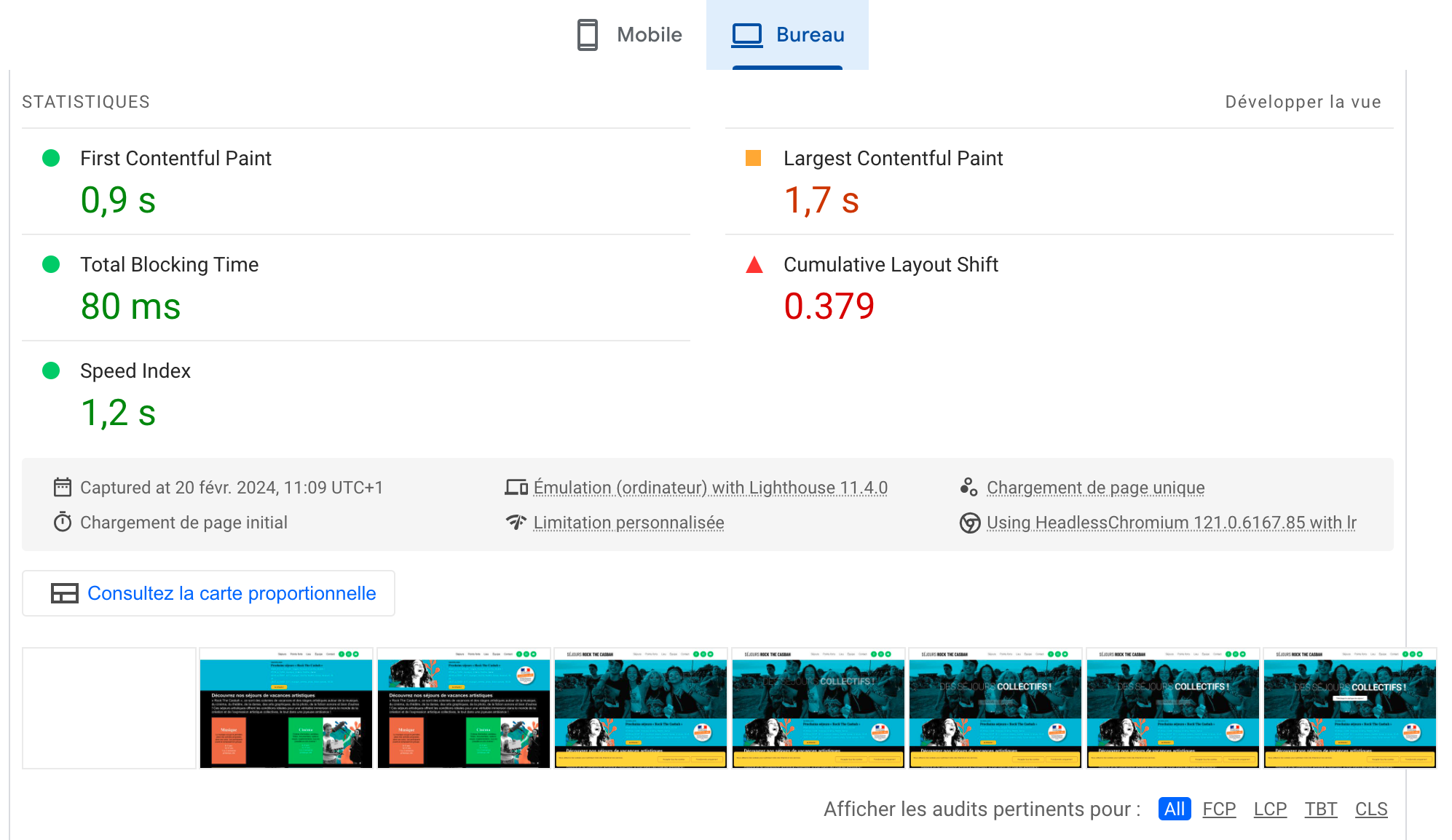
The first "banner space" and the large photo that arrives just after it have all the possible parameters set for custom height, but there are still the CLS problems :(.
The problems are here with or without WP-Optimize and Opimole activated/purged.
Do you have any idea on what I could do to solve these problems?
The URL is:
https: //se*******bah.com/
Best regards,
JP.
0 -

Hi Jp,
You might want to try using a different Optimization plugin. I suggest that you try Seraphinite Accelerator Plugin. While it's a premium option, it should effectively resolve the issues you're encountering on your website. You can see the plugin in action on this link - https://www.youtube.com/watch?v=laqPTeOEQyg
If you have any further questions, please let us know.
Best regards,
Ariel H.0 -
Thank you for your quick answer! I tried this optimization plugin, which is very good, but the results are exactly the same for CLS :(.
Have you got other ideas?
Thanks!
Best regards,
JP.
0 -
Hi Elliot,
Thank you for the update.
Upon checking, it appears that the CLS issue is coming from the text within your logo and the button located in the hero section of your main page.
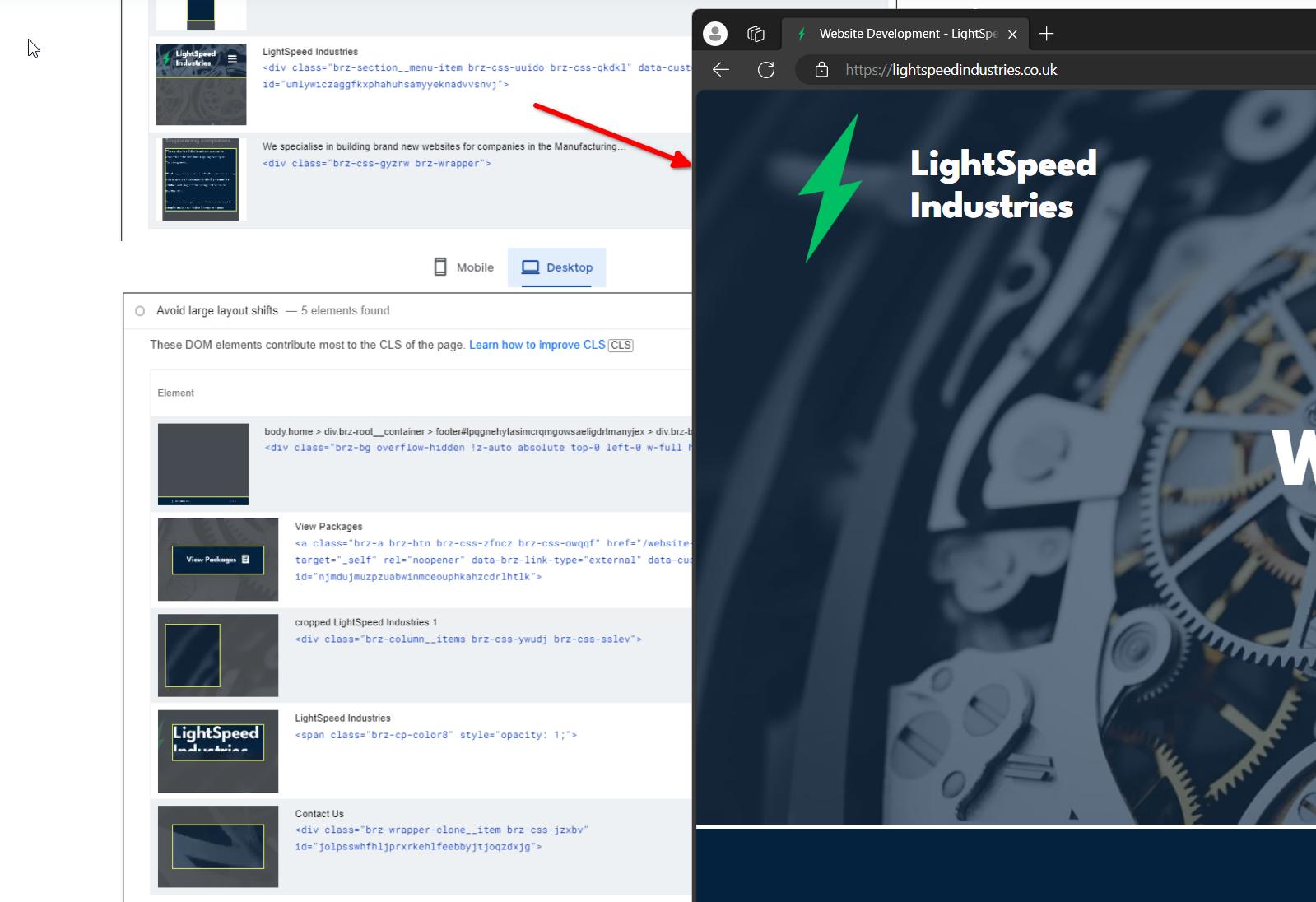
One potential solution to address this is to use a transparent image for your logo, allowing you better control over its dimensions. Additionally, you may consider implementing the padding technique outlined in this article:
https://josipmisko.com/posts/how-to-improve-cumulative-layout-shift-scoreI hope this helps.
Best regards,
Ariel H.0 -
Hi Ariel! You are answering Elliot who created this thread about CLS but his problem has been solved for 7 months according to his last message.
As I mentioned in my last message, I've tried the optimization plugin you gave me the link to, but the CLS problem is still there.
Best regards,
JP.
0 -
Hi Jp,
Sorry for the confusion.
I've observed that your website experiences a pause in loading time when displaying the cookie banner in mobile view. Could you please temporarily disable this plugin and check if this makes any difference in your CLS?
Best regards,
Ariel H.0 -
Hi!
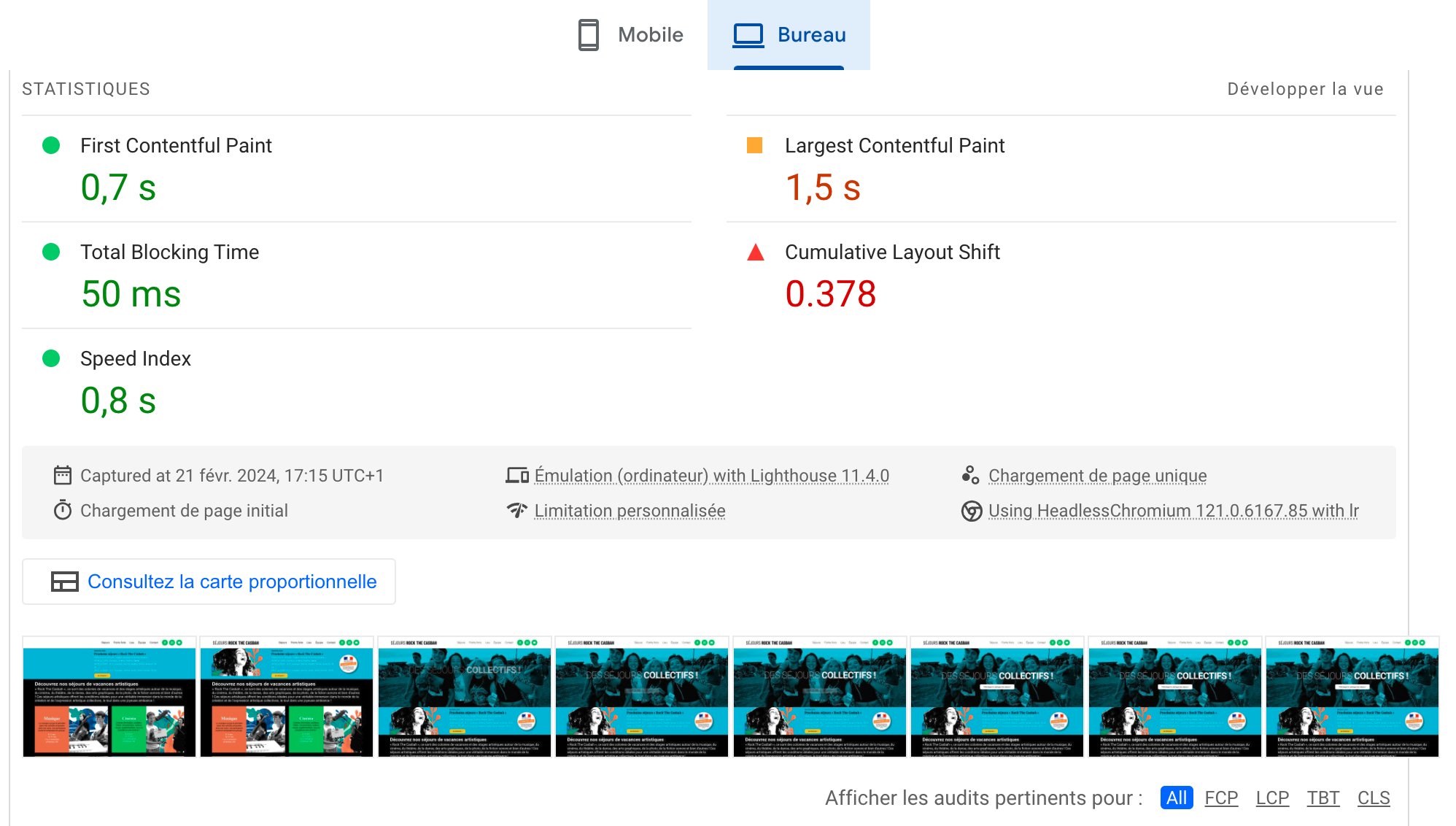
I deactivated the plugin, but the CLS problem is still there:
Best regards,
JP.
0 -
Hi Jp,
Thank you for the update.
Could you please save this layout and send it to us so we could reproduce the issue? You can share it on OneDrive or Google Drive, or you can upload the zip file to a subdirectory on your server and provide us with the download link.
To save the layout, you can follow the instructions provided in this YouTube video: https://youtu.be/4BBAe0qBbKU
Best regards,
Ariel H.0
Please sign in to leave a comment.
Comments
14 comments