Issues after updating to brizy 2.4.26, brizy pro 2.4.24

Hi Brizy team!
I made quite a few adjustments on a staging version. After a while, I noticed that the changes were only visible in the preview and not in an incognito window.
I should have made a backup, but I immediately updated Brizy, and then I saw that many blocks are no longer visible.
Example:
https://colocoagency.be/evenementen/ (before update)
https://colocoagency.be/staged/evenementen/ (after update)
Now I do notice that the sections are still visible when I want to edit the pages, so they are not gone.
I cleared the cache with the WP rocket plugin but that doesn't help.
How do I get everything back to how it was before without doing a rollback?
Also, maybe something that might be related:I created a shop template with brizy but when I open the page, it shows something else: https://colocoagency.be/staged/shop/.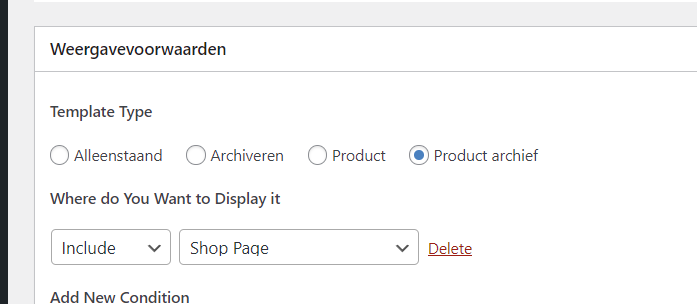

When I click on the preview of the shop page it shows me the correct one: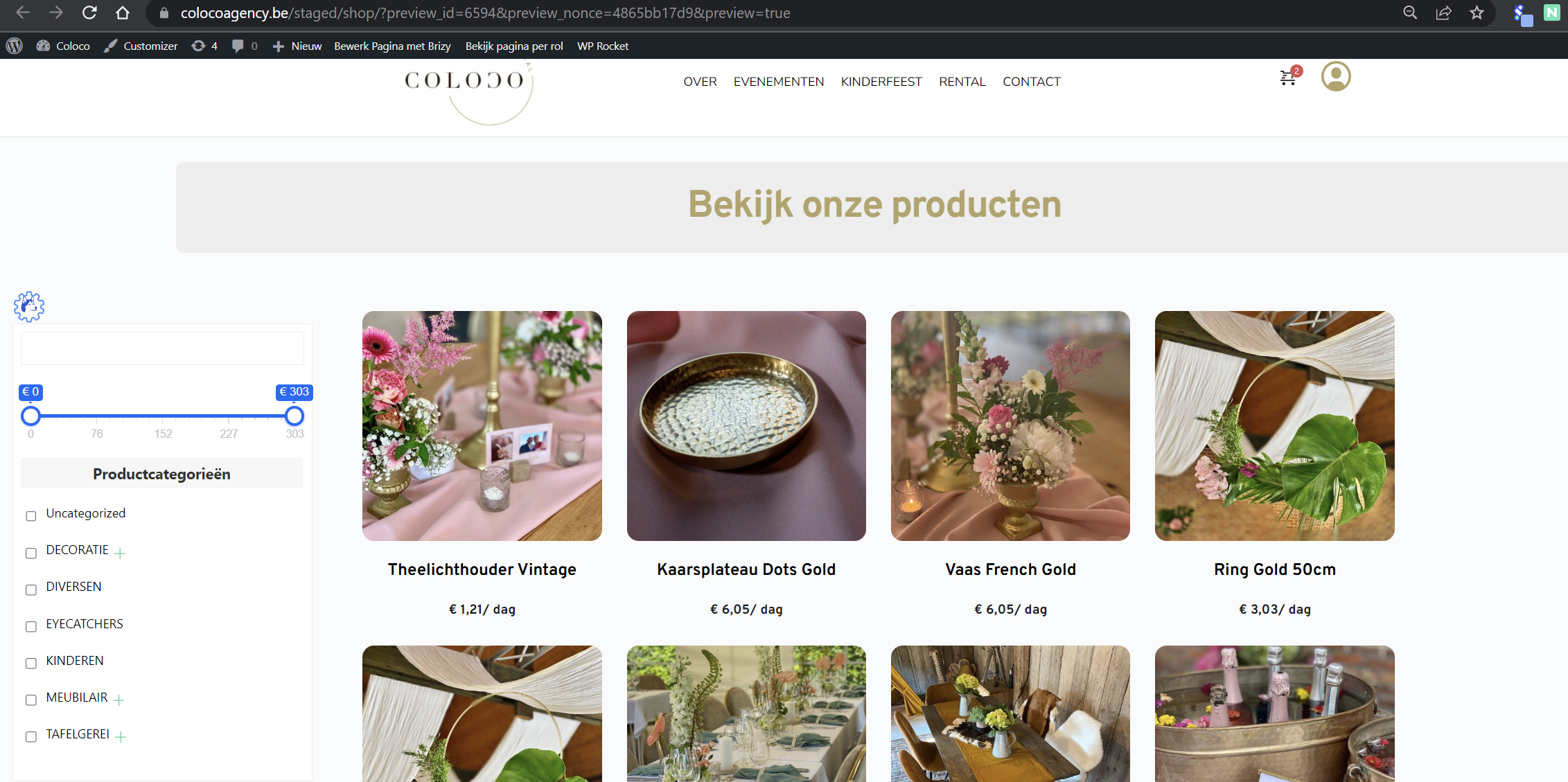
Thanks in advance!
-

Hi Yonik,
Thank you for contacting us.
It seems that the shop page was modified using Brizy, resulting in the template not being applied correctly.
https://i.imgur.com/k3sEPRL.png
To resolve this problem, you can either delete the current shop page or create a new one. After that, revisit your Brizy product archive template and update the display conditions accordingly.Please try this and let me know how it goes.
Best regards,
Ariel H.0 -
Hi Ariel,
I will try this tomorrow, but what about my first question regarding the blocks not appearing or in a weird way after the update, but still fine in de editor view?
Example: https://colocoagency.be/staged/evenementen/ (after update)
https://colocoagency.be/evenementen/ (before update).
A rollback would cost me a few hours to change everything again.
In editor mode everything looks normal so there must be a easy way to fix this.
Thanks in advance!0 -
Hi, I will try this later today, but what about my first question regarding the blocks not appearing or in a weird way after the update, but still fine in de editor view? Example: https://colocoagency.be/staged/evenementen/ (after update) https://colocoagency.be/evenementen/ (https://colocoagency.be/staged/evenementen/) (before update). In editor mode everything looks normal. There must be a way to fix this. Thanks in advance!
0 -
Hi Yonik,
Thank you for the update.
We'd like to look into the issue from your dashboard. Kindly grant us temporary access to your WordPress admin by adding us as a user. Please send the necessary login details to communitysupport@brizy.io.
Here are the details we need:
Community Post link: https://support.brizy.io/hc/en-us/community/posts/12658405434258
WordPress Admin URL:
Username:
Password:As a precaution, please make a full backup of your website.
Best regards,
Ariel H.0 -
Hi Ariel,
The user for temporary access has been created and de details are sent to communitysupport@brizy.io.
Kind regards,
Yonik
0 -
Hi Yonik,
Thank you for your cooperation.
After checking your website, I can confirm that it is functioning correctly, as shown in this screenshot: https://i.imgur.com/iCHJalY.jpg
The problem may have been caused by cache-related issues.
If you have any further questions, please let us know.
Best regards,
Ariel H.0


Please sign in to leave a comment.
Comments
6 comments