Adding an image into the rich text field

Hi Brizy team
Is there a way to insert an image into a rich text field in a blog Post asset? (The same way as I did it here.)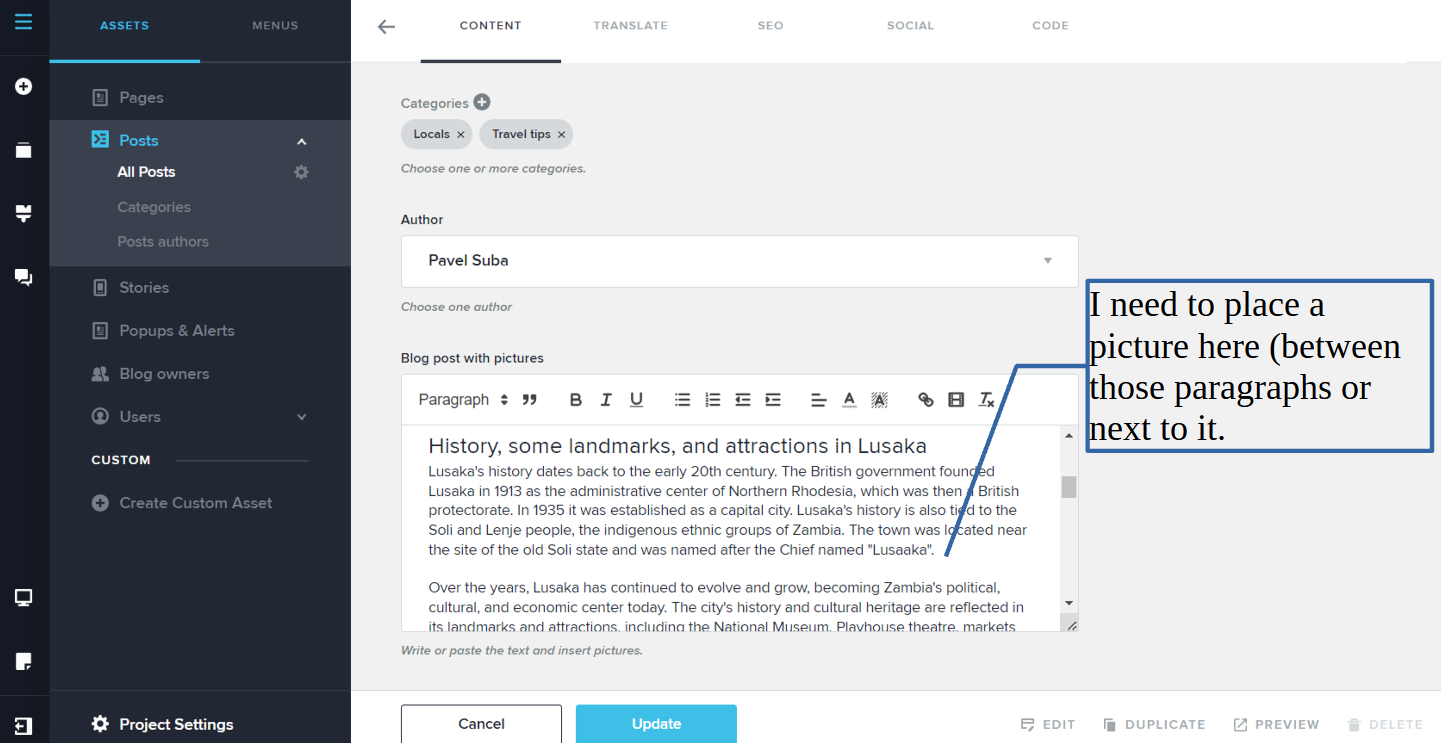
I am working in Brizy cloud.
Thank you.
-

Hi,
Thank you for contacting us.
Unfortunately, you are unable to upload a picture to this post because Brizy Cloud removed the function last year due to certain problems.
Best regards,
Nelea.
0 -

Bring that functionality back, please. I have a blog on Brizycloud, why remove this important feature
0 -
Hi,
Sorry, at the moment we cannot add back this functionality, because if we add it back, the whole website doesn't work. Maybe in the future, they will work on this option and improve it, but at the moment it is impossible.
Best regards,Nelea.
0 -
It is extremely important. At least let me insert images from external links.
”<img scr=http://doamain.com/picture.jpg>"Please tell the development team, it is very important for a CMS blog.
0 -
I agree. The workflow would be much easier with this feature.
0 -

You should be able to insert images into text and have the text wrap around it. This is standard practice for a text editor. You should also be able to add HTML as well. I have very nicely designed HTML blog posts but I can't use it in Brizy. The blog system in Brizy is so unintuitive and clunky. It's entirely too difficult for clients.
0 -

Hi Diane,
In contrast to WordPress and other CMS platforms, Brizy Cloud has a different approach to adding blog posts. Several Brizy Cloud users are unaware of the recommended approach to adding blog posts. The Rich Text Editor is not intended for adding blog post content. Please watch the first three videos in this YouTube playlist for the right procedure for adding blog posts Blogging in Brizy Cloud 2023

Please have a look at these links for examples of blog posts that can be created using Brizy Cloud.
0

Please sign in to leave a comment.
Comments
7 comments