Menu & services icons in home page are not clickable

https://www.ksquareweddings.com/
This website is made with brizy cloud, this website is been active since last year , today I identified that menu is not clickable and the services in home page (icons) are given hyperlink, these icons are also not clickable
-

Hi,
Thank you for contacting us.
It appears that the popups on your website are causing the issue. To ensure your website continues to work while we work on a permanent solution, we kindly request you to temporarily disable the popups.
Sorry for the inconvenience.Best regards,
Ariel H.0 -
there are no popus in website
0 -
only popup is whatsapp icon which is placed in footer level
0 -

Hello,
Thank you for your reply.
Yes, you have a pop-up for which the closing button is not enabled - https://jmp.sh/a1RPyo27; Thus, the elements on the page won't be available if the pop-up will not be closed. You can add the closing option https://jmp.sh/FkKQWtDp or try this workaround:
Add an icon element on the home page and set it in the Fixed position - https://jumpshare.com/v/ny3IuoxETGCkfYoQs79P
Adjust the settings, similar to your current pop-up icon - https://jumpshare.com/v/KpQzVoF7j1LxjQnff8gX
Check this video to see how it will work in the preview mode - https://jumpshare.com/v/yz8Q6KwjPl58IN0OEsuw
Best Regards, Natalia
0 -
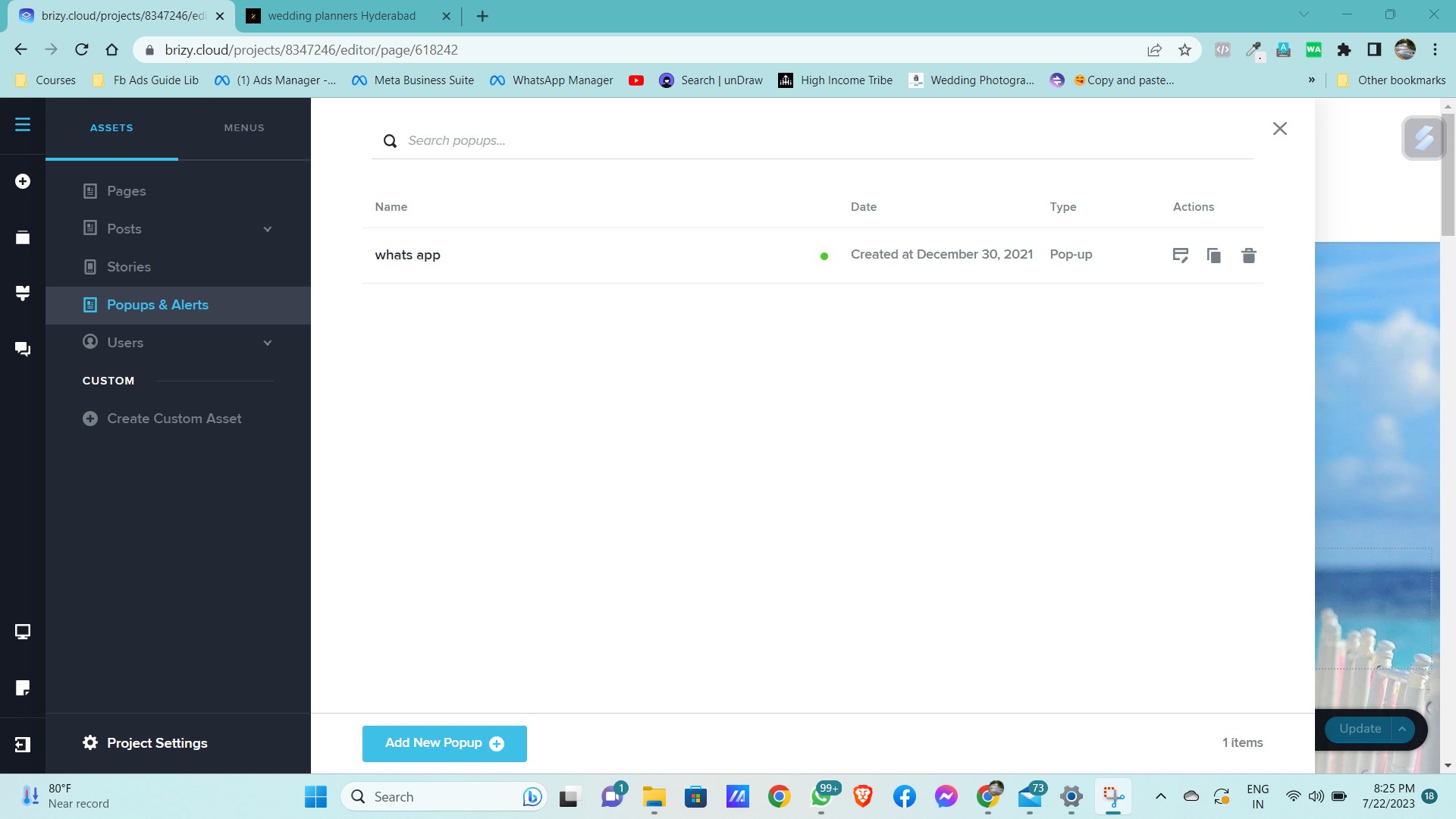
in website there is only one popup which is placed at the bottom, this popup is been active since one year, from the day of website is active , the menu is working - clickable , but i noticed couple of days back menu is not clickable , kindly do the needful
0 -

Hi Pavan Kumar,
We have a bug with the popups. When a popup is active on a page, hyperlinks on the page are not clickable. We are working on fixing this bug.
While we are working on fixing this error, please consider recreating the whatsapp icon using the fixed position icon as Natalia suggested above.
0
Please sign in to leave a comment.
Comments
6 comments