individual links in our desktop menu don't work on mobile hamburger menu

Hi there. We relaunched our site to a onepager and er are up to date using Briy Pro Version 2.4.24 for WP. Unfortunately the individual links in our menus work well on the desktop version but not at all in the mobile menu.
Here ist the link to our site:
Do you have any advice for us?
Thank you, Leslie
-

Hi Leslie,
Anchor links in your hamburger menu appear to work fine at my end. Please see my test here https://jmp.sh/n9gjxpxm What issue do you face when clicking on the anchor links at your end?
0 -
Wow, your response ist fast. Thank you.
Looking good at your end. We tested it on iPhone 13 and 14 Pro Max... both show the same problem: "LEISTUNGEN" goes to the block "ÜBER UNS" (about us) and KONTAKT goes as well only to the ÜBER UNS Block... just like the ÜBER UNS in the Menu - that one is correct.
0 -

Hi Leslie,
Thank you for the update.
Could you kindly provide us with some screenshots from your iPhone 13 or iPhone 14 Pro Max that illustrate the problem? This will help us better understand the issue and possibly offer a solution.
I am looking forward to your response.
Best regards,
Ariel H.0 -
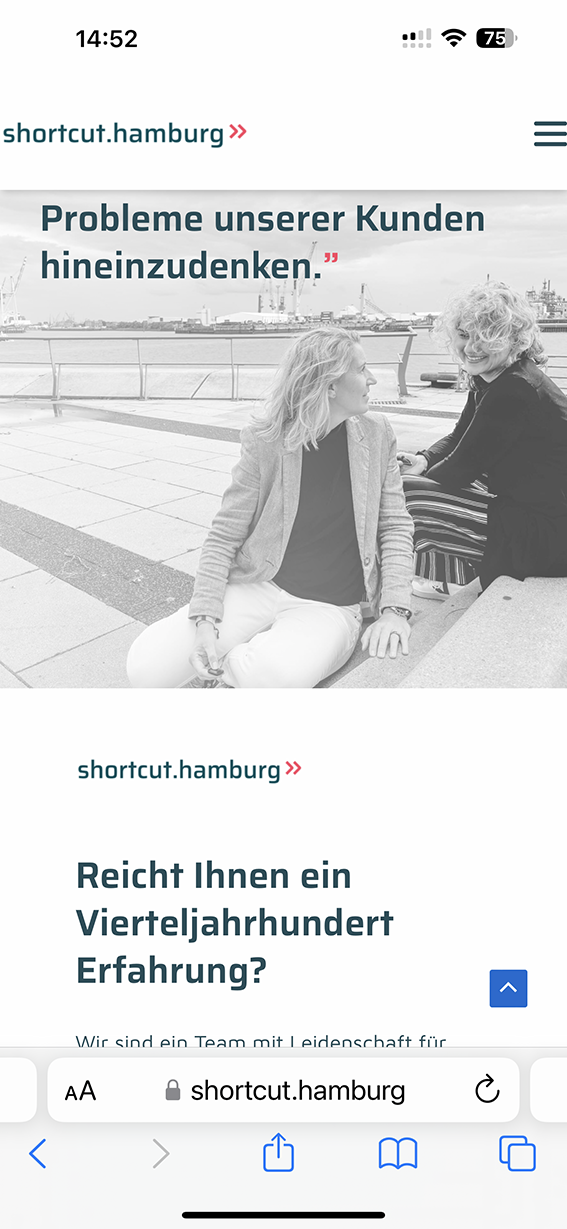
Hi Ariel, sure. No matter which button we press, we always land here (see screenshot iPhone 14).
 0
0 -
Hi Leslie,
Thank you for the update.
As of now, we don't have access to an iPhone 13/14 for further testing.
However, we tested this on an iPhone 12 Pro with iOS 15.7, and the menus work as expected. Considering this, there shouldn't be any apparent reason for them not to work on iPhone 13 or 14.
https://youtube.com/shorts/KlFnDrKSvjwCould you also try to access your website using an alternative browser? This will help us determine if the issue might be specific to a particular browser.
Best regards,
Ariel H.0 -
Hi Ariel, we tested it on Safari and Chrome Browser. Both have the same problem: all menu buttons go to one spot on the page instead of the different blocks. Interesting is that the spot varies by browser:
In Safari: they all go to "über uns"
In Chrome: they all go to "Leistungen"0 -
Hi Leslie,
Thank you for the update.
I can reproduce the issue on an iPad Air 4 2020. Please try the following and see if this will help:
1. Disable all other plugins except for Brizy and Brizy Pro, then check if the problem is resolved. If it is, gradually enable the remaining plugins one by one while testing your site until the issue reappears. This process will assist you in identifying the plugin responsible for the conflict.
2. If disabling other plugins does not resolve the issue, consider temporarily switching to another theme to determine if that helps.
If all fails, we'd like to look into the issue from your dashboard. Kindly grant us temporary access to your WordPress admin by adding us as a user. Please send the necessary login details to communitysupport@brizy.io.
Here are the details we need:Community Post link: https://support.brizy.io/hc/en-us/community/posts/12606530051858
WordPress Admin URL:
Username:
Password:As a precaution, please make a full backup of your website.
Best regards,
Ariel H.0 -
Hi Ariel,
it took a while but we did all tests. Nothing solved the problem. The only thing I found out: when using an incognito chrome browser on the same smartphone: it works. But with normal Chrome and Safari it does not make a difference: switching themes or deactivating plugins.
Best regards, Leslie
0 -
Hi Leslie,
Thank you for the update.
Please provide us temporary access to your WP Admin credentials, following the instructions in my last email, so we can inspect your site.Best regards,
Ariel H.0 -
Hi Leslie,
Thank you for your cooperation.
After checking, I found that the issue is due to an incorrect custom link—https://i.imgur.com/BeFMkfe.png
Please note that /Home is not required when linking blocks in a page—https://imgur.com/pPO2ywJ.png. Removing /Home should address the issue.
If you have any further questions, please let us know
Best regards,
Ariel H.0 -
Hi Ariel,
as usual: "The problem sits IN FRONT OF the computer". Thank you so much for helping us out!!! Works out perfectly now.
Brizy is best!
Regards, Leslie
0


Please sign in to leave a comment.
Comments
11 comments