hide pop-up

Hi there,
I have a pop-up that triggers on the page load and forwards it to different websites. the problem is that if users remain on the website navigate through and go back home the pop-up appears again even if I selected "Current page URL" "does not contain" and the homepage URL.
Is there any way to hide the pop-up in this case?
-

Hi Tiberiu,
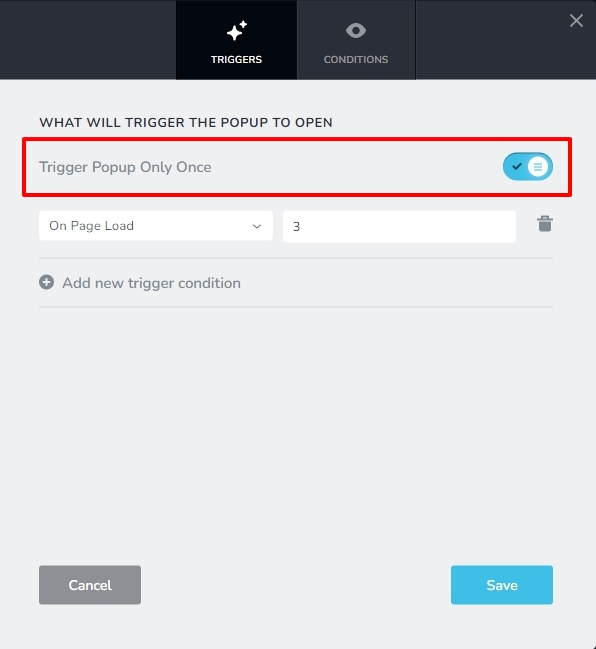
Would enabling the option "Trigger Popup Only Once" work for you?
 0
0 -
no, because I want to trigger also if they come back from the other websites ....
0 -
Hi Tiberiu,
When you select the option "Trigger popup only once", there are two scenarios for the user to come back
- Come back by clicking 'Back' on the browser. In this case the page does not reload hence popup will not trigger again
- If the user clicks on a hyperlink to come back to your website, the page will reload and the popup will trigger again.
Which scenario is applicable in your case?
0 -
Hi George,
It's not ok for me the option "Trigger popup only once", because I can't control how users come back to the website... I have links but they anyway click the back button ..
I would like an option in which pop-up will not trigger if they are already on the website with the popup, and they just click the homepage for some reason
Thanks!
Thanks
0 -
Hi Tiberiu,
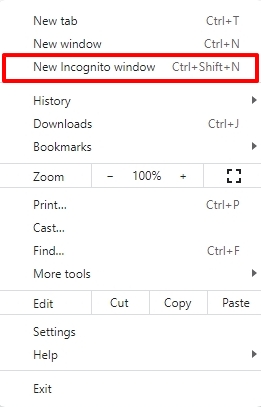
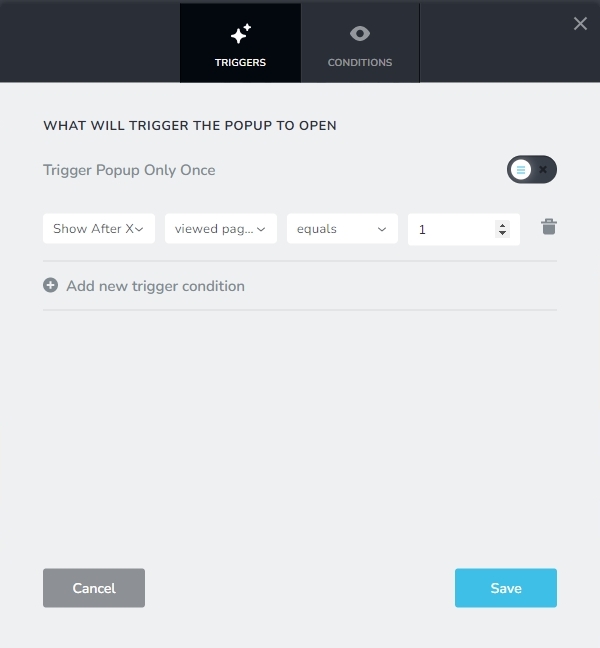
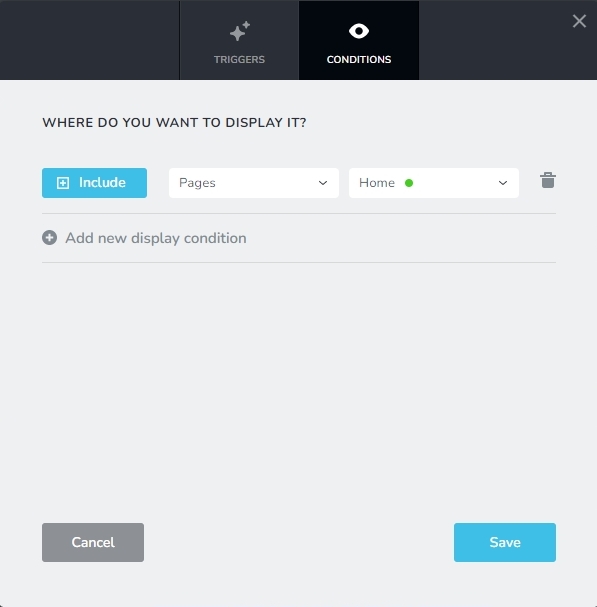
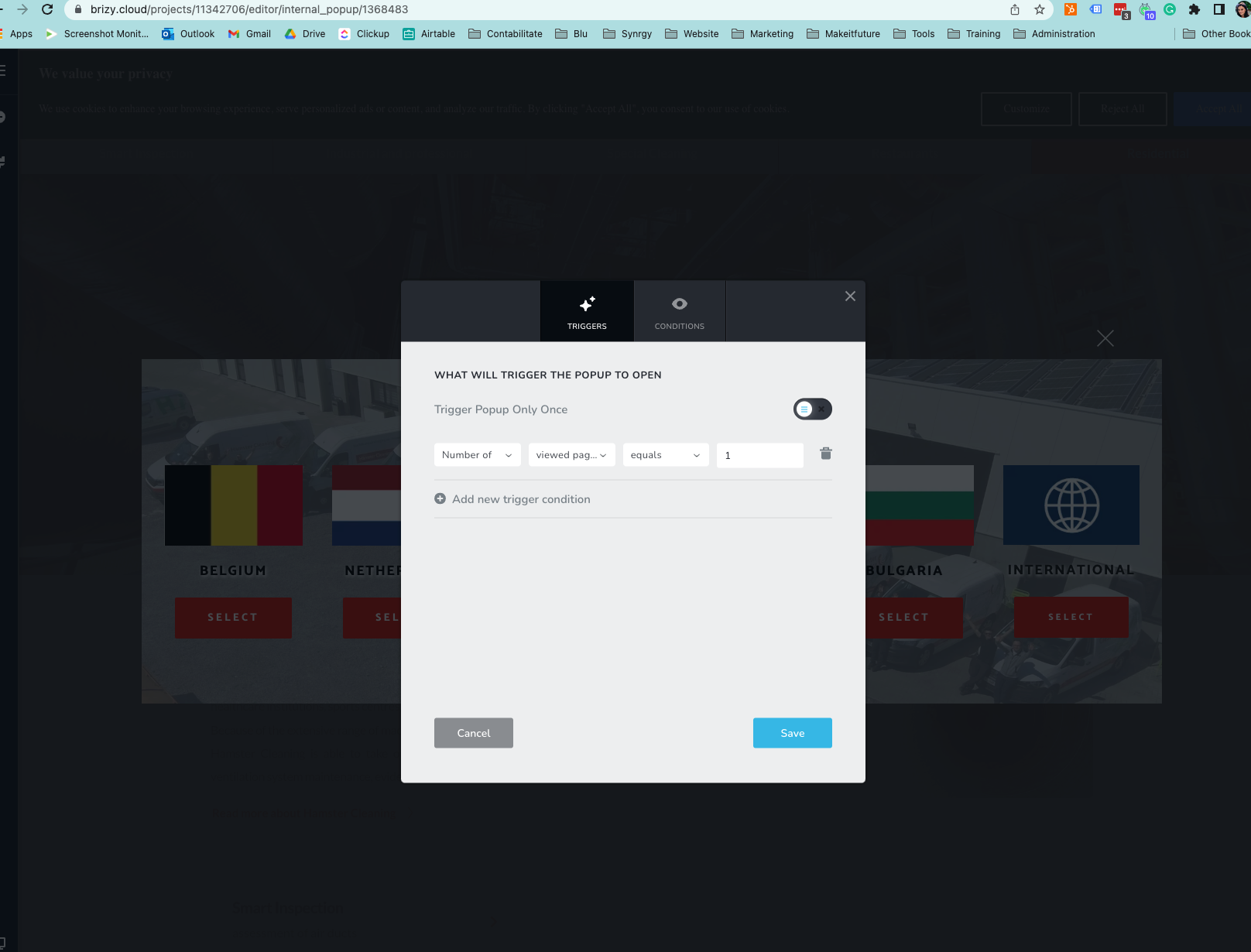
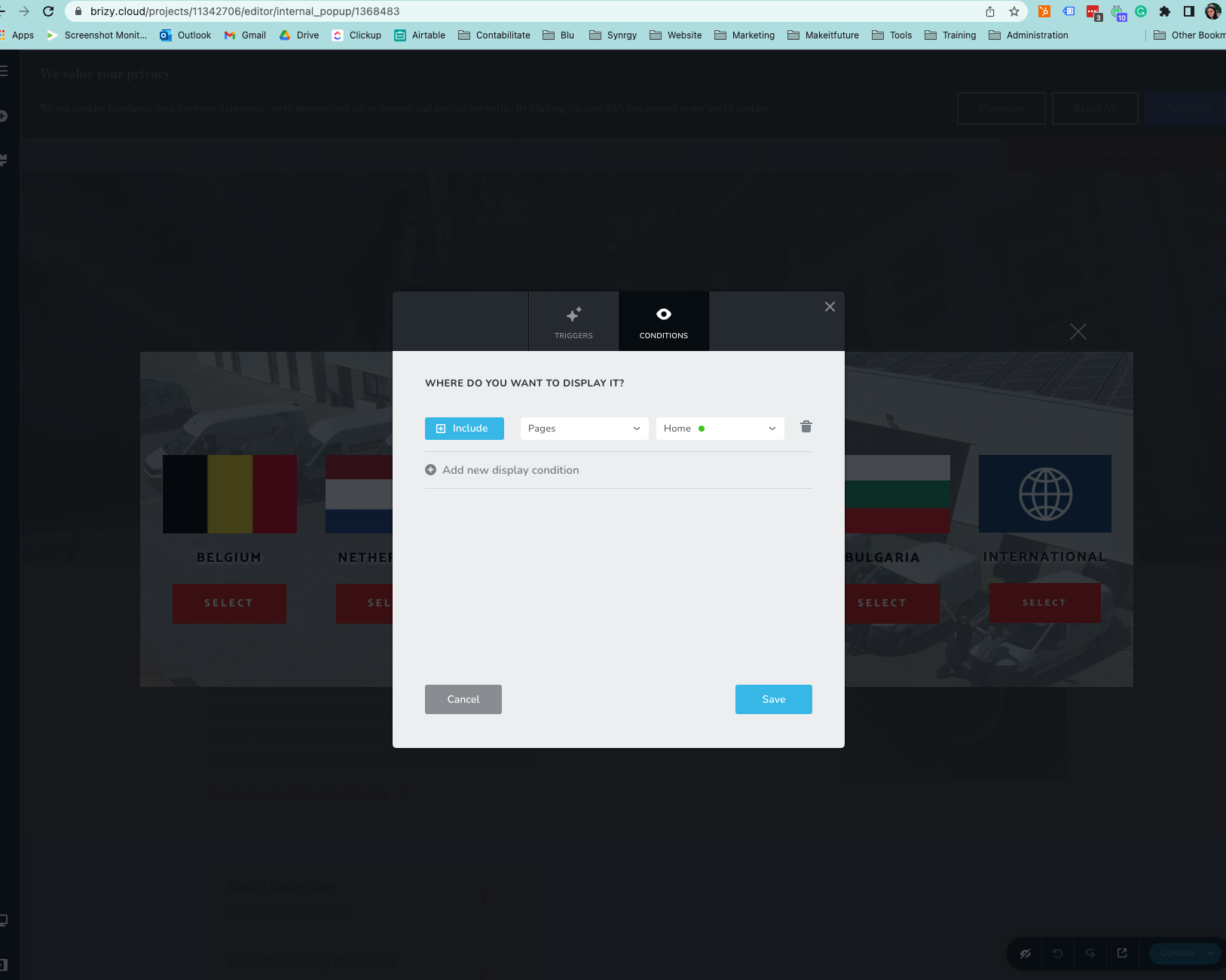
Please try the below Trigger and Display Conditions. Once you set these conditions, please use a private (Incognito) browser window for testing.
 0
0 -
Hi George,
Tried with these settings & test it in Incognito and the popup doesn't appear at all.
 0
0 -

Hi Tiberiu,
Thank you for the update.
Please try the following in the popup.
https://prnt.sc/OwGNI8zf1JjCI have reproduced this issue on this screencast.
https://youtu.be/l-TGZ1G4-hQPlease try this and let me know how it goes.
Best regards,
Ariel H.0 -
Hi,
It works fine in Incognito mode. But not everybody uses incognito. So the customer is not happy with that.
He would like the pop-up to appear every time someone enters the page, but once you're on the page it doesn't appear every time you get to the home page, because that is annoying.
https://share.vidyard.com/watch/ogwJobbpNsDLargf7gTeaJ?
Thanks!
0 -
Hi Tiberiu,
Thank you for the update.
The website appears to be working properly in incognito mode, which suggests that the issue is not with the popup settings, but rather with the browser's cache.
To resolve this, they would need to try clearing the browser's cache and cookies. This should refresh the website and allow the popups to work properly.
Best regards,
Ariel H.
0
Please sign in to leave a comment.
Comments
9 comments