Unable to fix manual translation

-

Hi Vantrinh,
Thank you for contacting us.
In order to make changes to the translated page, kindly navigate to the page settings and select the Translate tab. This will allow you to edit the page translation according to your preferences. This is demonstrated on this screencast: https://youtu.be/1k9-Y1VD_p0
If you have any further questions, please let us know.
Best regards,
Ariel H.0 -
I change the automatic translation content manually and save. But the preview still keeps the content automatically translated.
0 -

Hi Vantrinh,
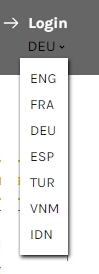
The project https://spinner.brizy.site does not seem to use the Brizy Cloud translation feature. Instead, it uses a drop down menu with links to different manually created language specific pages. For instance,
- FRA links to https://spinner.brizy.site/article-spinner-free-tool-seo-french
- DEU links to https://spinner.brizy.site/article-spinner-free-tool-seo-german
When you say "I change the automatic translation content manually and save but the preview still keeps the content automatically translated." what exactly do you mean? Can you elaborate?
 0
0 -
It doesn't work. So I don't use the translate function. Another problem is that it also conflicts with the JavaScript
0 -
Hi Vantrinh,
We have a fix available for this issue at our end. We hope to release the fix soon.
0
Please sign in to leave a comment.
Comments
5 comments