Brizy row not visible in front end of website.

Hi there,
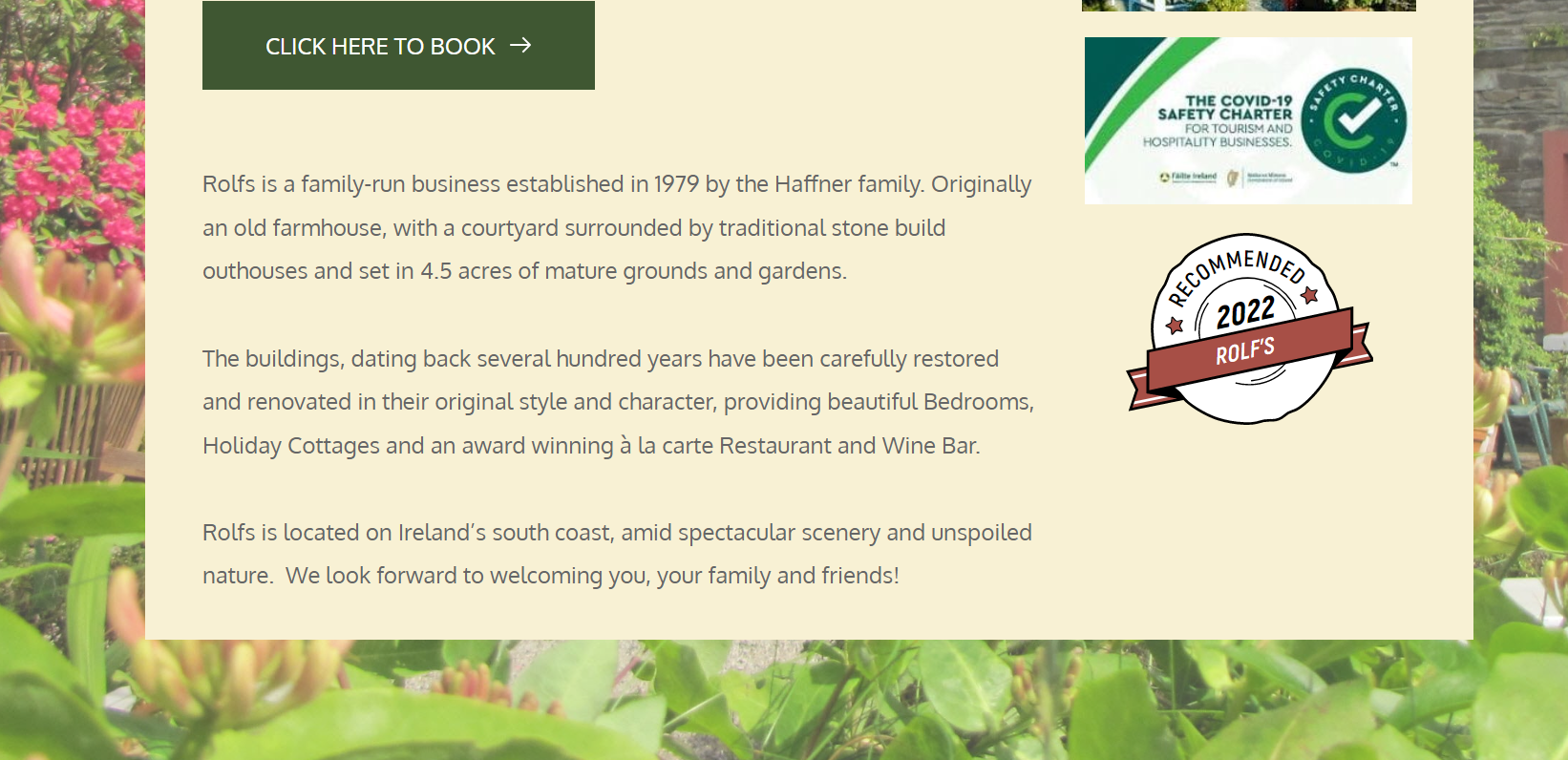
An image in the bottom row of a page on my website does not display on the front end. I have checked that it is set to 'visible on desktop', have cleared the cache and have rebuilt the whole layout of the page. The image is still not visible.
Page: https://rolfscountryhouse.com/
Image within builder:

Front end view:
Thank you.
-

Hi Bevis,
Looks like your website is hosted on Litespeed Webserver with Irish Domains. You also seem to be using WP Fastest Cache. While WP Fastest Cache can handle caching at the WordPress level, it cannot connect to caching at the Webserver.
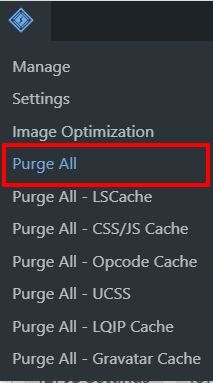
Can you please try this? Deactivate WP Fastest Cache and install Litespeed Cache plugin. Under Litespeed Cache - Page Optimization, disable CSS Minify. https://jmp.sh/NPfwBwM5 On the WordPress Admin bar, click on the Litepseed Cache icon and then on 'Purge All' and check if your website frontend shows the image you have added.
 0
0 -
Hi there,
Thanks for your help. I took all those steps but unfortunately the image is still not visible.
Could you please advise?
Thank you!
0 -
Hi Bevis,
Caching is typically the cause of this problem. Please check with Irish Domains how to clear the entire server cache. You can share with them the URL of this discussion. https://support.brizy.io/hc/en-us/community/posts/12485315030289
0
Please sign in to leave a comment.
Comments
3 comments