Header Width vs. Content Width

Hello!
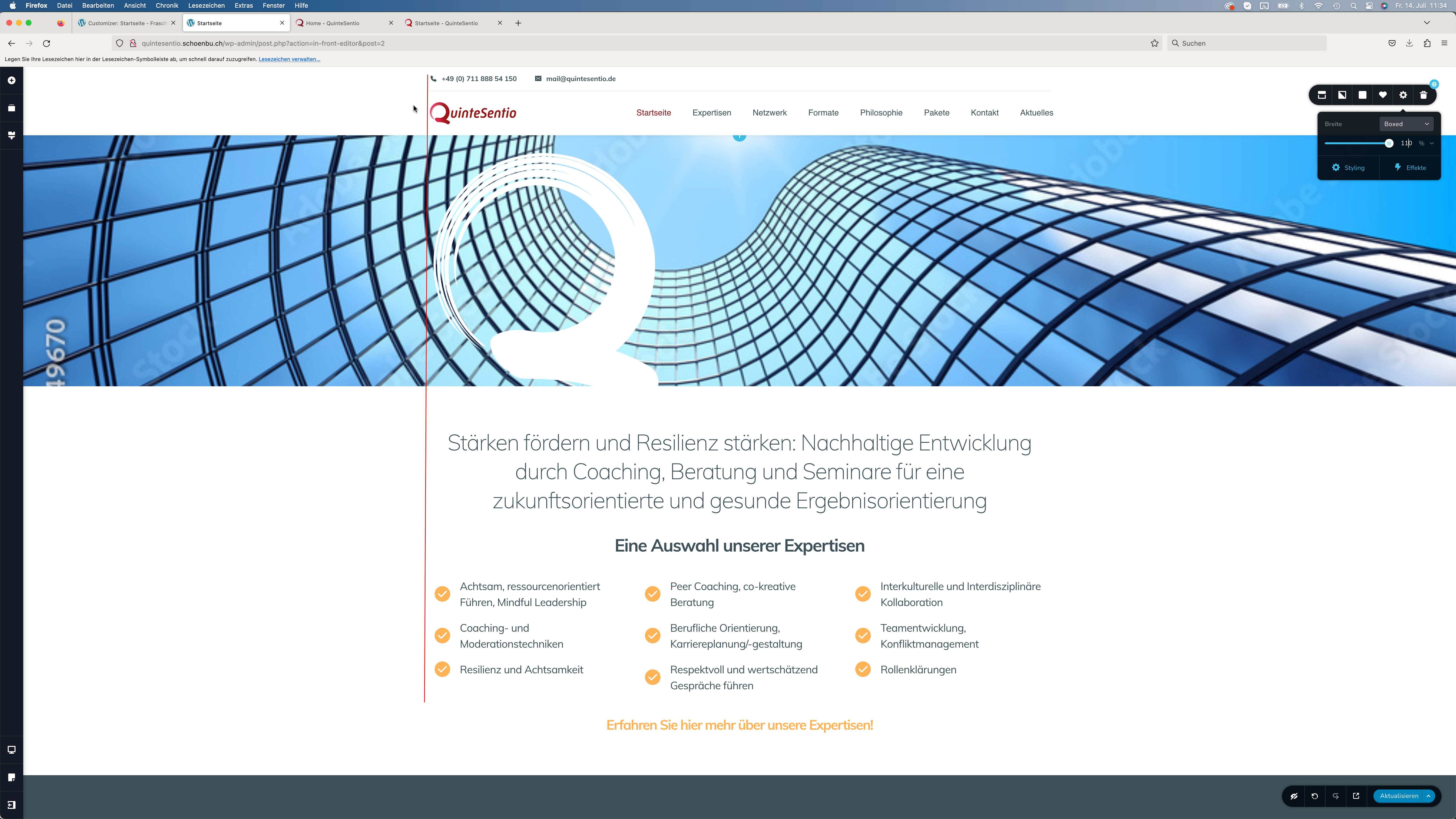
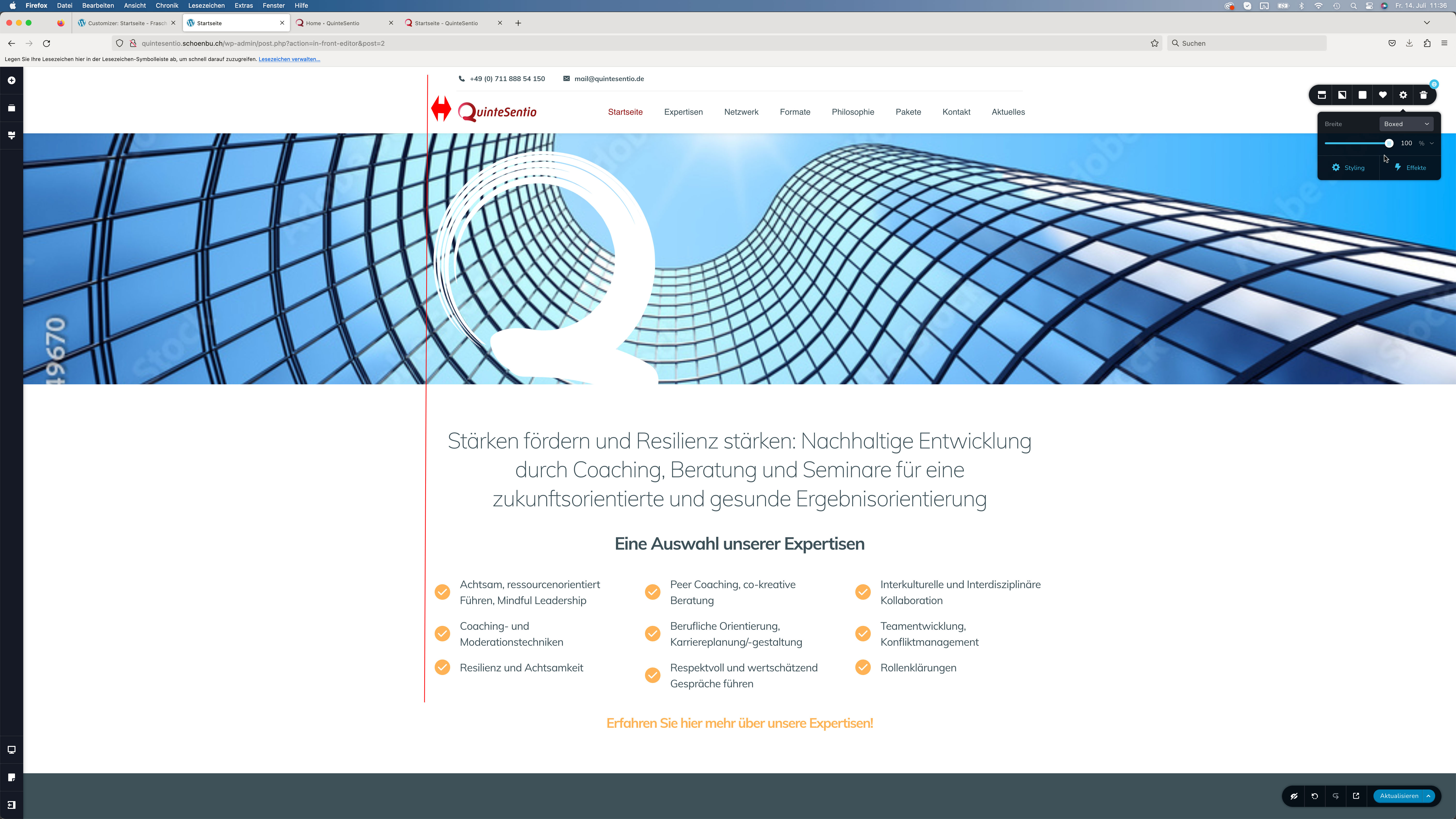
I want to use a header block on my new website for a sticky menu but have the following problem: the header is much smaller then the following contents. They are all set to boxed with a 100% width. There are no surrounding containers. I don't like this, all containers should have the same width when set to boxed and width 100%. I put in a line with 100% in the header and the following block, so that you can see it better on the image attached.
This has to be bug, no? As a solution I tried to build my own header but can't find out, how to make it a sticky header. How can I use a ready built header but have the same width as the following elements? 
-

Hi Martin,
Thank you for contacting us.
I assume that you also wanted to change the width of the stick header to 100%?
To accomplish this, I've prepared a short screencast for you to show you how to do it.
https://youtu.be/KOfYen8BVPAIf this is not what you want to achieve, could you please provide us with a short screencast demonstrating the issue? This will help us to reproduce the issue on our end and possibly offer a solution for you.
I am looking forward to your response.
Best regards,
Ariel H.
0 -
Hi Ariel,
thank you. I don't think it needs a screencast to understand the following problem:
I want all the blocks to have the same boxed width. Both the header and all other following blocks are set to boxed and 100%. None of them has a margin, surrounding container with a margin or anything else. Despite this the ready built brizy header is smaller than all the other elements although they are all set to boxed, 100%, no margins or paddings. If you want to take a look I can give you the login for the project.
Thank you!0 -

Hi Martin,
Are you trying to align the logo and the menu to the text at the bottom? Are you attempting to get rid of the gap I have highlighted using red arrows?

To help you with this, we will need access to your design. Please consider either of these two options.
- Save the entire page as a layout, download it as a ZIP file and share it with us. We will import the layout to a project and let you know how you can get rid of the gap.
- Give us access to your project. We will fix this issue in your project.
If you want to give us access, please add me as a user to your WordPress Dashboard and send the following details to our email: communitysupport@brizy.io
- Community Post link: https://support.brizy.io/hc/en-us/community/posts/12477869583378
- WordPress Admin URL:
- Username
- Password
Please let us know here when you send us the email.
0 -
Hi and thank you.
No, thats not the problem. The problem is, that the header and all other following elements are set to width 100% but they have a different width (see image below). I think this is a bug you need to fix. I already fixed it by putting the header to width 110%. But this is simply not right. It's a workaround for a bug in brizy, as I think. You may prove me wrong. I will send you the Wordpress login so you can have a look. 0
0 -
I made a few more screenshots so that you can understand the problem. The mail with the login data is on it's way.

 0
0 -
Hi Martin,
I could reproduce this issue at my end. I have reported the bug. We will work on fixing it.
You have implemented the right workaround for your sticky header. Please repeat the same for your regular header.
0 -
Ok, Thank you!
0 -
Hi Martin,
Thank you for your patience, I have received an update from our senior support team, confirming that the pre-made templates were intentionally designed in this manner.
If you're not satisfied with the current headers, you can always choose to modify them according to your preferences.
If you have any further questions, please let us know.
Best regards,
Ariel H.0
Please sign in to leave a comment.
Comments
8 comments