cannot save page

when i edit the page, i cannot save the page. please help me
cilad@unissula.ac.id
-

Hi Cilad,
Do you see an error message or do you see a pre-loader running indefinitely? Usually this issue indicates that a software in your hosting server environment is interfering with Brizy editing. To fix the problem, please log into your hosting company account and check if any of this software is turned on. Disable these systems one at a time and see if that makes a difference.
- Security system
- Malware protection
- Firewall
- DDOS
Please also check if you have installed a security plugin in your WordPress Dashboard. Deactivate the plugin and check if the error disappears. Once you identify the interfering software, relax the security restrictions to allow Brizy editing, in consultation with your hosting company.
Please contact us again if you need assistance in identifying the interfering software. We will require access to your WordPress Dashboard to troubleshoot this for you.
0 -

Hello Brizy team,
I encountered several times that my page does not save new blocks. I have 5 edits, so it can't be the number of edits. I have deactivated security plugins, but no results. Could you please help me? Thank you so much!
Best wishes,
Susi Wolters0 -
Hello Susi,
Do you see the following error message? If you do, kindly follow the steps provided in the troubleshooting guide at https://support.brizy.io/hc/en-us/articles/22590197512210 to fix this issue.
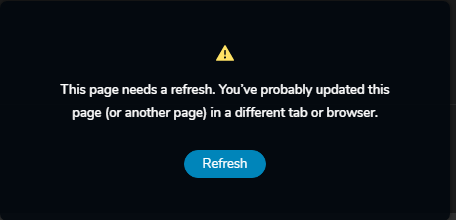
If this does not help, please get back to us. We will take a look at your WordPress Dashboard to troubleshoot this error.
0 -
Thank you KC George! I have no access to the Cpanel, but I edited the htaccess file. I have no security plugin. So after saving I have tried to edit the page with a block and still got the message. Any other way to fix this? I have to deliver the website before January 1st. Have to copy all the Dutch pages into German pages.... Thank you!
Best wishes, Susi
0 -
Hello Susi,
We would like to take a look at your WordPress Dashboard to troubleshoot the issue. Without access to cPanel, it would be difficult to fix this error. Please add a new user to your WordPress Dashboard and send the following details to our email: communitysupport@brizy.io
- Support Forum link: https://support.brizy.io/hc/en-us/community/posts/12409073718802
- WordPress Admin URL:
- Username
- Password
Please let us know in this forum when you send us the email.
0 -
Hi K C George,
I've just forwarded the mail to communitysupport@brizy.io. Thank you so much in advance for all your trouble.
Best wishes,
Susi0 -
Hello Susi,
We are working on troubleshooting the issue with your website. In the meantime, can you check if you have the option to disable Imunify360 security software temporarily in your hosting admin panel?
0 -
Wonderful K C George,
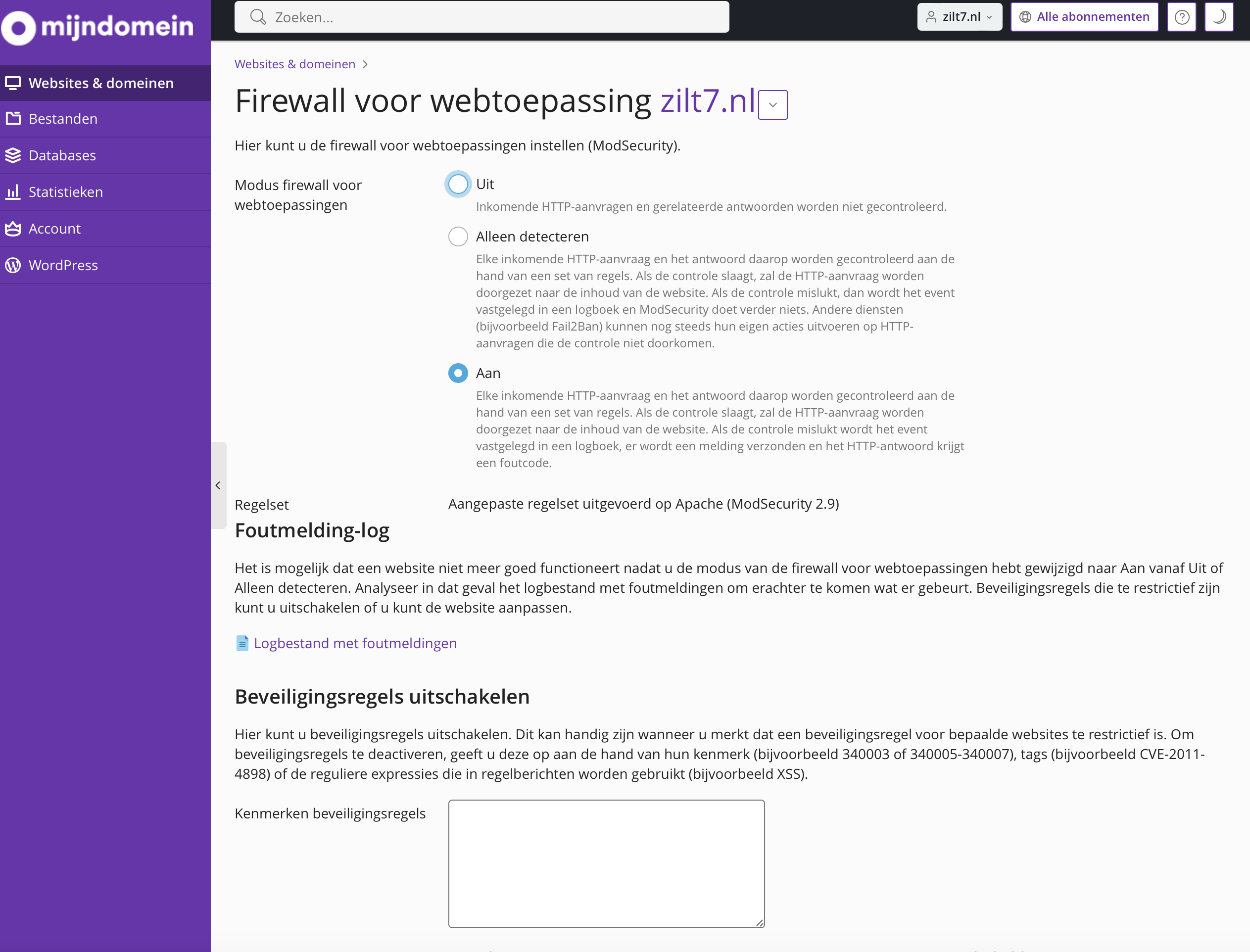
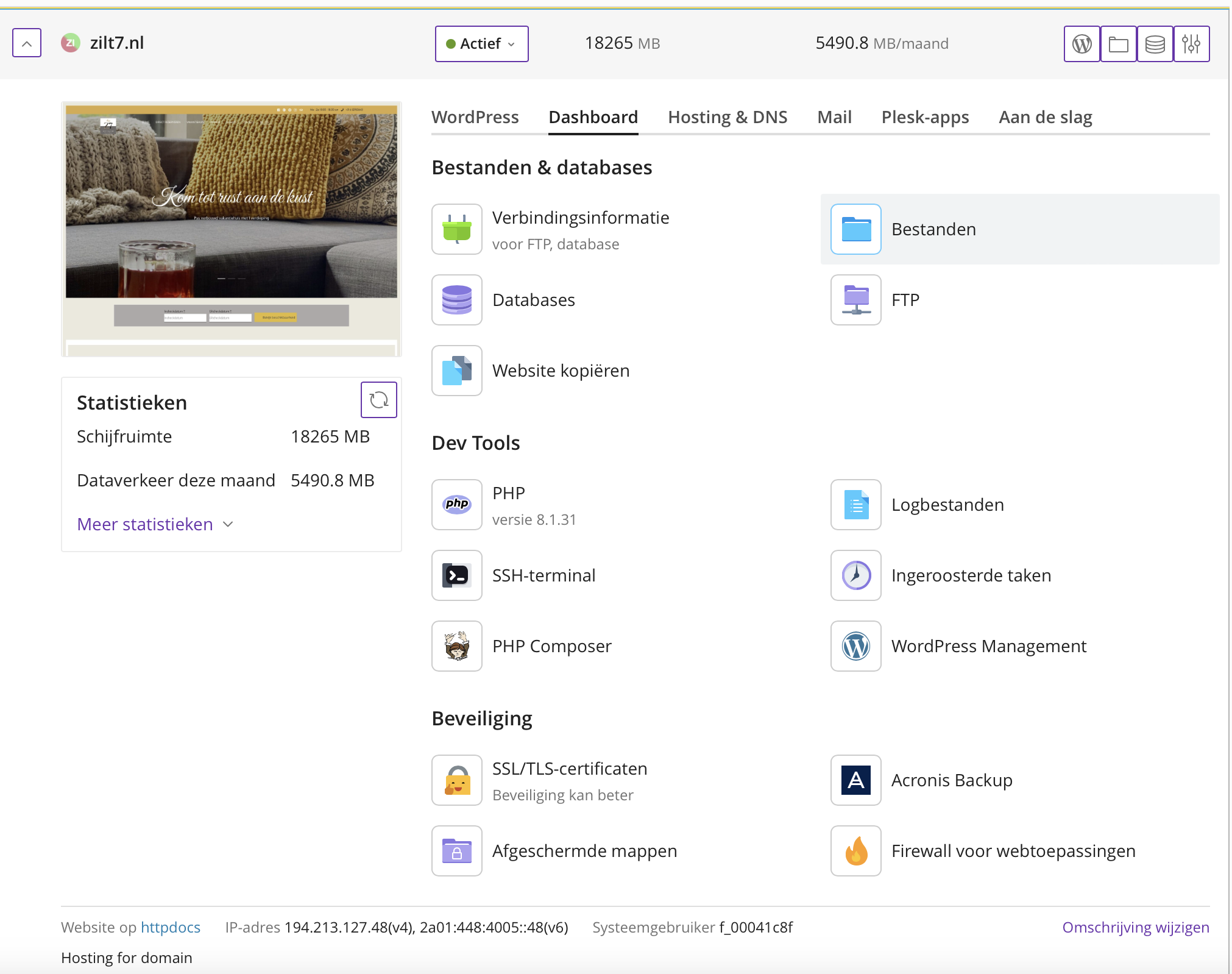
I'm currently looking in the admin panel of my host (mijndomein.nl). I share a screenshot and I will try to translate...
I think Immunity 360 is in the Security maps. I can only open Firewall for web applications. There I see ModSecurity. Shall I set in on Off (top) and Brizy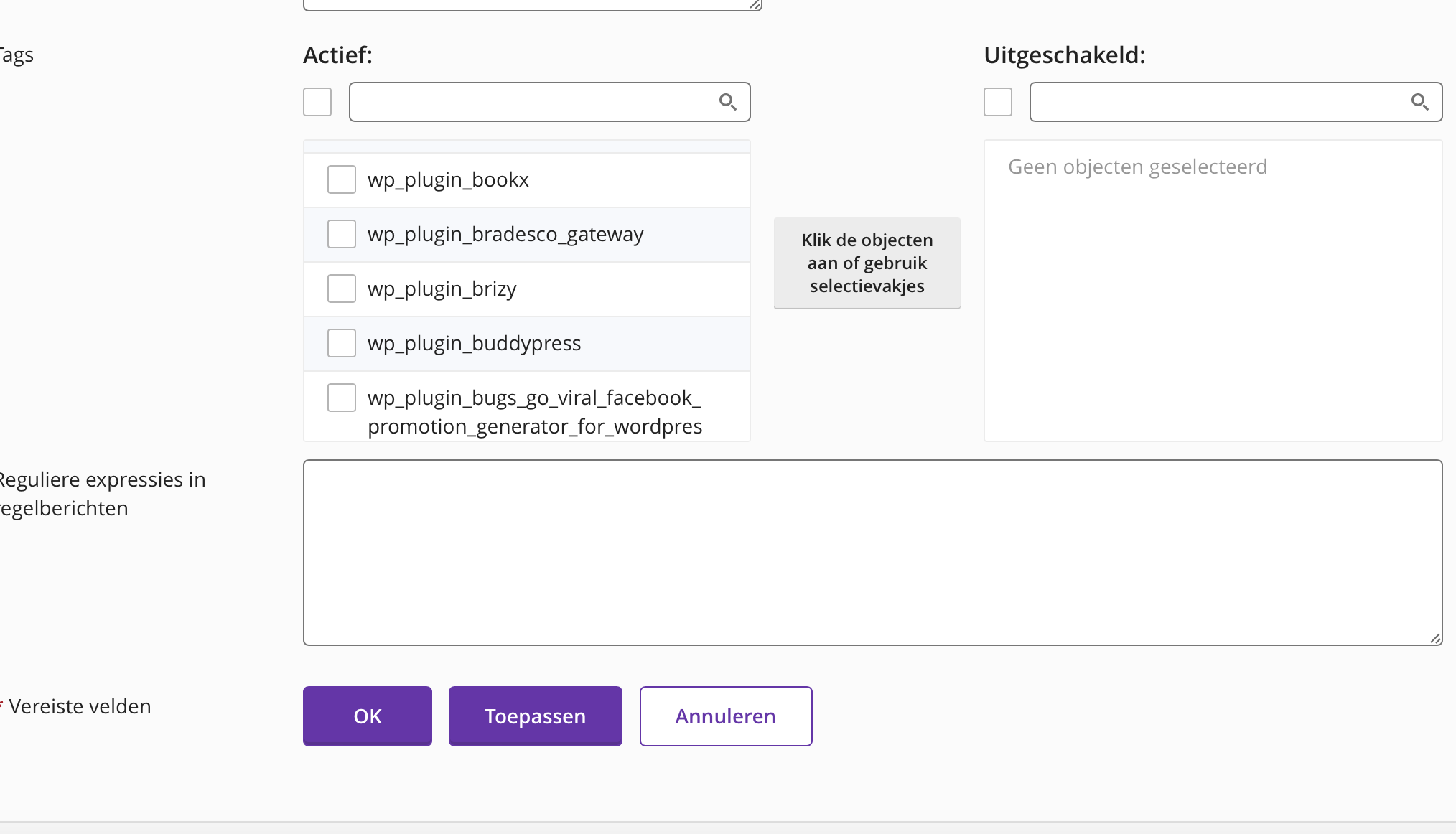
 0
0 -
Yes; kindly turn off ModSecurity and check if that helps in saving Brizy pages. If you have an option to turn of the Firewall temporarily, please try that as well and check if that helps.
0 -
Hi KC, yes that works! Should I have the firewall turned off all the time, or just when I want to make changes? Is there a better way to secure the website for the future?
Thank you so much for your help!
Best wishes,
Susi0 -
Hello Susi,
The firewall could be blocking Brizy editing suspecting it as malicious. Kindly check with your hosting support if they can add a rule to the Plesk Firewall to allow Brizy editing. Until this can be done, you need to temporarily disable the Firewall to make Brizy editing possible.
At least until you complete your deadline on January 1st, you may want to keep it disabled.
0 -
I am very glad with your help. I can definitely finish my deadline... I love Brizy and your support is really awesome! Thank you. Have a wonderful New Year's Eve and all the best wishes for the new year!
Best wishes,
Susi0
Please sign in to leave a comment.
Comments
12 comments