Desktop version loading on mobile

Hi!
This page loads correctly on mobile:
VERHUUR – Fit Mission
But we are using a redirect of an URL to this page, and when we use that the desktop version loads on mobile:
sup-huren-hoekschewaard.nl
What can we do to make sure the mobile version appears on mobile?
Thanks in advance!
Lenie
-

Hi Lenie,
Thank you for contacting us.
Please change your HTML to the following.
<!DOCTYPE html>
<html>
<head>
<TITLE>sup-huren-hoekschewaard.nl</TITLE>
    <meta name="viewport" content="width=device-width, initial-scale=1">
    <style>
        .responsive-iframe-container {
            position: relative;
            height: 100vh;
            overflow: hidden;
            margin: 0;
            padding: 0;
        }

        .responsive-iframe-container iframe {
            position: absolute;
            top: 0;
            left: 0;
            width: 100%;
            height: 100vh;
            border: none;
            margin: 0;
            padding: 0;
        }
body{
margin:0;
padding:0;
}
    </style>
</head>
<body>
    <div class="responsive-iframe-container">
        <iframe src="https://fitmission.nl/sup-step-mtb-verhuur-hoeksche-waard" allowfullscreen></iframe>
    </div>
</body>
</html>
I've tested this to work on this link - https://staging.server001.xyz/test02/test1.html
Please try this and let me know how it goes.
Best regards,
Ariel H.0 -
Hi Ariel,
Thanks for your help.I am.doing something wrong.. when I add the code the site looks like this (see attachment). When I edit with brizy it looks normal again, but not showing the mobile version with that URL sup-huren-hoekschewaard.nlWhat should I do?Also the folowing urls redirect to Sup Step MTB verhuur Hoeksche Waard - Fit MissionMtb-huren-hoekschewaars.nlStep-huren-hoekschewaard.nlThanks!Lenie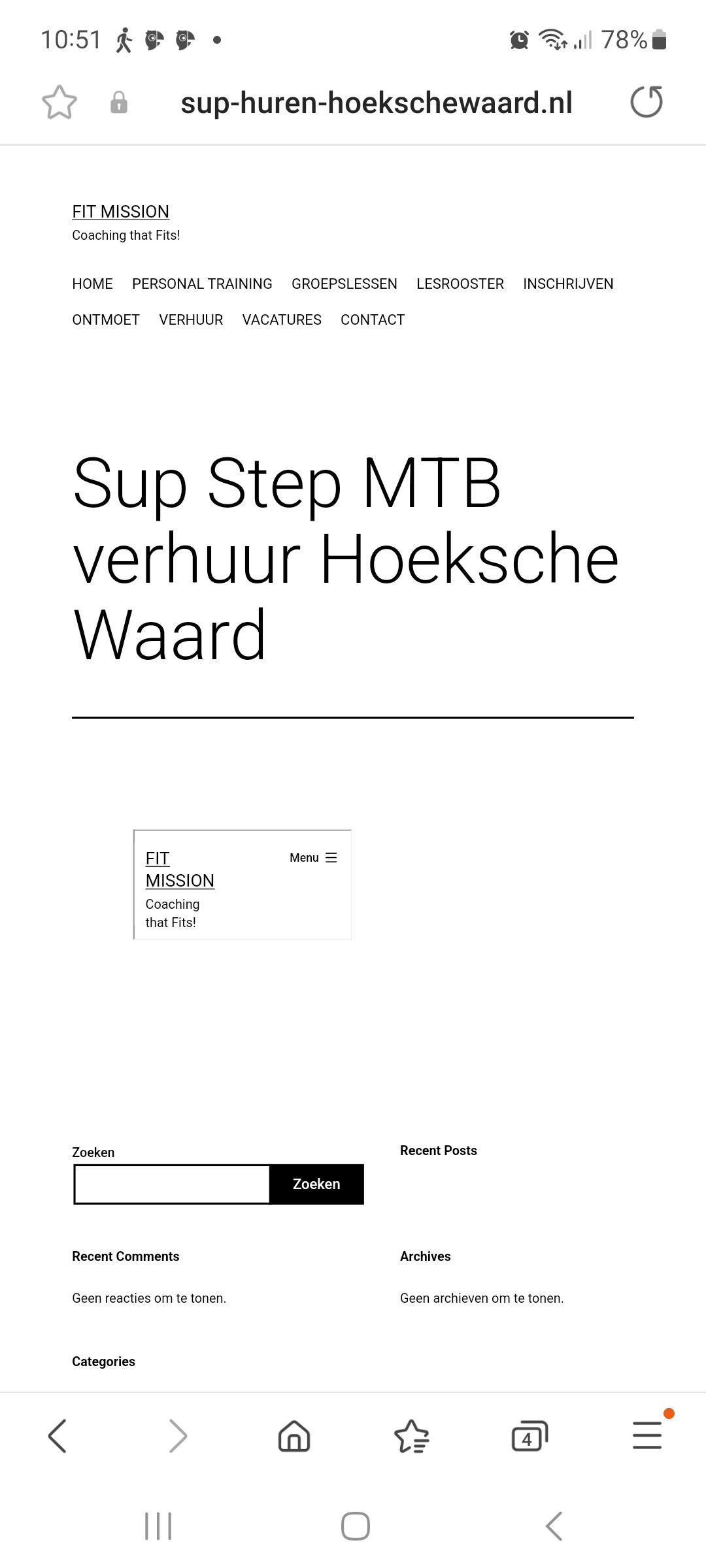 0
0 -

Hi
The HTML code of the homepage of https://sup-huren-hoekschewaard.nl/ is this.
<HTML>
<HEAD>
<TITLE>sup-huren-hoekschewaard.nl</TITLE>
</HEAD>
<FRAMESET>
<FRAME SRC="https://fitmission.nl/sup-step-mtb-verhuur-hoeksche-waard" NORESIZE>
<NOFRAMES>
Your browser does not support frames.
</NOFRAMES>
</FRAMESET>
</HTML>
Can you please copy the code Ariel gave you to a Text editor (like Notepad) and save the file as index.html and upload it to your server and check again?
When you right click on the live page and select 'View Page Source' it should display the code Ariel gave you.
 0
0 -
Hi,
It's just a redirect and there are no files. I don't know how to do this (unless I have to add a subscription and a database, but I want to avoid that because then I will have another site, which was not the plan).
Is there another way?
Thanks!
0 -
Hi Lenie,
Thank you for keeping in touch.
Unfortunately, there is no alternative to this situation. If you require assistance in replacing HTML files for the aforementioned websites, kindly contact your hosting provider. They can assist you in updating the existing HTML files and replacing them with the updated code we have provided in our previous email.
I have created the HTML file for you. You can download it from here https://jmp.sh/YgcMROvm. I have uploaded this file to a server. Please check this URL https://html-export.brizytest.online/ You will notice that the page is responsive on mobile devices.
sup-huren-hoekschewaard.nl → view-source:https://sup-huren-hoekschewaard.n
Mtb-huren-hoekschewaars.nl → view-source:https://step-huren-hoekschewaard.nl/
Step-huren-hoekschewaard.nl → view-source:https://step-huren-hoekschewaard.nl/You can give them access to this support thread, so they will have a general idea of the issue: https://support.brizy.io/hc/en-us/community/posts/12372505152402
Regarding the broken layout issue that you have experienced, it appears to be related to cache. In this case, please try clearing your browser cache or using another browser to see if this will help.
Please try this and let me know how it goes.
Best regards,
Ariel H.0
Please sign in to leave a comment.
Comments
5 comments