Product category tumbnail

Hi,
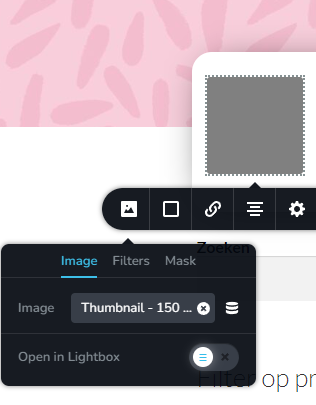
I want to put a different image for every product category to show at the archive page. In the template I chose tumbnail in the image options but it doesn't show anything. Is it possible to have a different image for every category?
And also I just want the name of the category instead of ' Categorie:' added to it.


-

Hi Meggie,
Are you thinking about a list of product categories with their image thumbnails like in this page? https://brizytest.online/shop?
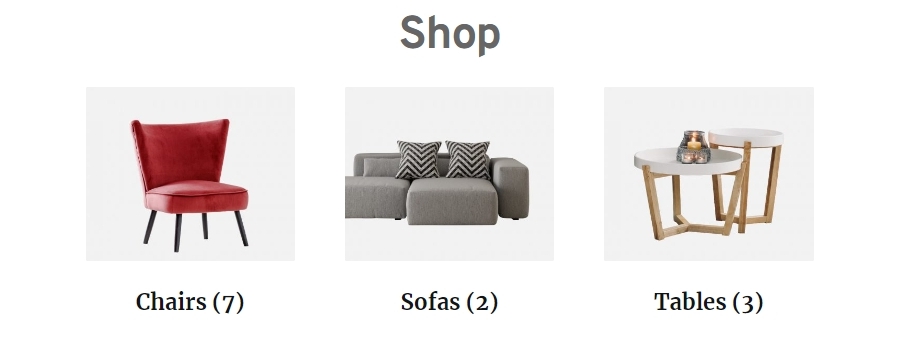
If you are looking for this, please use the Brizy Categories element.
 0
0 -
No I want to have the image shown on the page of the category itself. So when I am on the page 'Chairs' I see the red chair in the corner next to the text. And when I am on the page sofas I see the sofa etc.
The page I took a screenshot of is a template page for product categories.
0 -
Hi Meggie,
Displaying a dynamic image on your category archive pages is not possible. To implement the design you have in mind, please consider this approach
- Have independent category archive templates for different categories. For example, for my test website, I would create one category archive template for Chairs, another for Tables and third one for Sofas.
- Add a static image to each of the category archive templates. In the above example, I would add a Chair Image in the Chair category archive template, a table image in the Table category template etc.
0 -
Okay thanks for the solution!
Do you also have a solution for the 'Categorie:' to not show in front of the actual name of the category?
0 -
Hi Meggie,
To remove the Category prefix, please consider this work around
- Add the category name to the Category Description as well. https://jmp.sh/biwLBASE
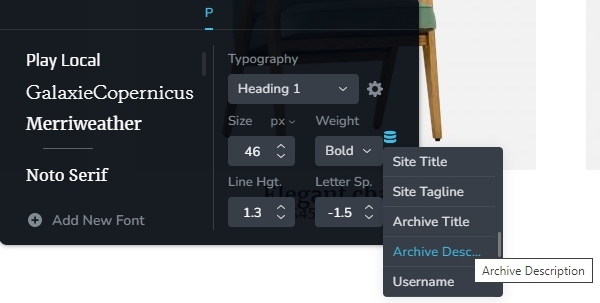
- In the Brizy Template use the dynamic field 'Archive Description' to display the category name. Use negative bottom margin to get rid of the additional white space below this dynamic field.
 0
0
Please sign in to leave a comment.
Comments
5 comments